Apollo.io review: My hands-on experience with the platform

Author:
Karina
Published:
Apr 15, 2026
Updated:
Apr 15, 2026
Reading Time:
13min
I used Apollo.io for almost a year when I needed to collect prospects to conduct B2B outreach campaigns. Since I first started using this platform, it has significantly improved, and new features have appeared.
That’s why I decided it’s time now to write a comprehensive review.
I want this article to be both an Apollo.io review and a practical guide on how to use it. I briefly described this platform in the Apollo.io vs Snov.io article as well as in the article about marketing automation tools.
This article will be more in-depth, and I will describe the use cases that might help you.
- What is Apollo.io (and who is it actually for)?
- How I use Apollo.io for prospecting (finding the right people)
- Apollo's AI features: What actually works (and what doesn't)
- Building sequences and automating outreach in Apollo
- Tracking conversions and analytics inside Apollo
- Other features worth trying
- Apollo.io pricing: What you actually pay
- Pros and cons of Apollo.io (my honest take)
- Is Apollo.io worth it? My verdict
What is Apollo.io (and who is it actually for)?
Apollo.io is an all-in-one sales intelligence platform that helps with B2B sales, including prospecting leads, validating them, automating deals, conducting email outreach, and organizing all of it in one place.
This platform can be used for many different purposes, but I will focus on the features I used myself. The main use case for me personally was to collect prospects' data for outreach campaigns.
Who I think would benefit from using this platform: solo marketers, small to mid-size B2B sales teams, and agencies. Since Apollo’s database is pretty extensive (210 million contacts and 35 million companies), I believe every company can find what they are looking for.
How I use Apollo.io for prospecting (finding the right people)
This is one of the most important parts of the outreach process. The ICP building process and contact filtering can be really confusing.
Apollo has many filters available, but you need to know how to use them.
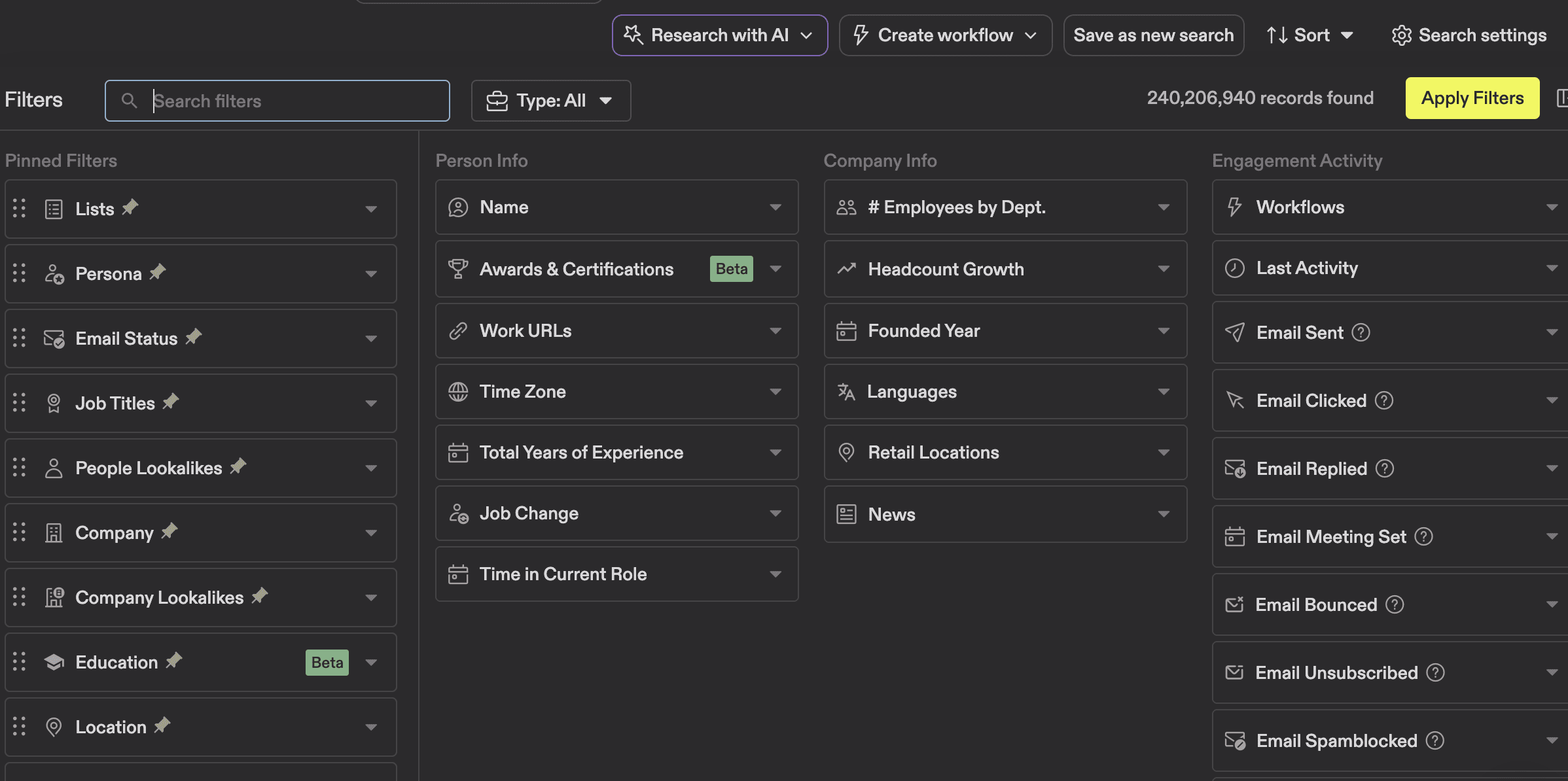
My personal recommendation is that, after identifying your ICPs, go through all available filters (including advanced filters) and determine which ones might be helpful for you. After you set up your filters, manually check 10-15 profiles to see if those are the people or companies you’re looking for.
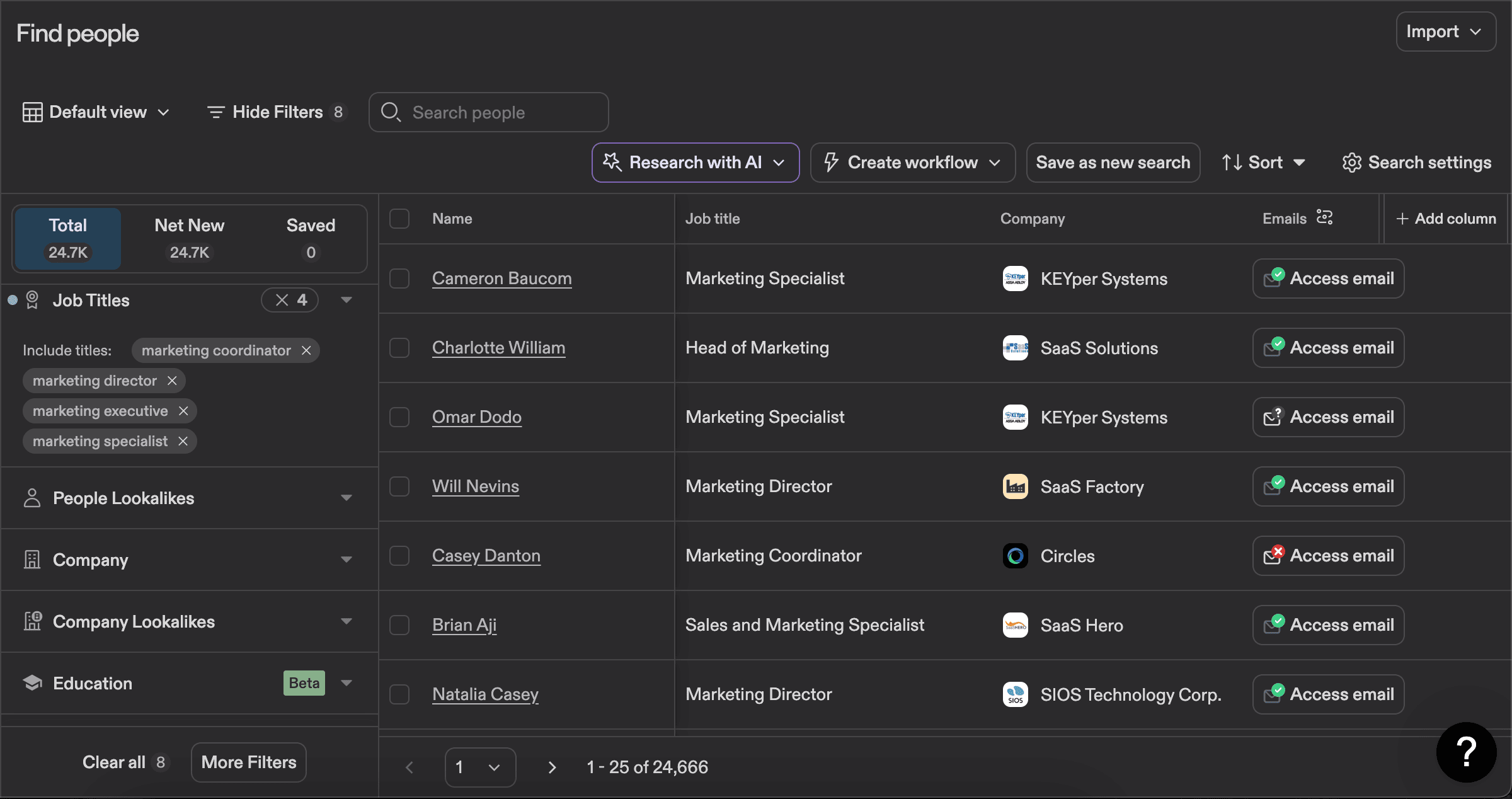
My own experience shows that some of the filters might shrink the number of prospects due to a lack of contact data or pick up contacts with inaccurate information.
This is how the search looks when you use Apollo.io. I filtered prospects based on job titles, location, and industry.
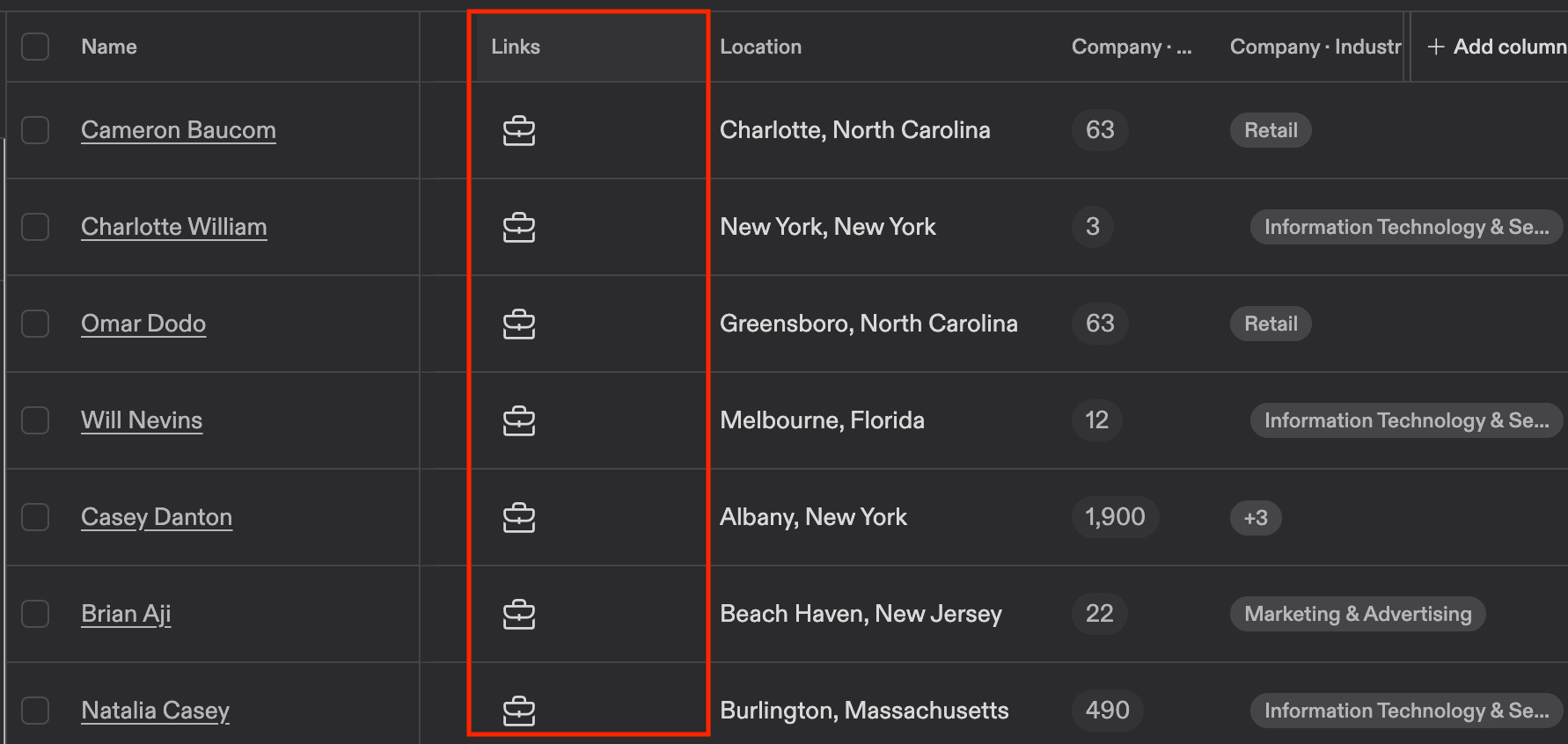
In the links section, you can find LinkedIn links and check if that’s the audience you wanna reach.
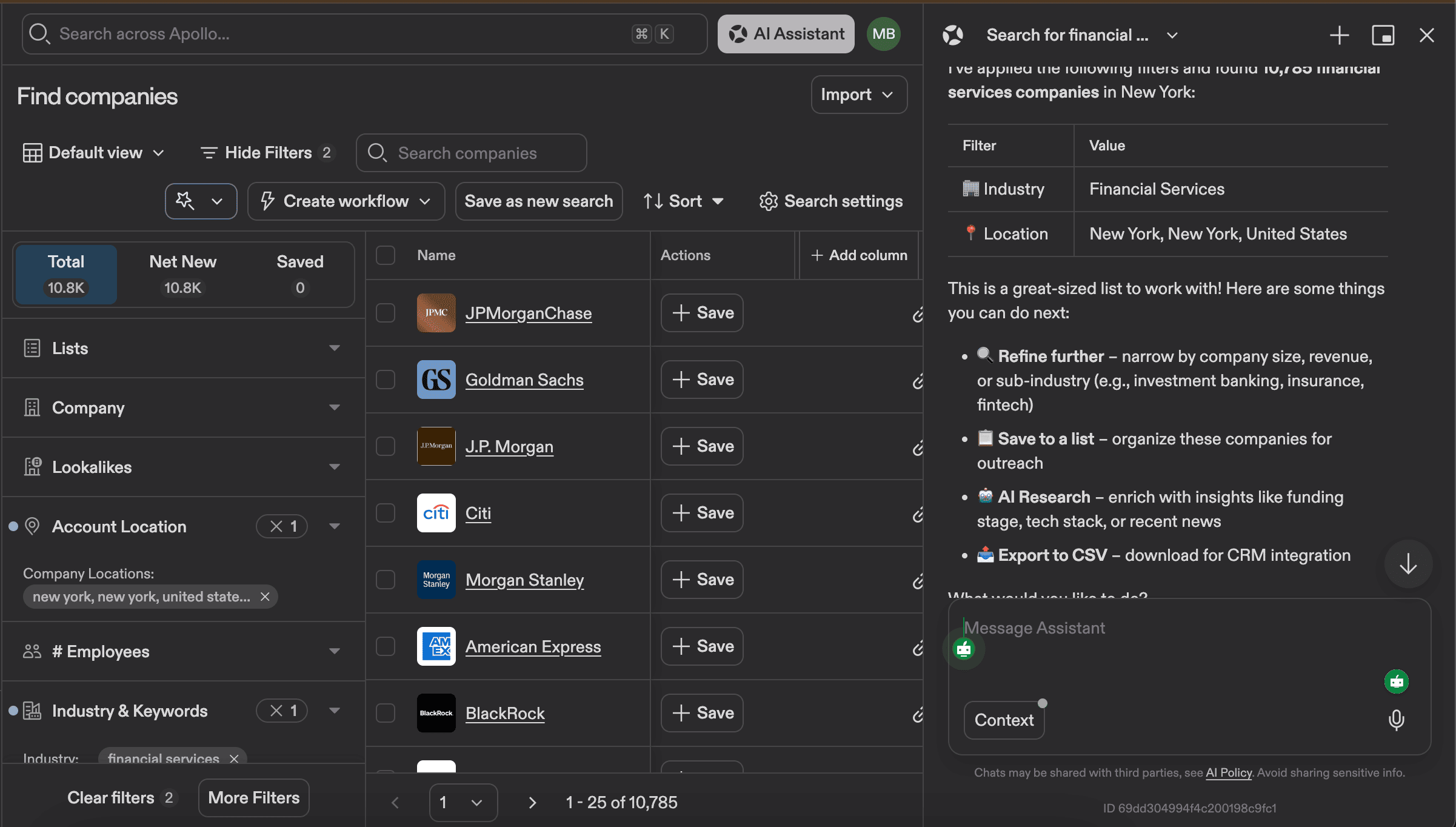
There is another way to build your B2B database. You can either go to the People or Companies page and try their AI search feature, which tends to be pretty good at applying the correct filters.
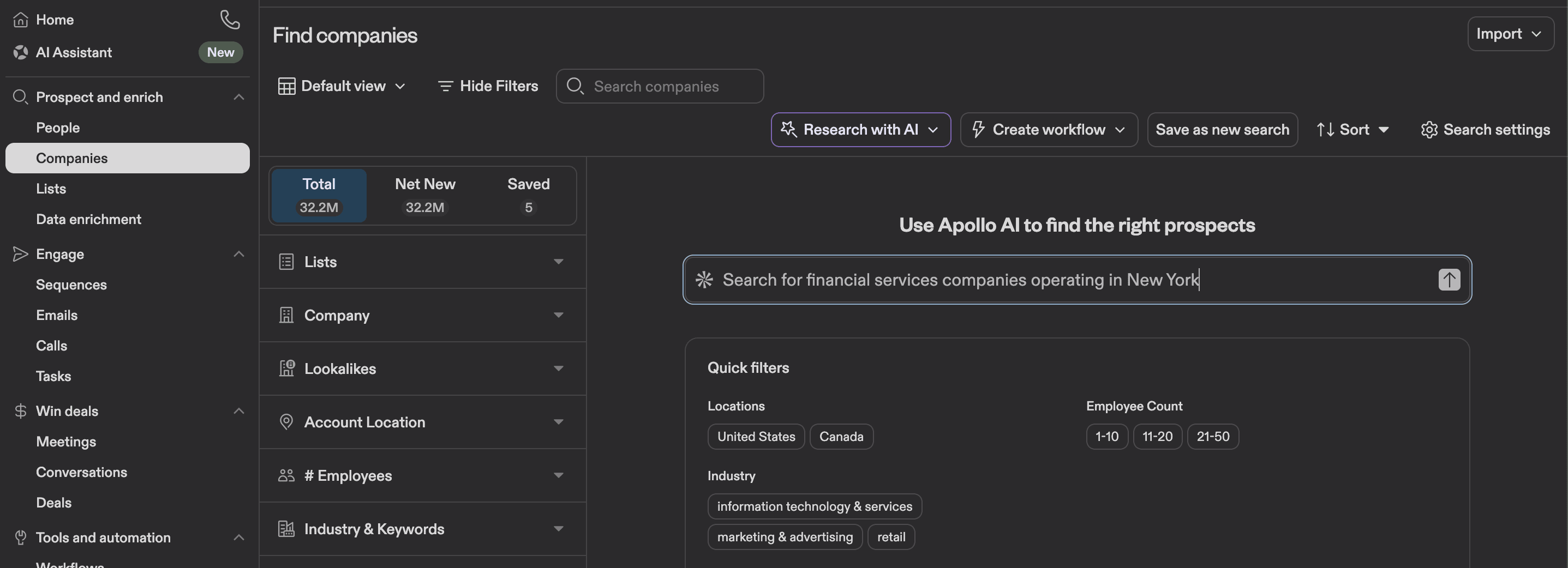
The AI agent will suggest further steps and adjustments once you start the search.
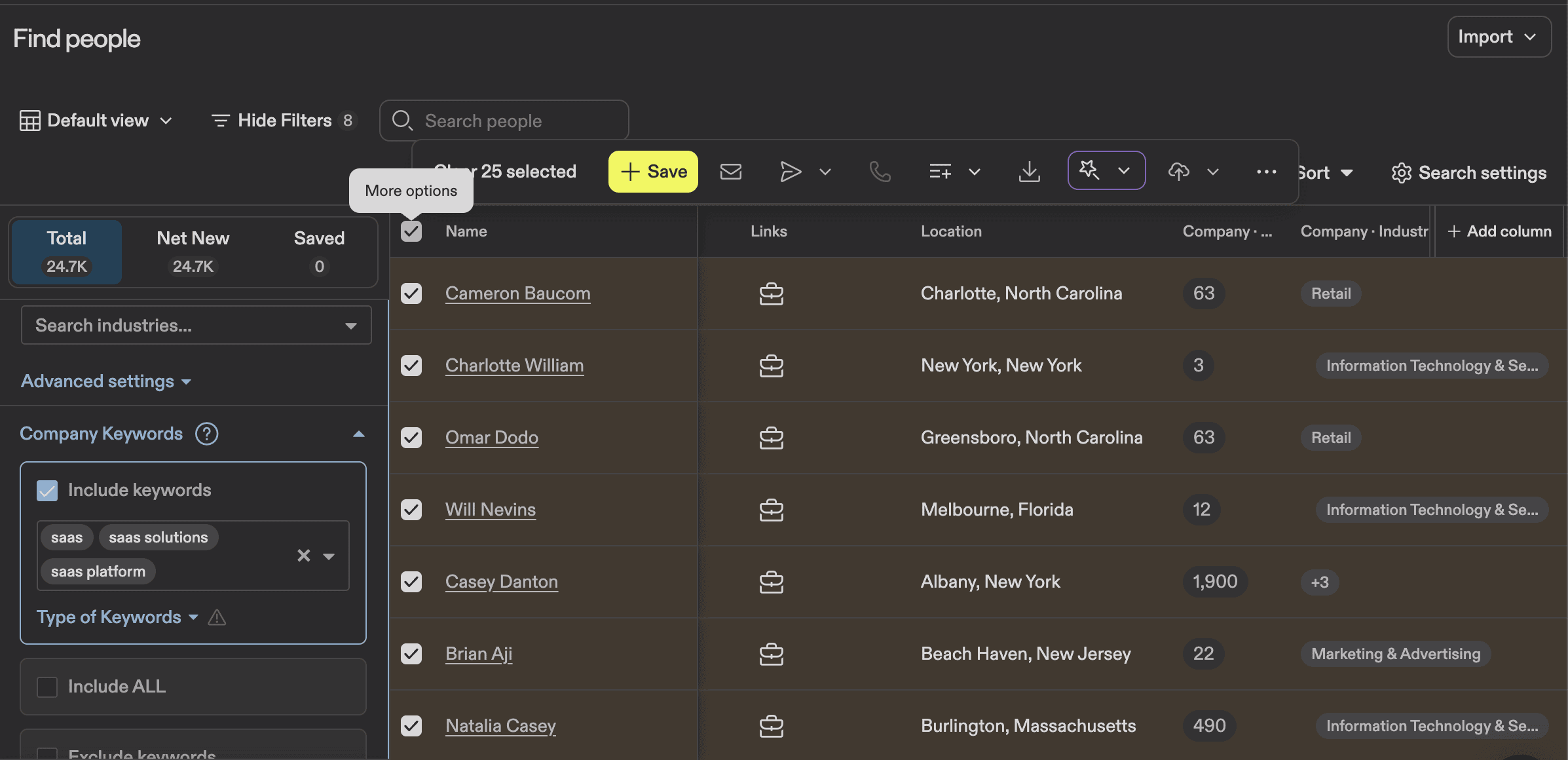
After you find leads and make sure they are valid for your campaign, you can select the number of contacts you need and either save them in the platform, use those B2B contact lists for a sequence, add them to an existing list, export them, or add them to a CRM.
If you want to save these prospects, Apollo will give you the option to verify/enrich your data. This is definitely helpful, but it’ll cost you credits. I will expand on this topic in the pricing section.
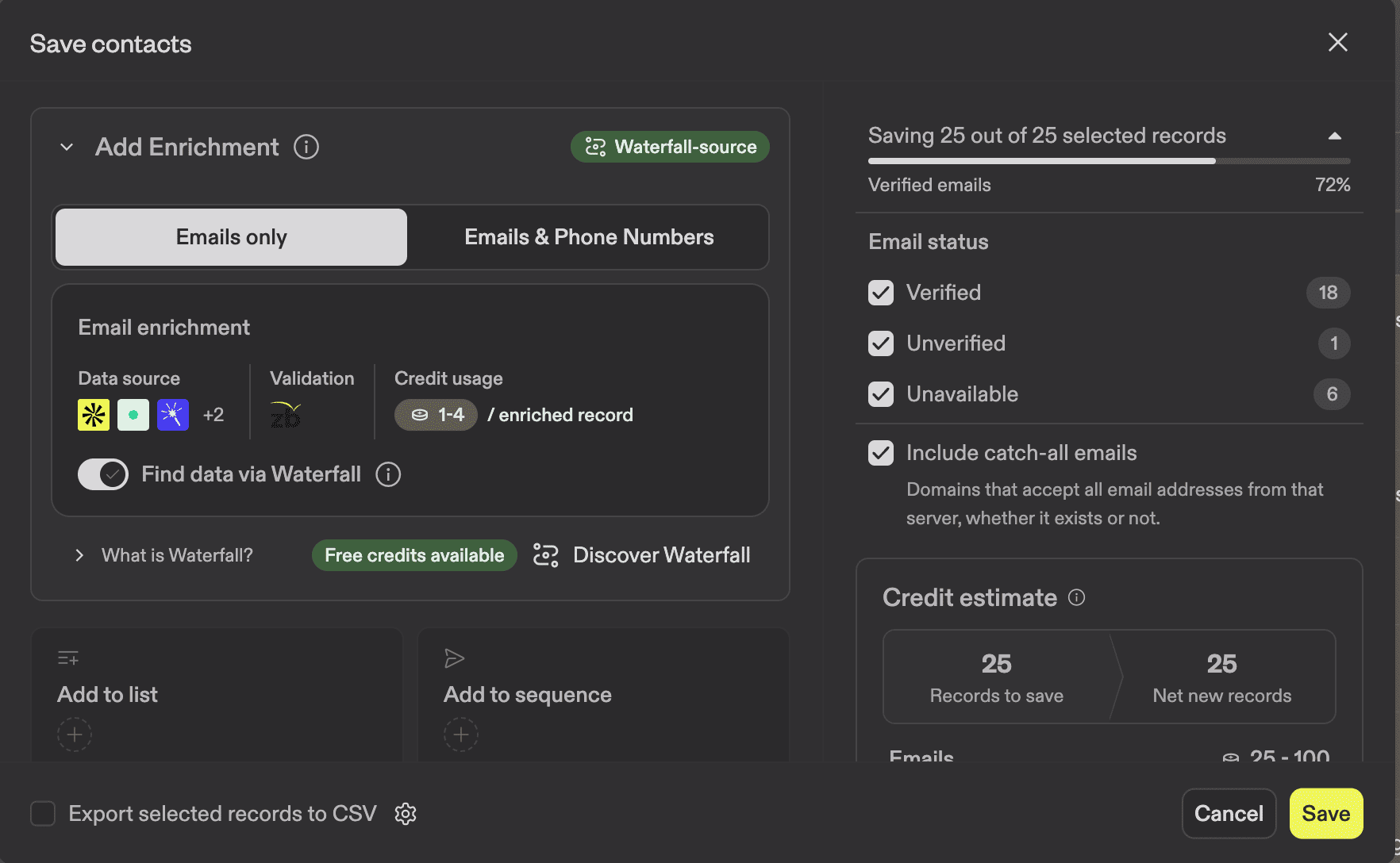
You can also unselect this feature and save the prospects without verification.
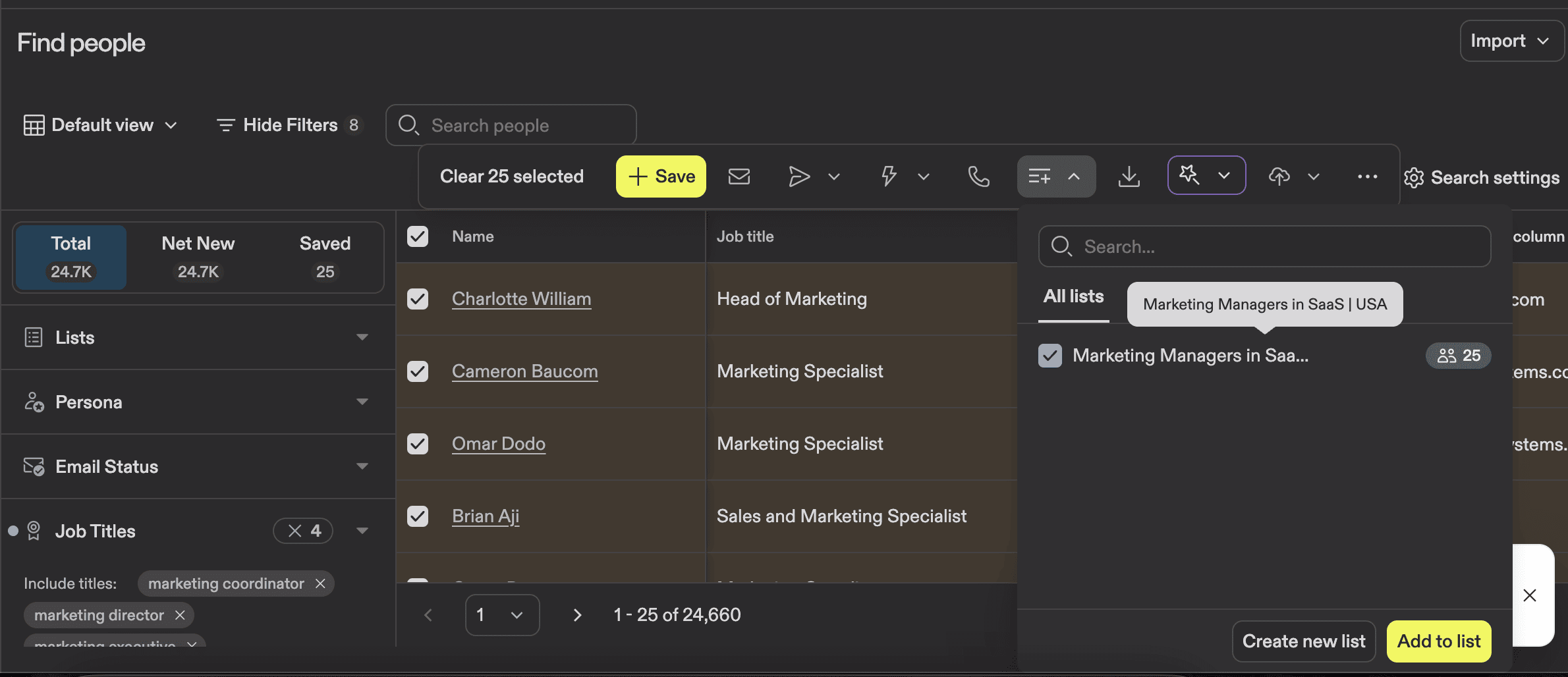
Prospects and companies can also be added to lists inside the platform. It can help you organize things better.
Apollo's AI features: What actually works (and what doesn't)
There are many AI features that Apollo offers. Some of them work really well; others need some improvements. In this section, I will list the main features and show you how you can use them.
1. AI search column
The first feature I want to talk about is the AI search column. You can see that the platform suggests you confirm decision-makers or evaluate the company fit.
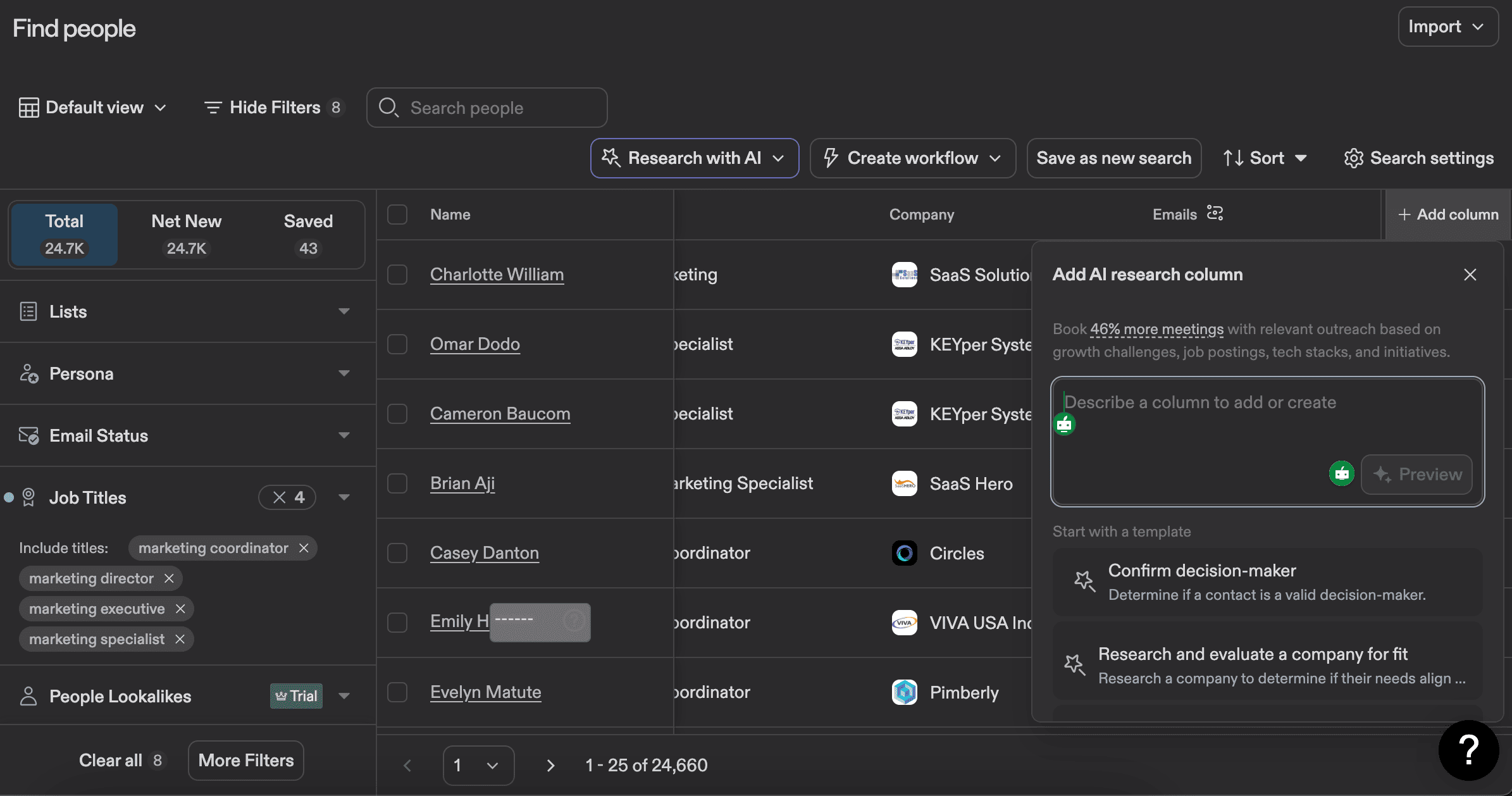
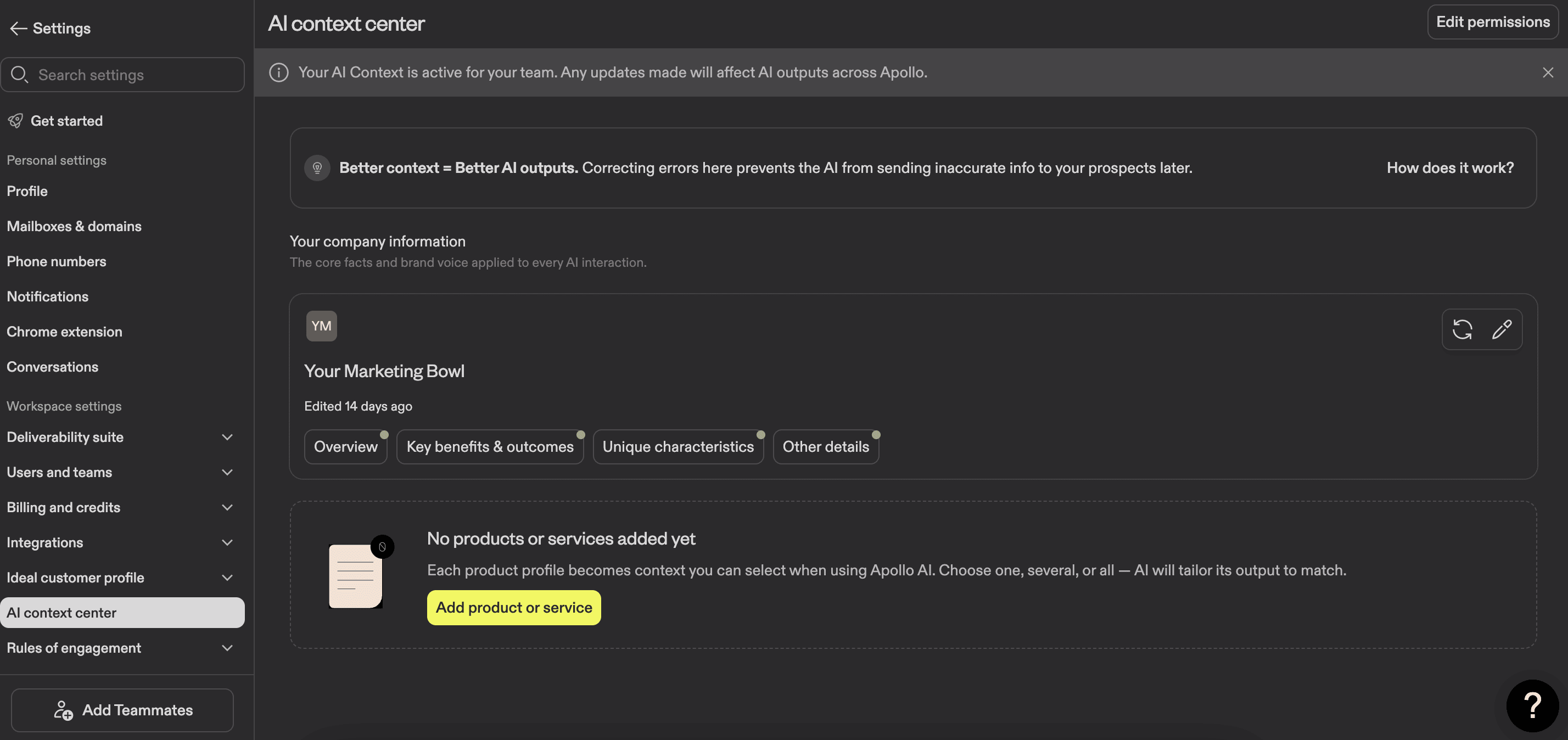
To improve the outcomes and minimize the adjustments before you test this feature, you should go to the Settings → AI context center and add all the information you feel is important and valuable about your business. This will help tailor the outcomes of the AI agent's work.
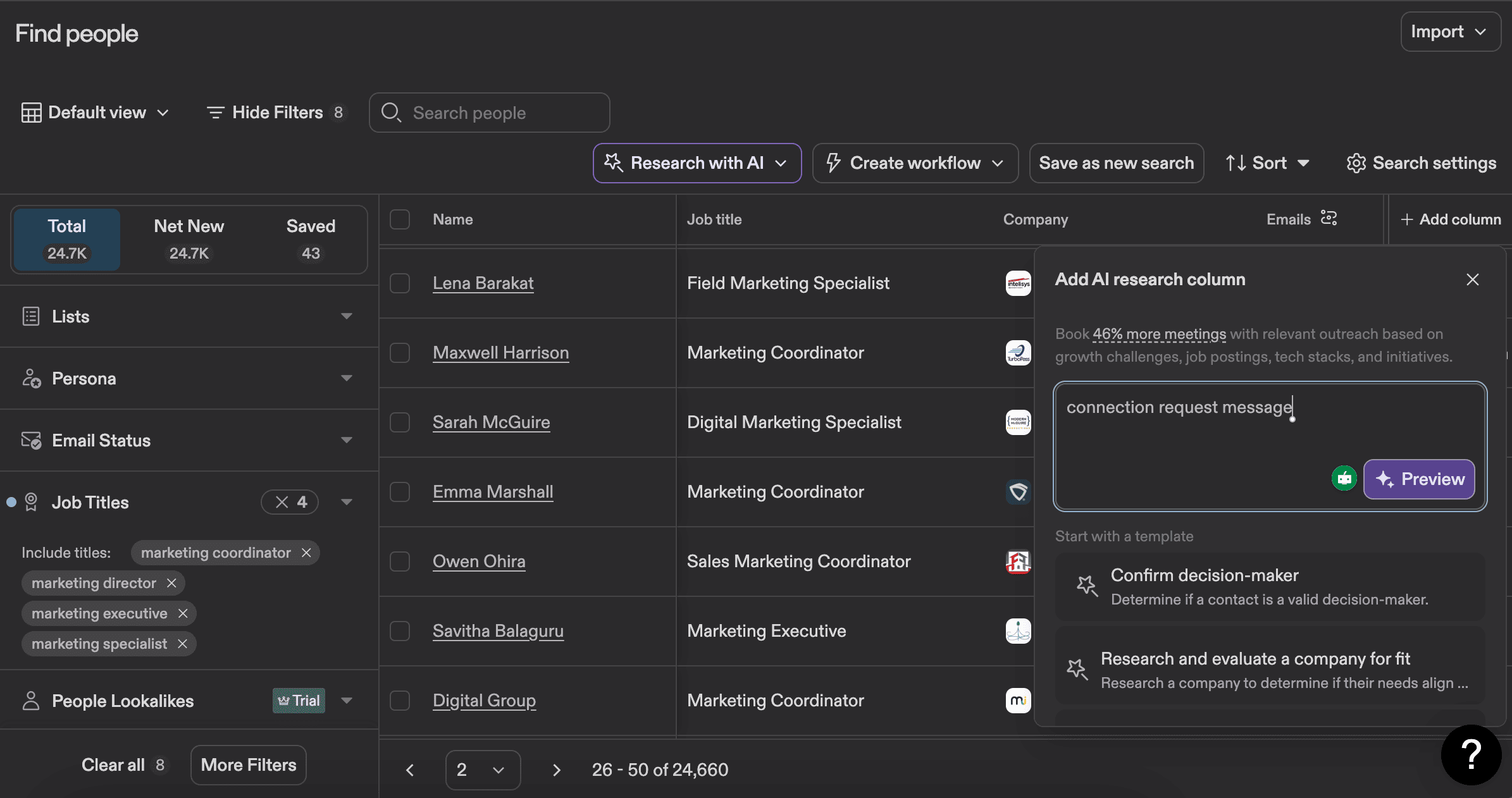
Now I wanna show you how it actually works. Let’s say you need to automate writing personalized connection request messages. I typed in the field “connection request message”.
Here’s the result I got.
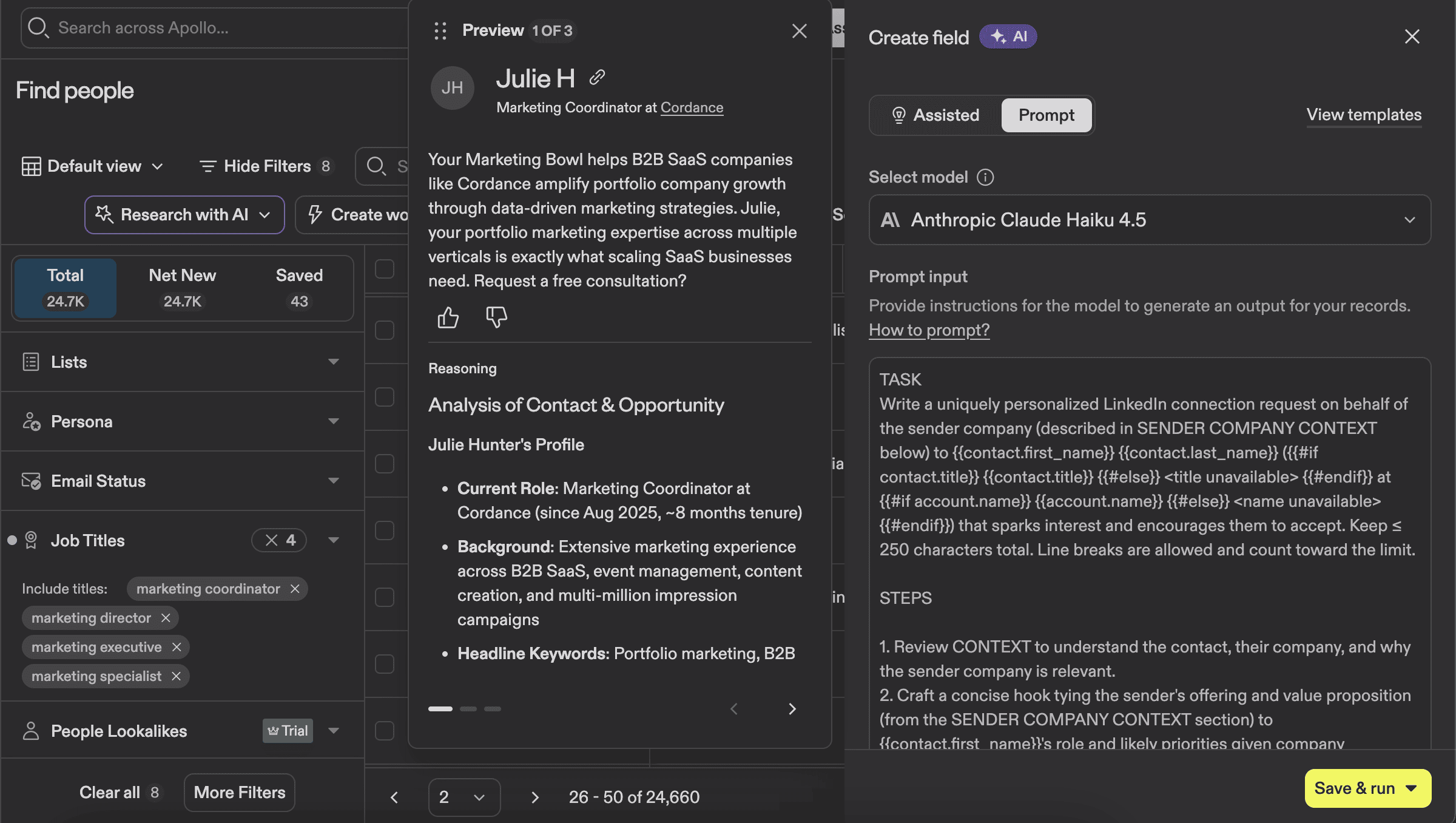
As you can see, Apollo has an integration with Claude, and the AI agent automatically crafts a prompt and shows you a preview of the analysis. I double-check the information it gives me with multiple prospects to make sure everything is accurate.
You can also adjust the script as you see fit. It might feel like a lot of work, but if you do this once, it can save you tons of time in the future.
One thing to mention is that this action will also require credits, and if you have a couple of thousand prospects or more, it might become pretty expensive.

You can see an example of a message that the AI agent wrote.
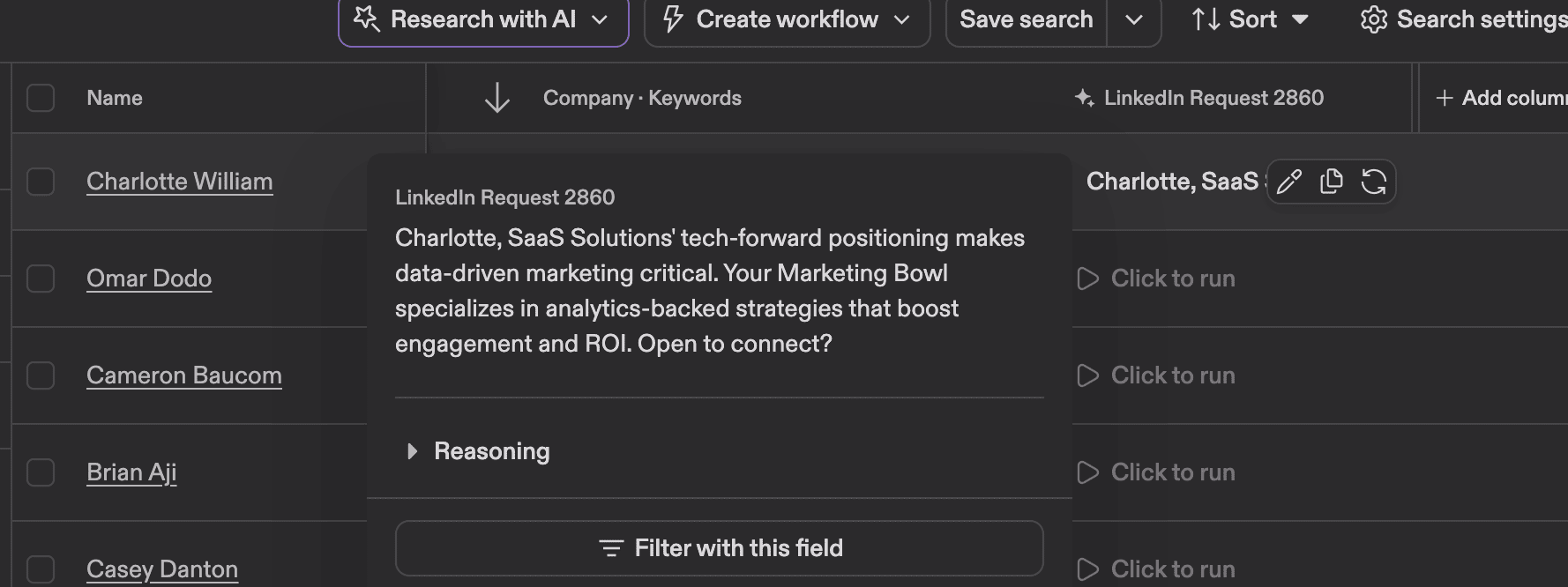
My advice — do not run the command for a large number of prospects at once, test with 10 prospects max, and see if you like the result. If you don’t, you can always adjust the message or the prompt itself. To do that, you just need to press the “Edit field”.
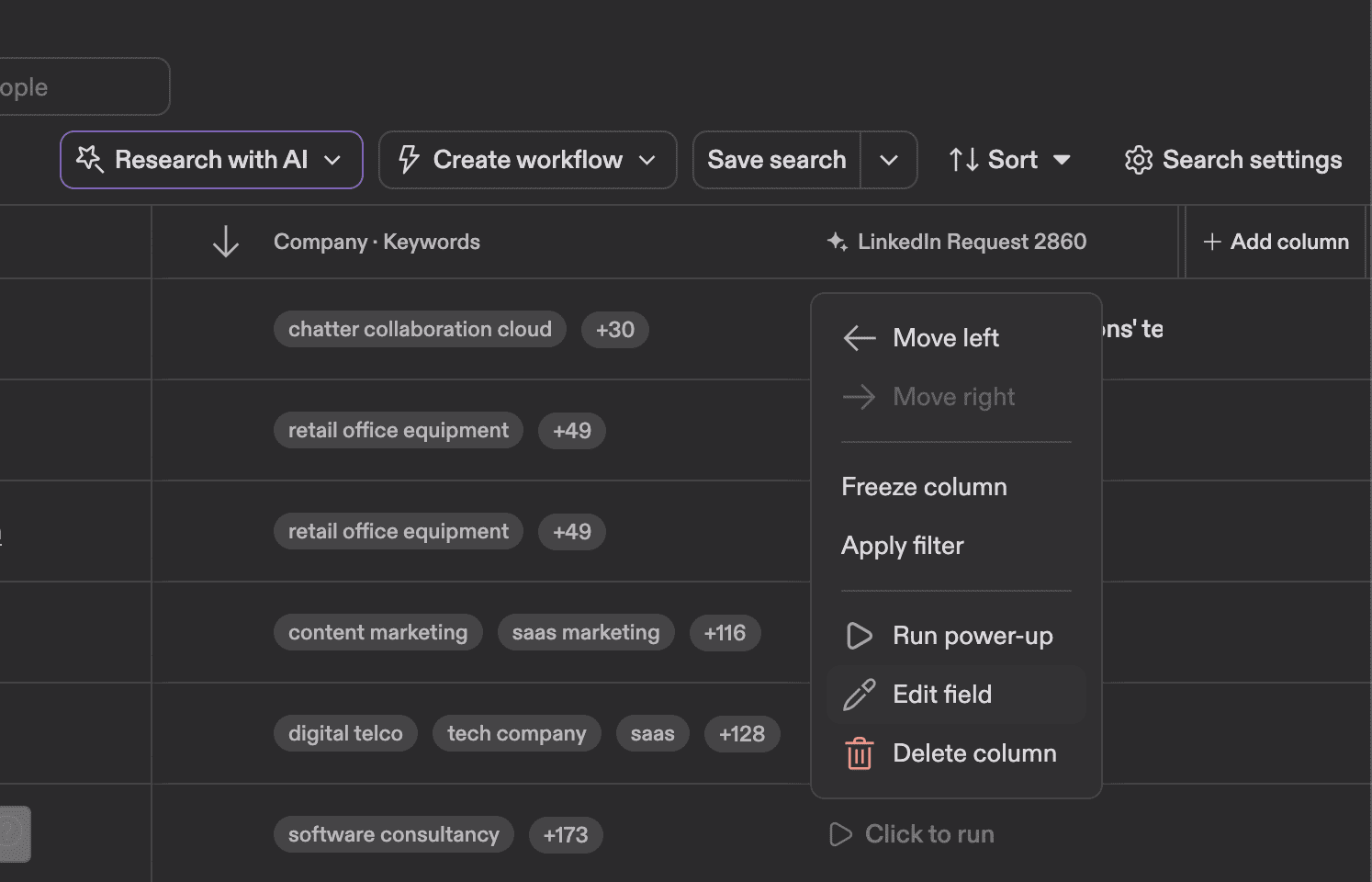
You will most likely need multiple interactions to get to the result you want, but once you set up the most common and essential steps, you will simplify the outreach process a lot.
2. AI filters
Another AI feature that I found helpful is AI filters. This covers filters that are not available by default. The AI filter I used myself was the B2B companies filter. I only needed B2B companies for my outreach campaign, so the AI filter did that for me.
Note that if a company or person has too little information on their page, or the information you are looking for is not publicly available, it might not work that well.
To create a custom AI filter, you need to go to Search settings → Fields → Add fields to table → Create field → Research with AI.
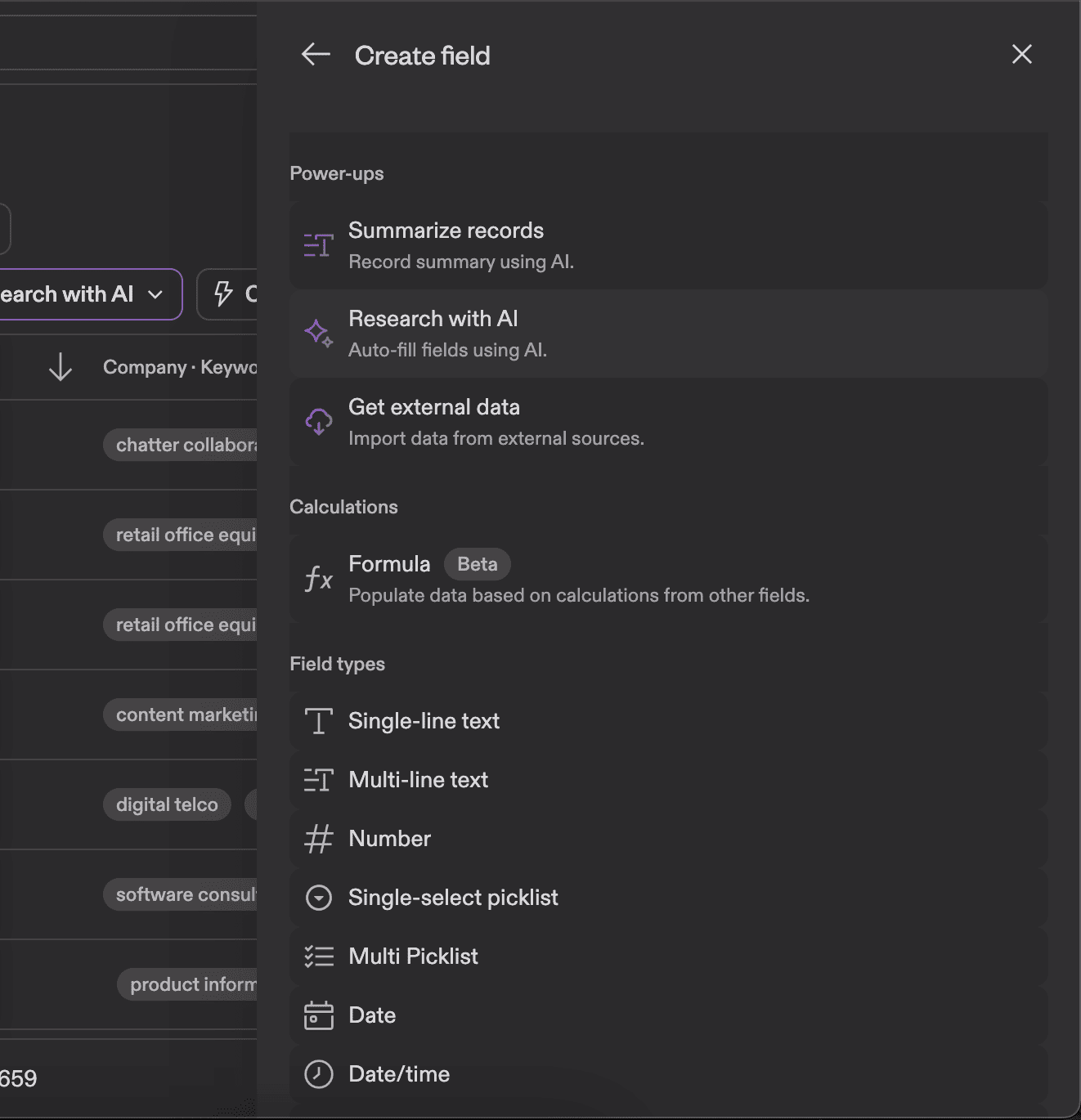
Type in the prompt you need.
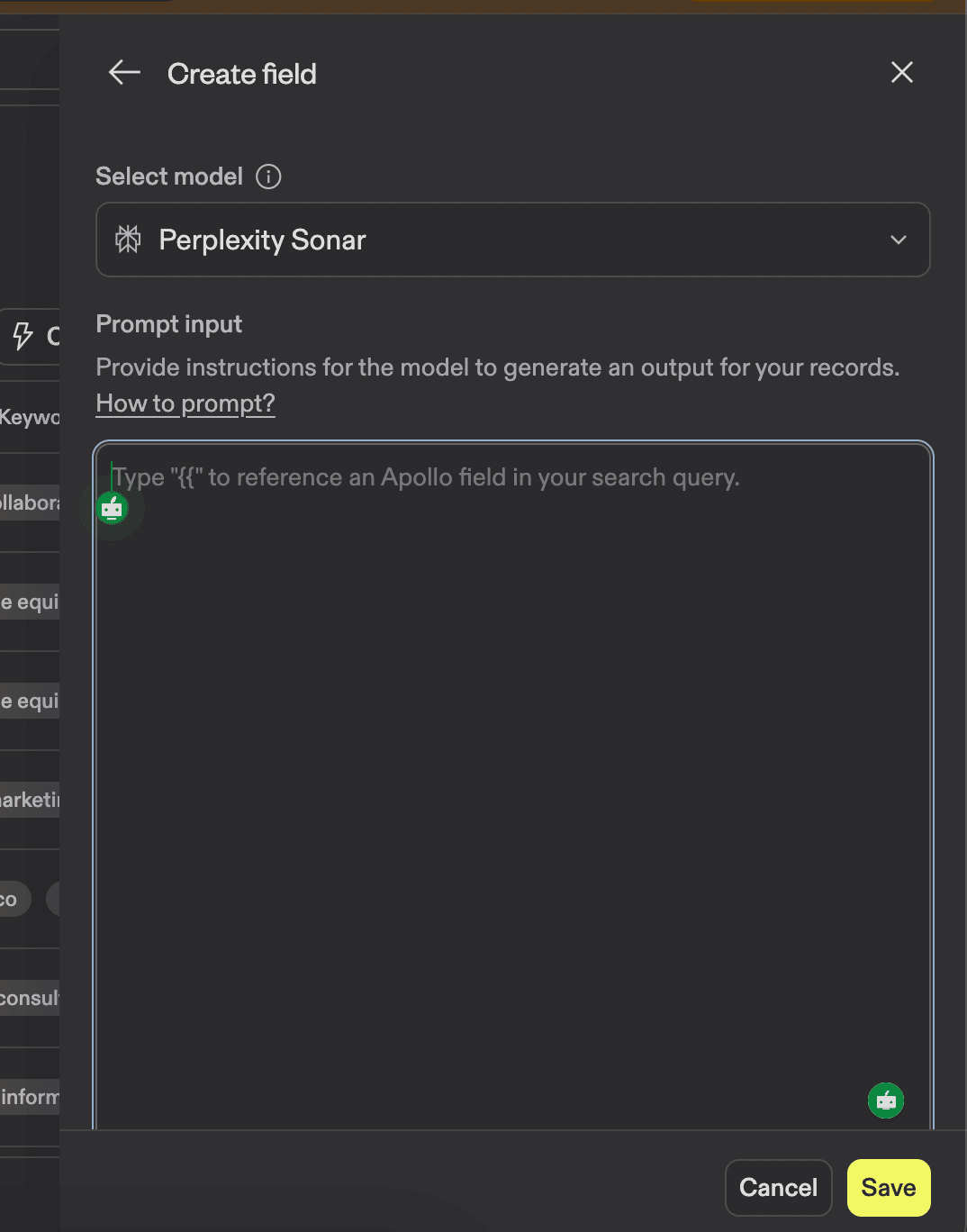
It might sound weird, but sometimes I ask ChatGPT or Claude to write a prompt for me. I use the voice feature to describe in detail what I need and get a very tailored prompt. It saves me a lot of time.
3. Research with AI
This feature is available through the main menu, and I already covered some of what it can do. In this section, I want to concentrate on the available templates that this feature offers.
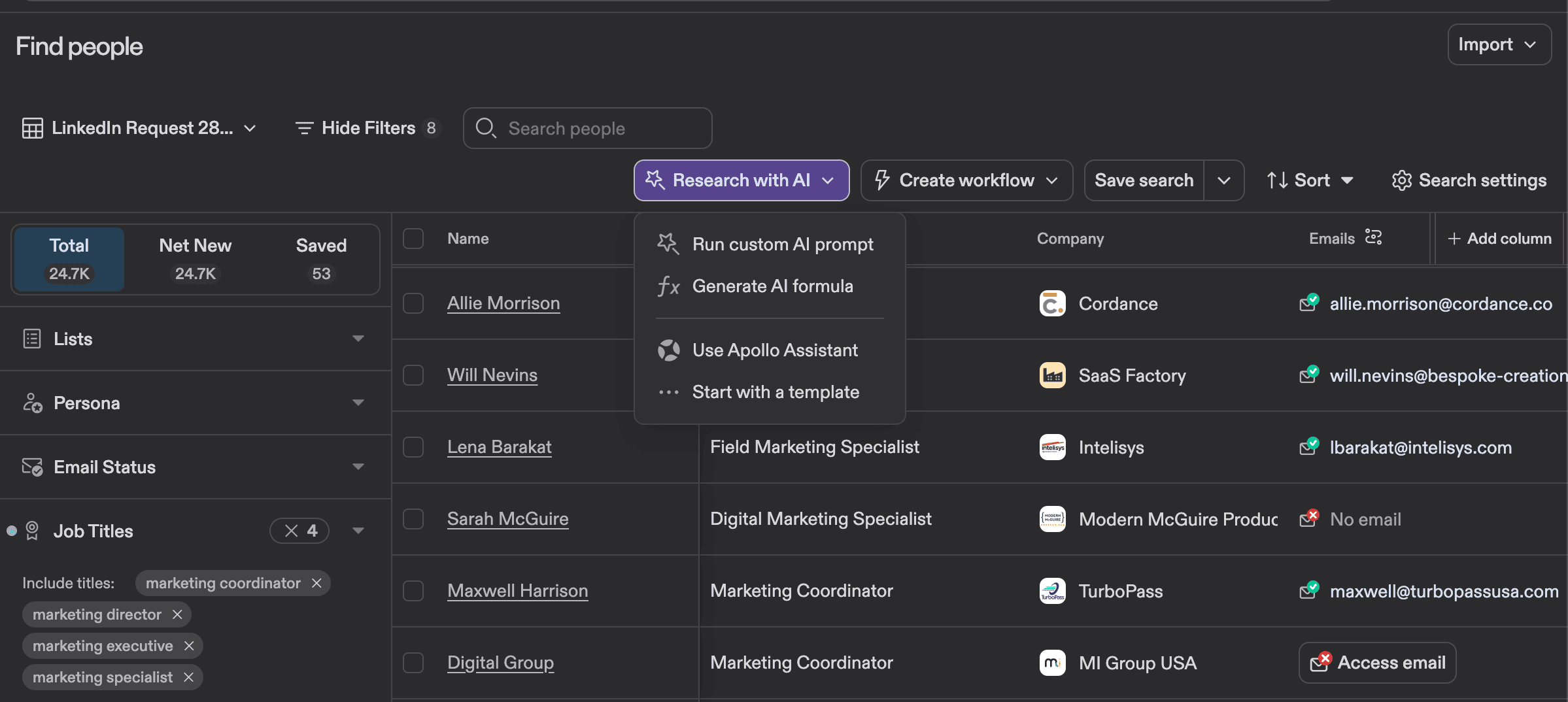
As you can see, you can enrich data (email addresses or mobile numbers) and improve your targeting by getting extra information about companies and their employees.
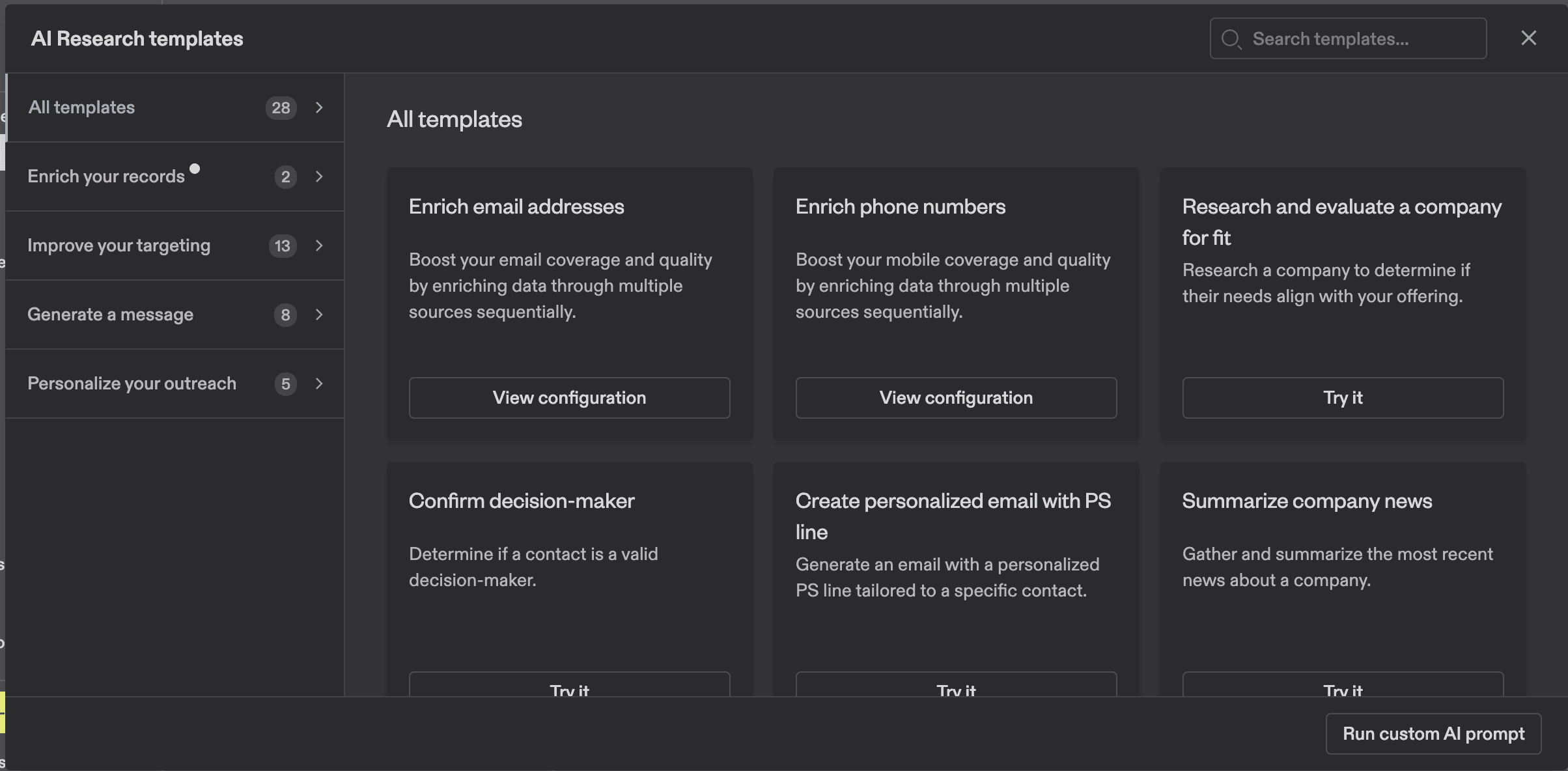
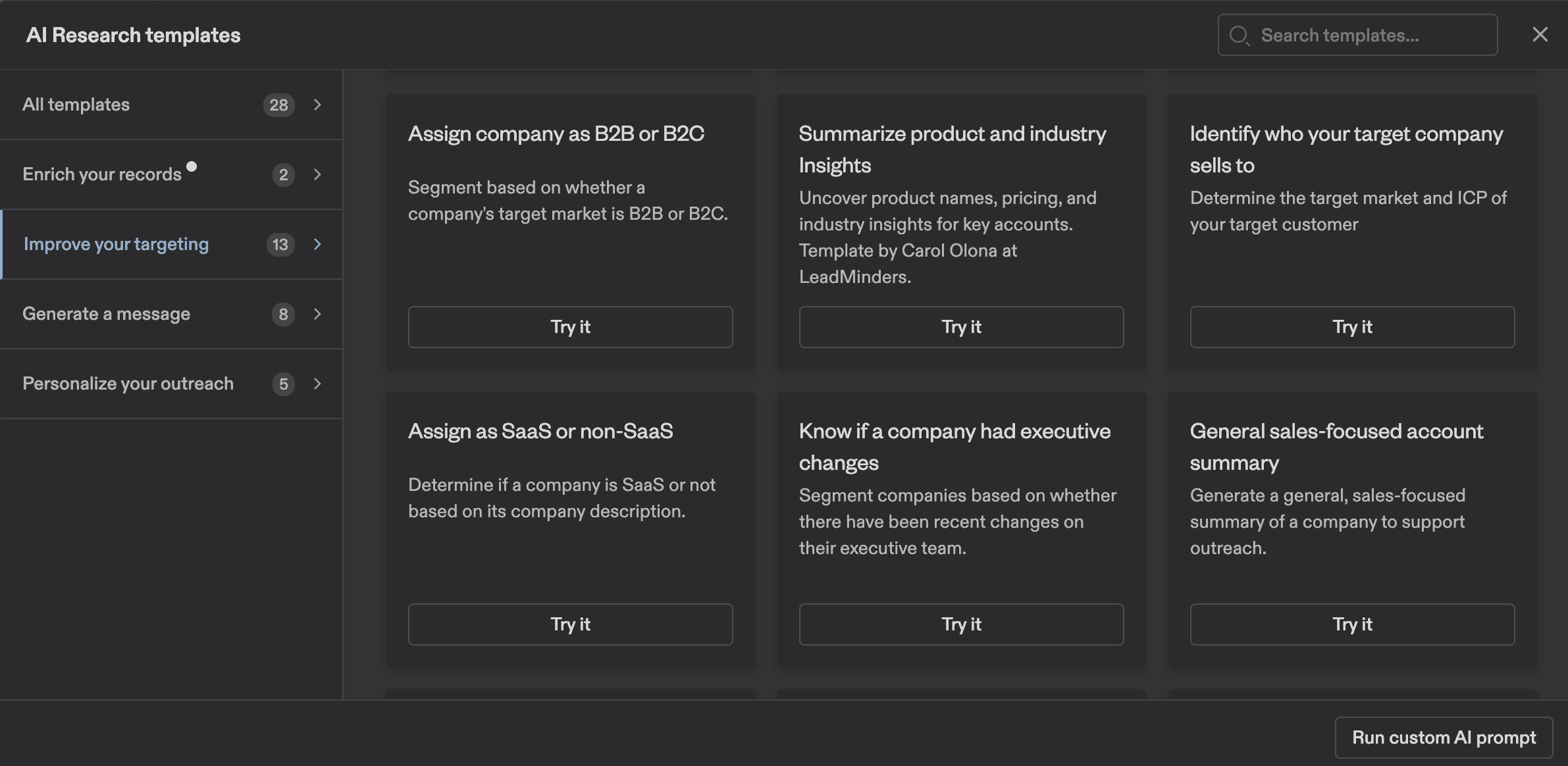
It can definitely help you automate certain processes and ensure data accuracy during the outreach campaign.
Building sequences and automating outreach in Apollo
Building email sequences is one of the most important parts of outreach campaigns. Many sales teams are looking for the most efficient ways to automate outreach workflows.
Apollo has an integrated sequence builder with different options available for outreach campaigns.
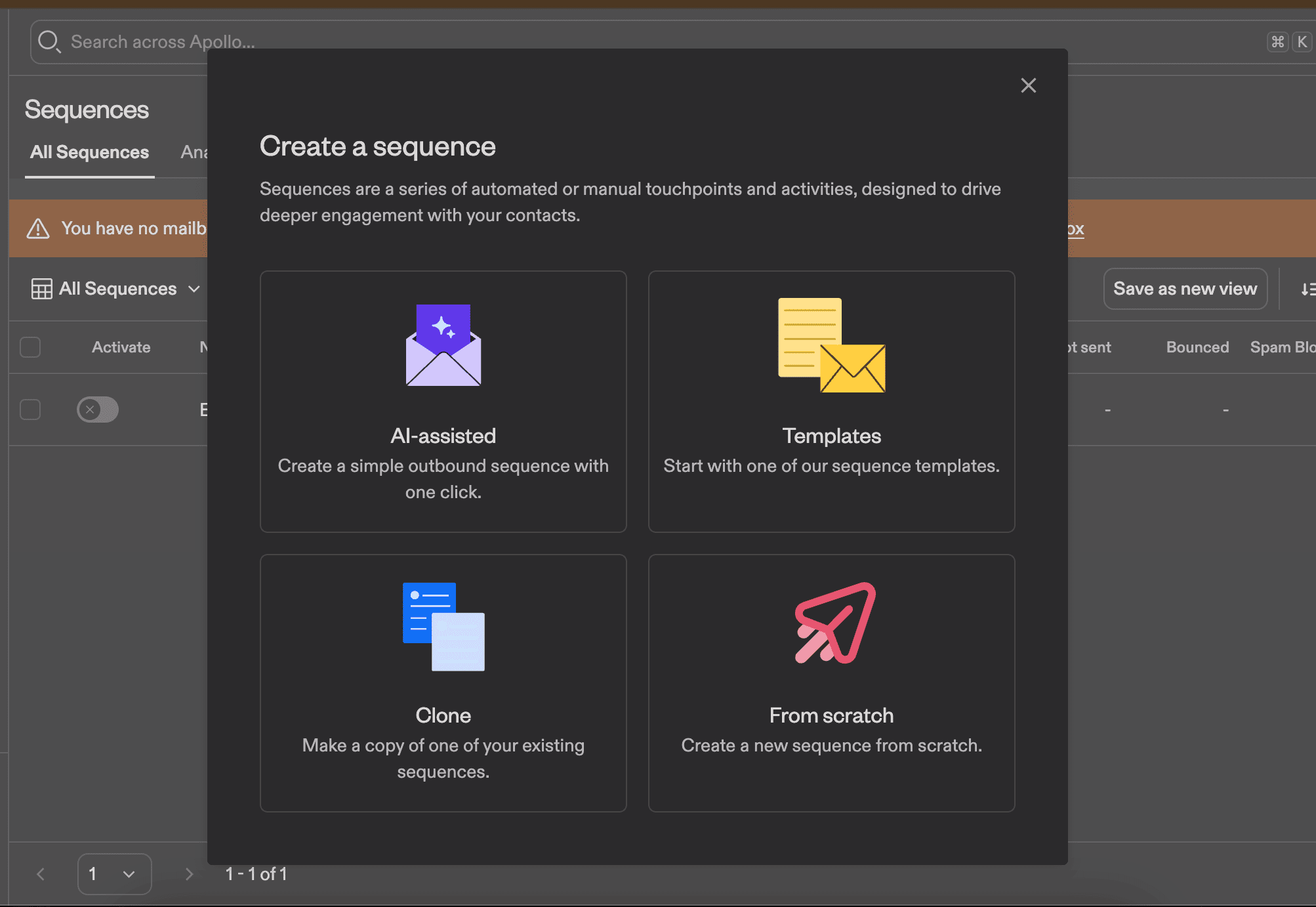
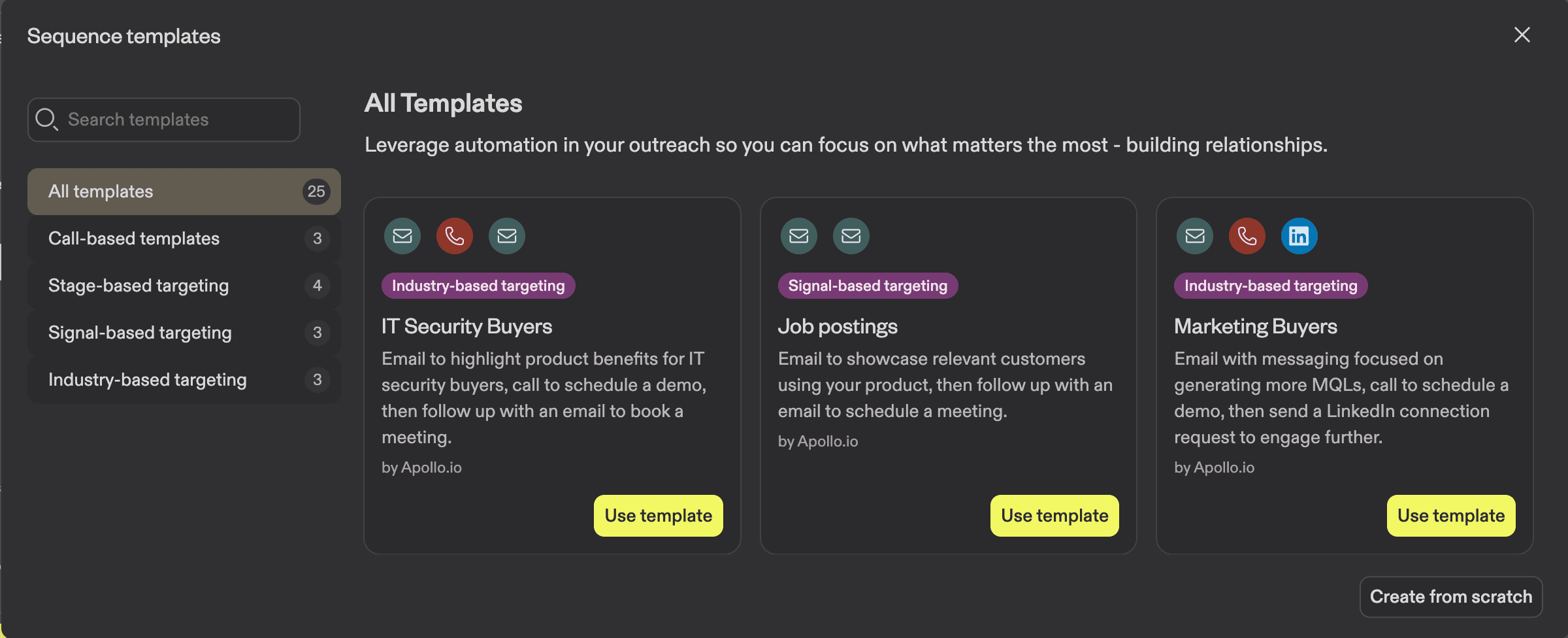
You can start by exploring all the available templates. As you can see, you can conduct an outreach campaign through email, LinkedIn, and phone calls.
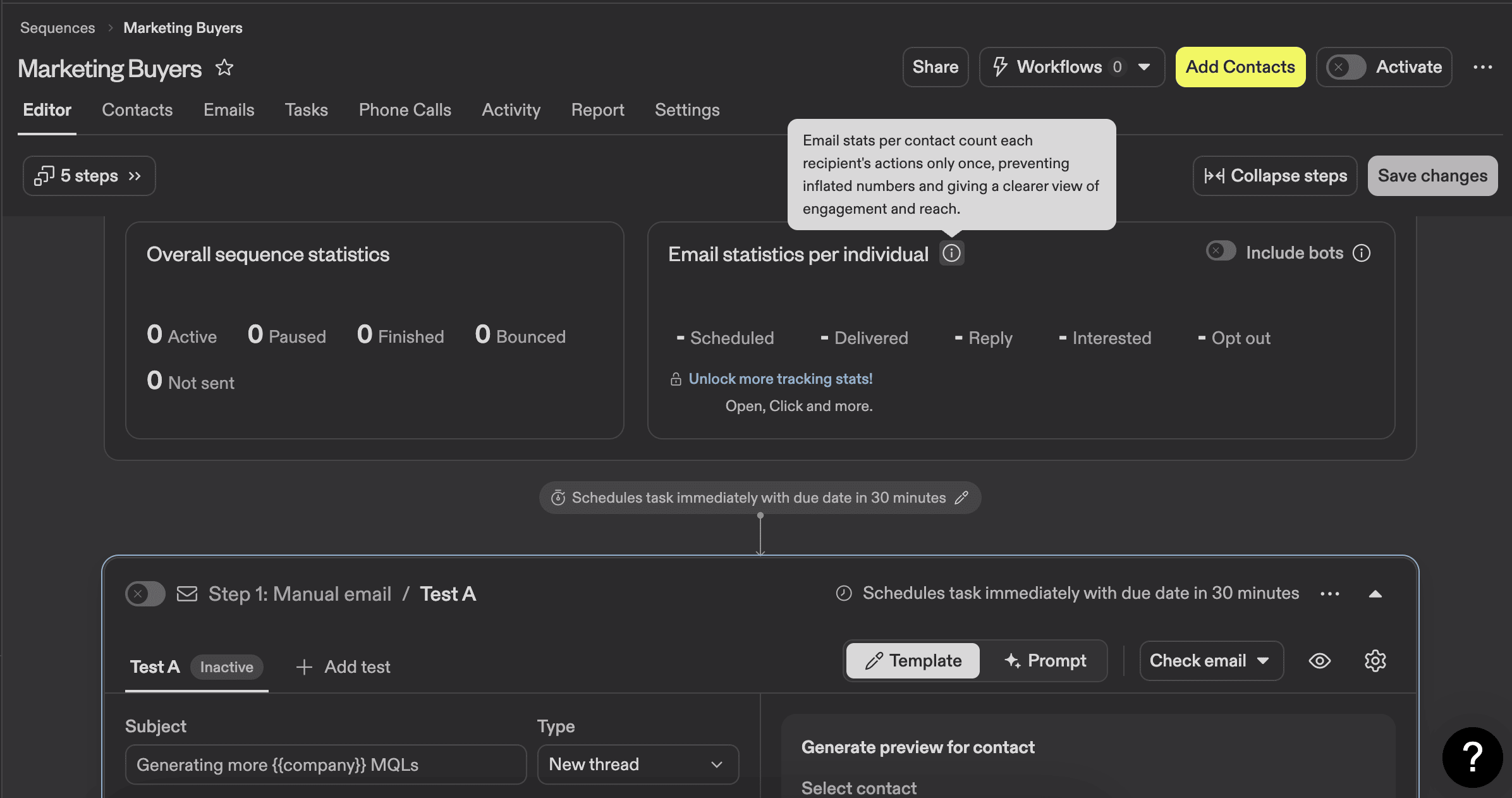
Inside the sequence builder itself, you can see the stats and the whole setup.
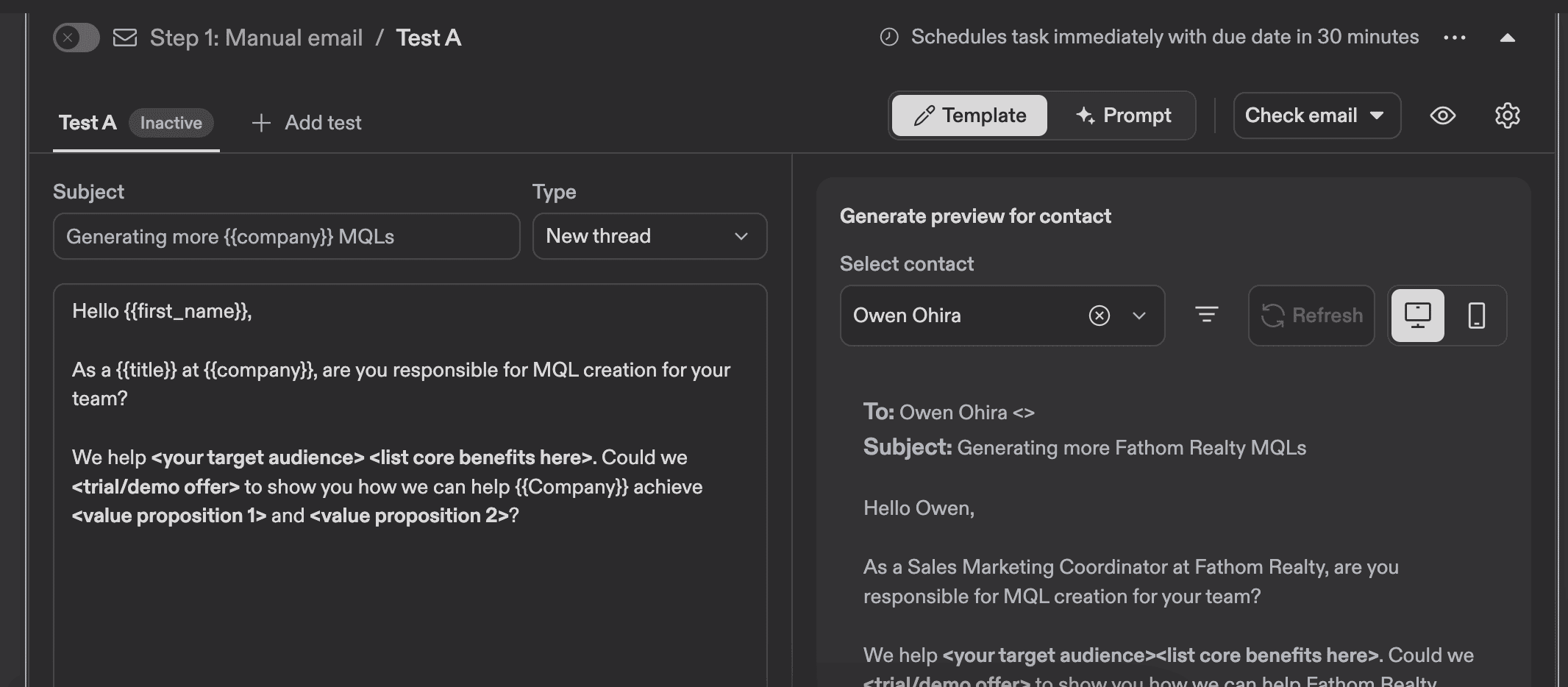
You can A/B test different versions of emails and set up dynamic variables.
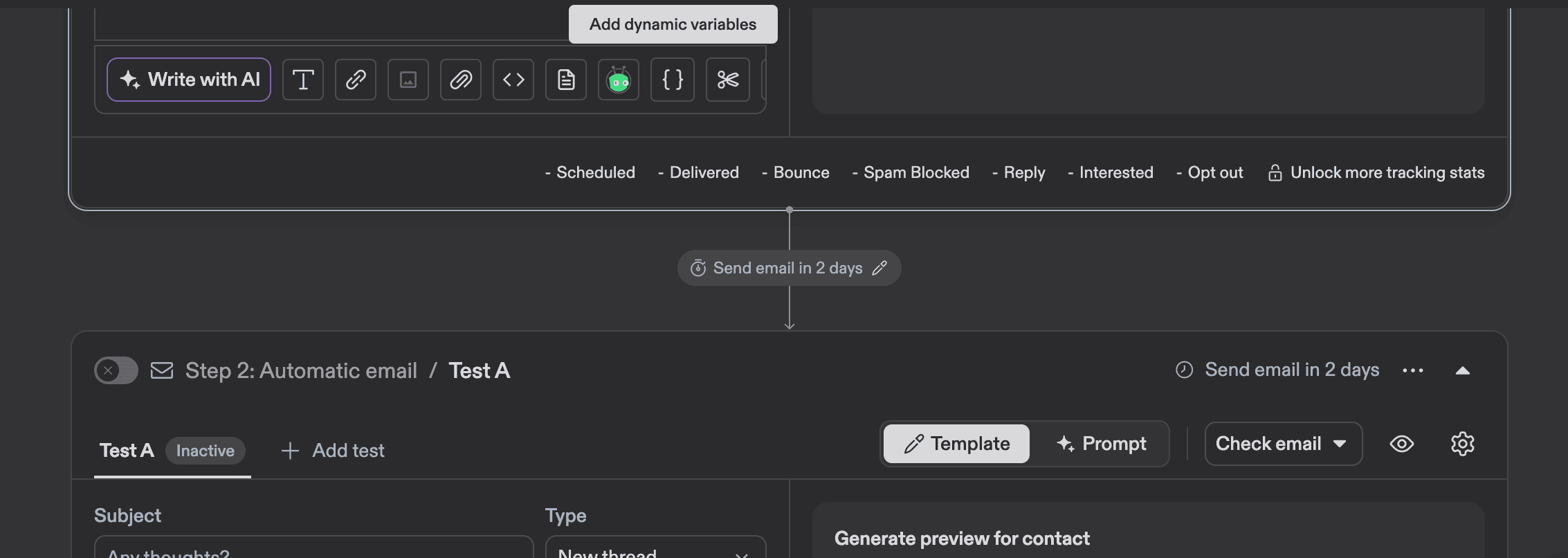
You can also select various steps in your outreach process. If you use multiple outreach channels simultaneously, this can be handy.
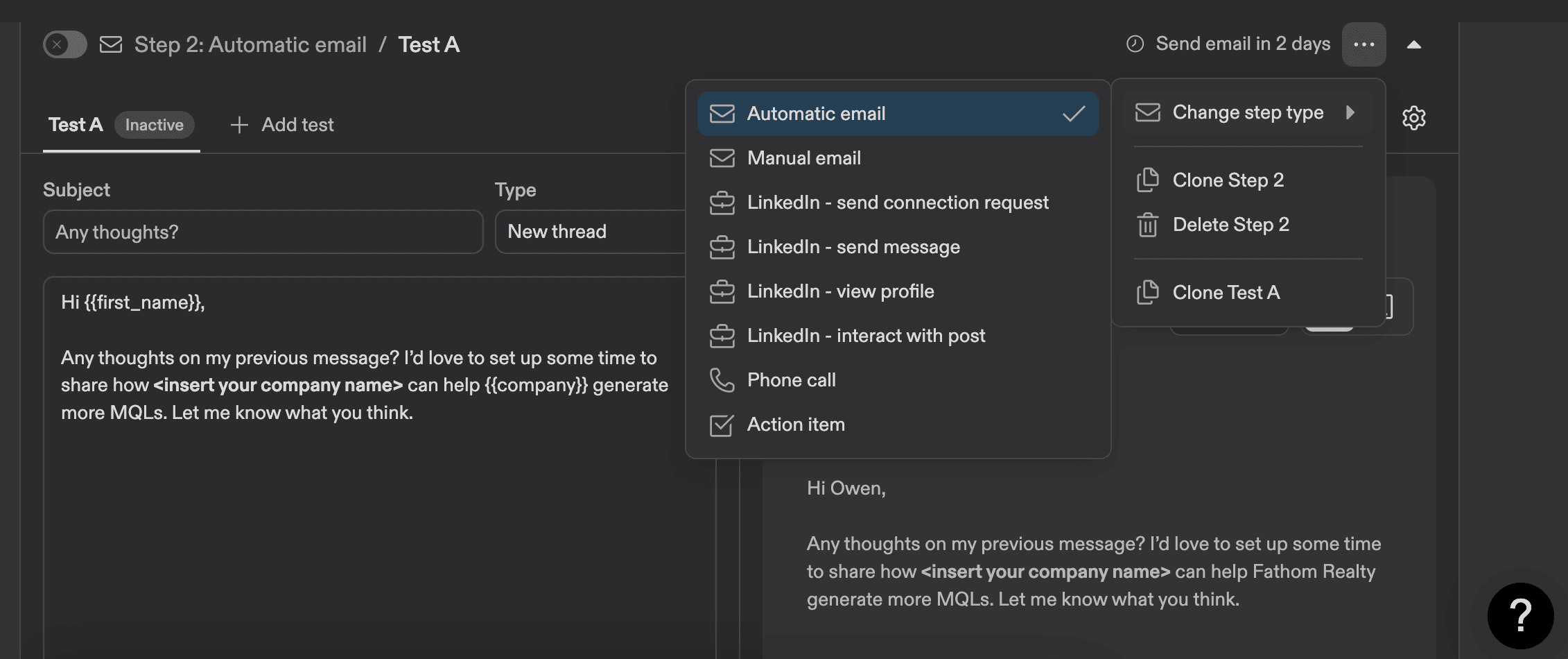
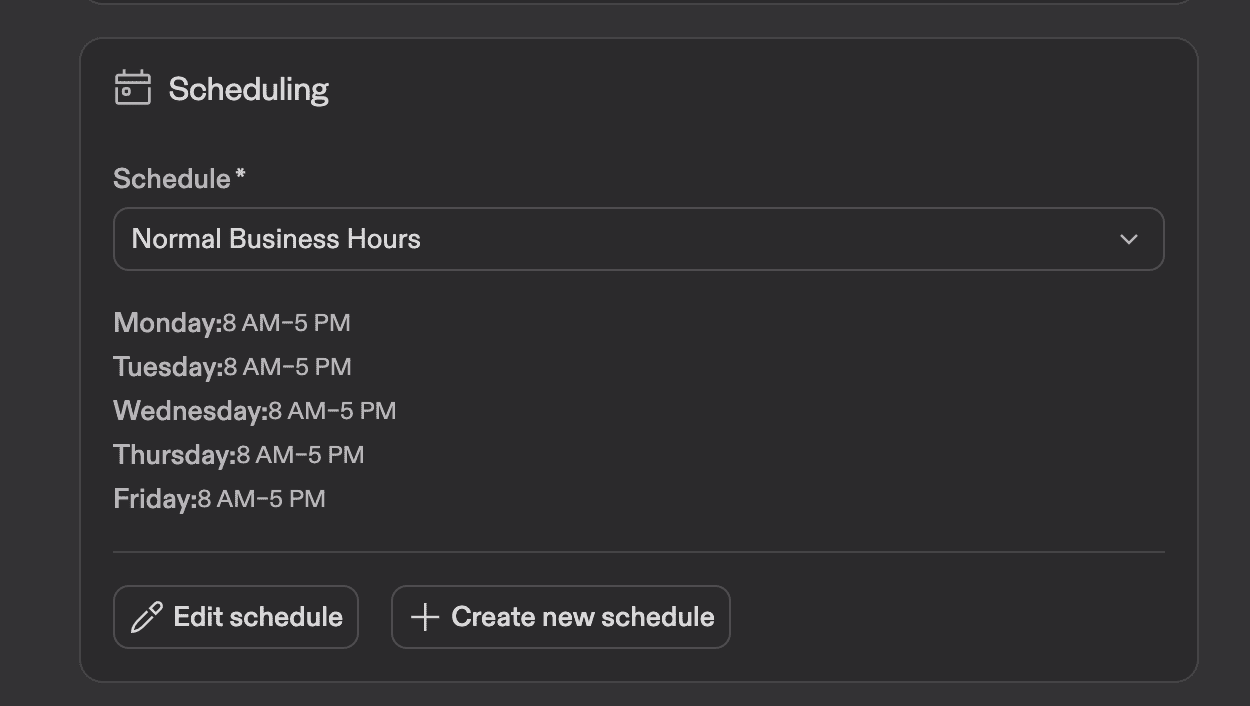
It’s probably obvious for the majority of people who are reading this, but don’t forget to set campaign working hours to prevent your emails from being sent at night.
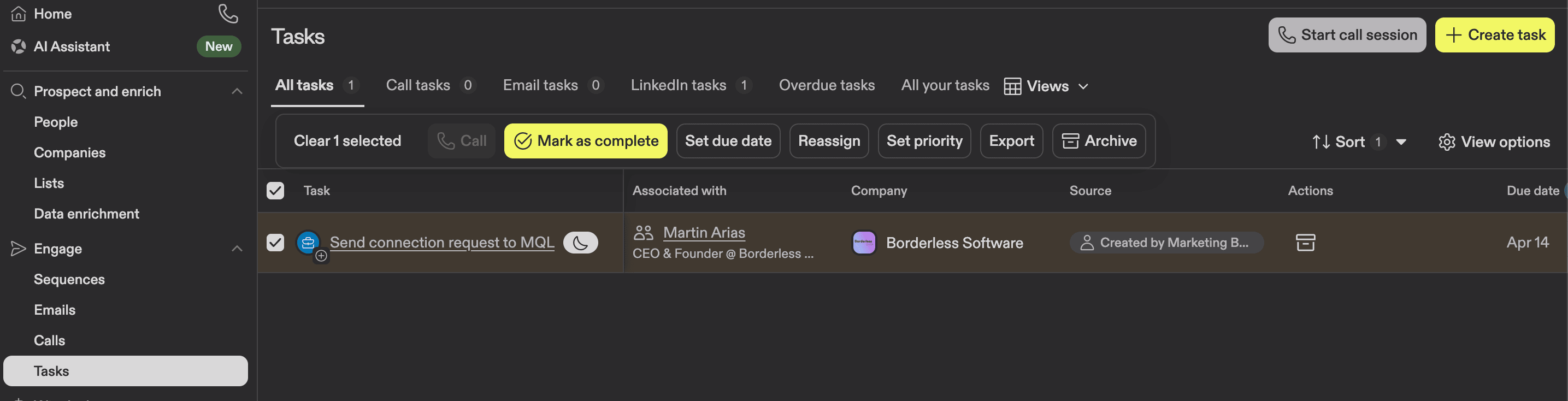
You can also create various tasks for your campaign. I find this feature extremely useful, because you can dedicate tasks to the outreach campaign only and select specific contacts from your list.
Tracking conversions and analytics inside Apollo
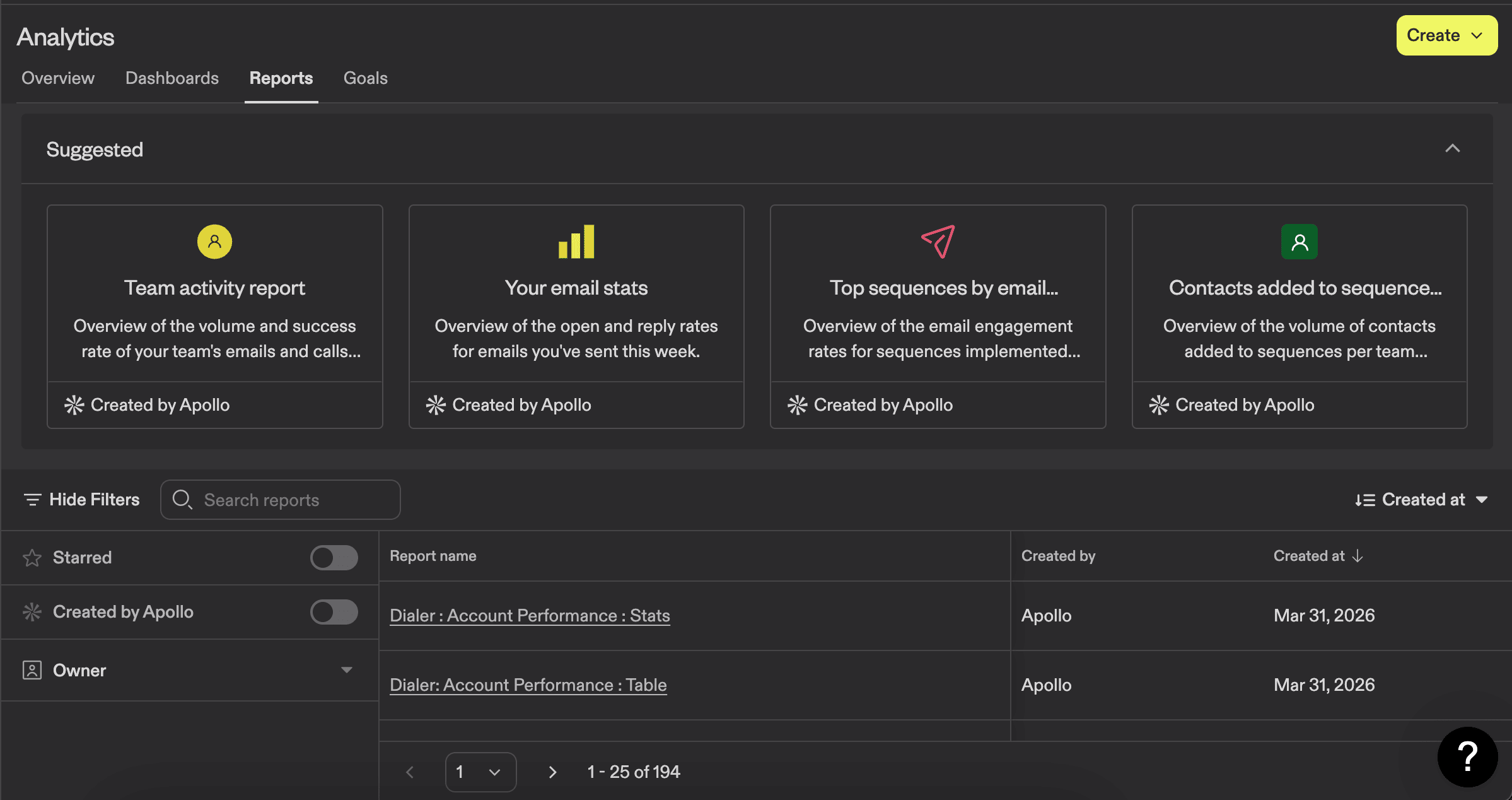
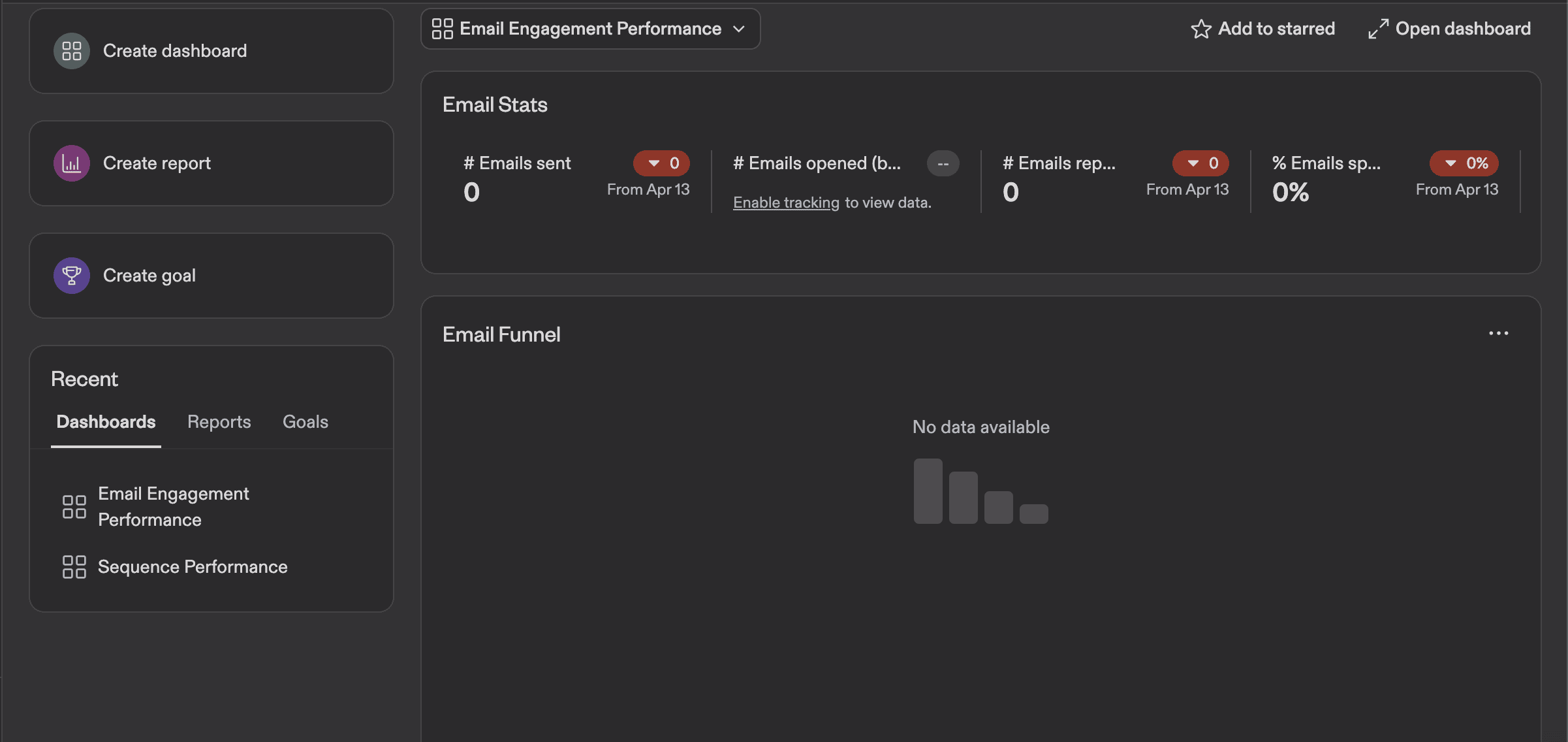
Apollo.io has extensive analytics integrated into the platform. You can see an overview and create various dashboards and reports.
On the main Overview page, you can track emails sent, open rates, reply rates, and spam block rate.
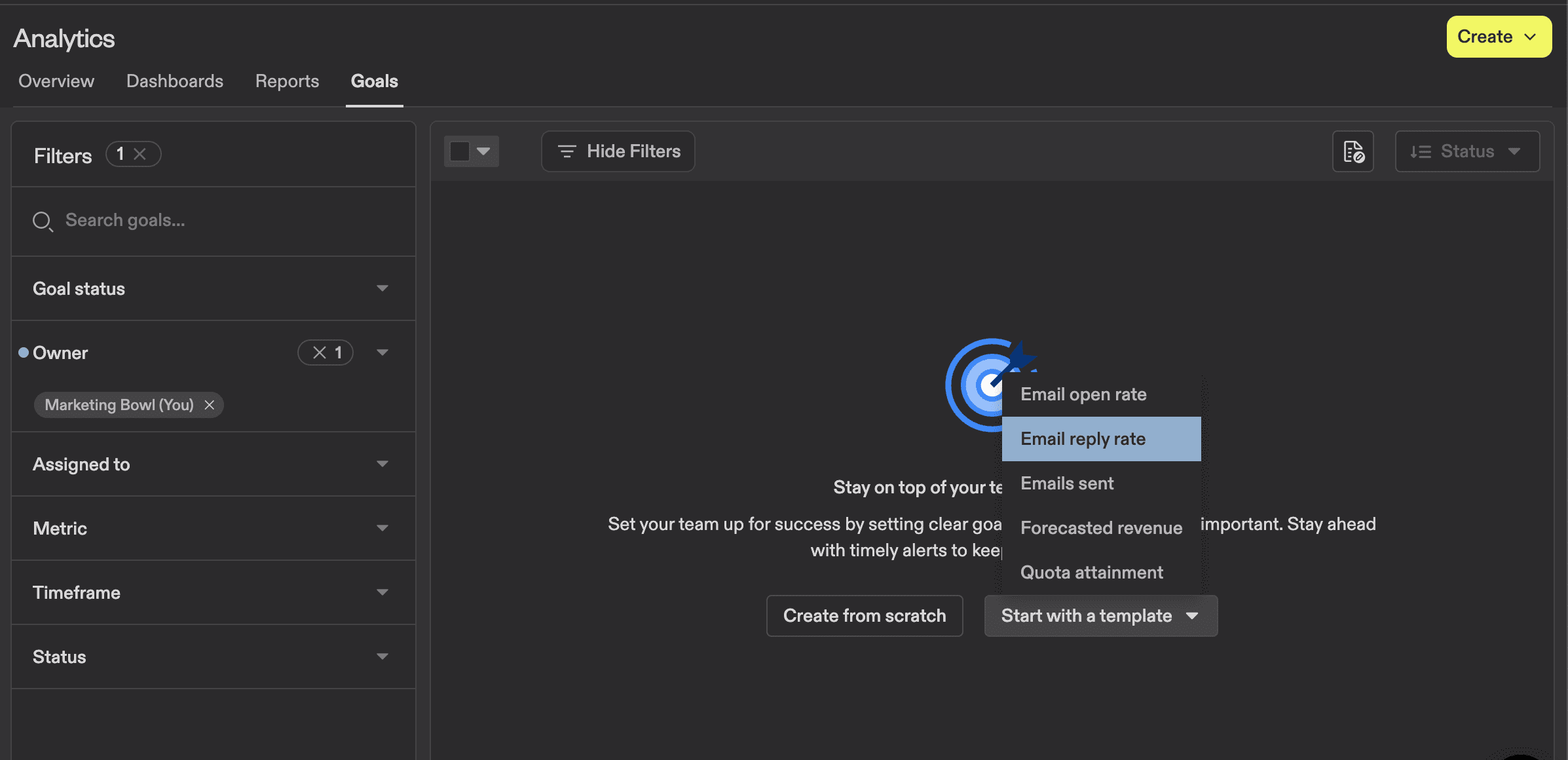
You can also set up goals for your campaigns and track whether you meet them. If you’re wondering what benchmarks to set up, I wrote a whole article about cold emails and outreach stats.
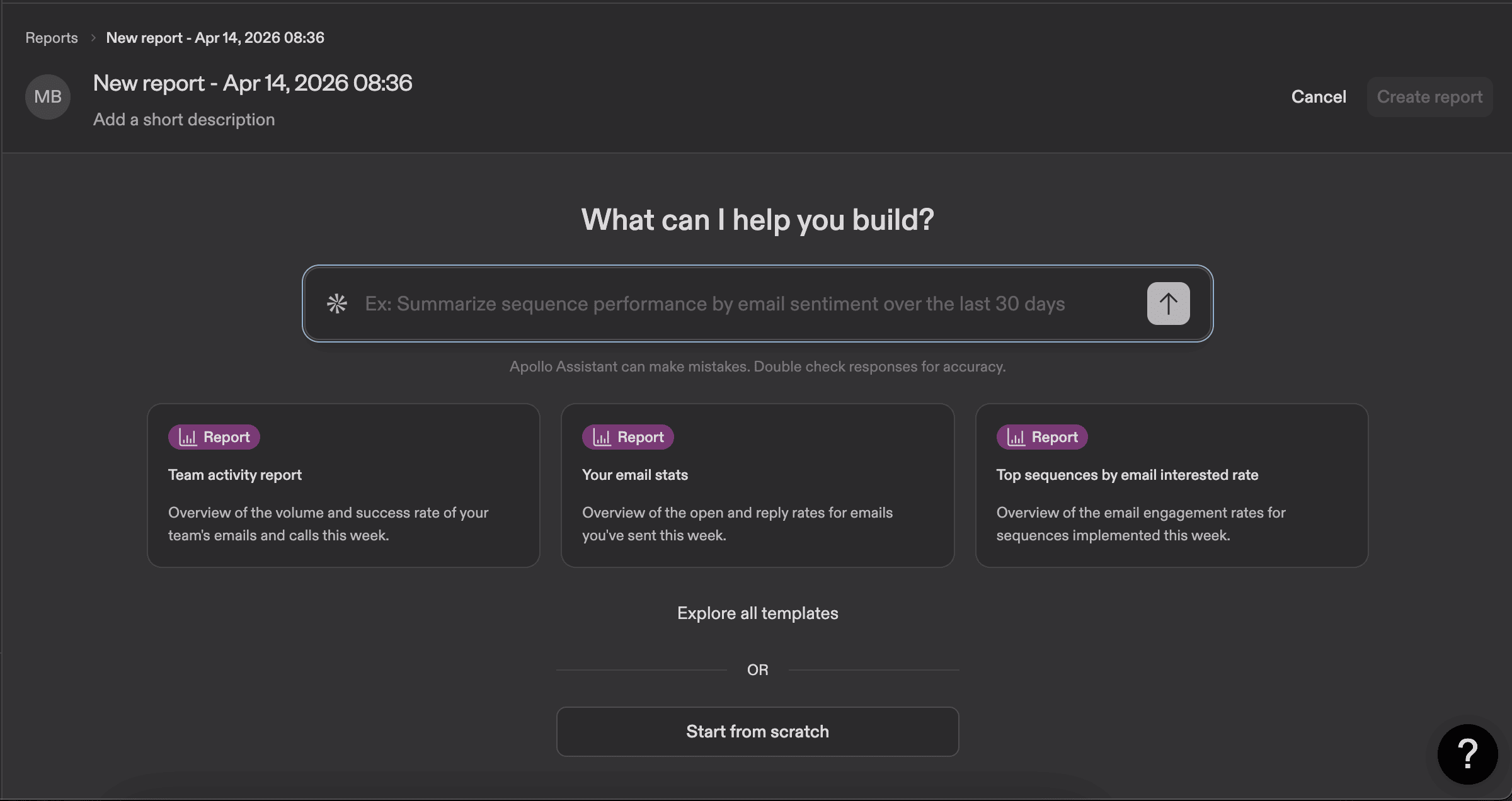
You can also build your own customized reports with AI or use existing templates. Here you can experiment and create a report to help you manage deals and track the entire sales process.
Other features worth trying
In this section, I want to highlight some of the features that stood out to me and explain how they work so you can give them a try.
1. Website visitors tracking
This is a new feature in Apollo that tracks your website visitors and shows you company-level data. To connect this feature, you need to integrate with GTM or add custom code on your website. I did it through GTM, and it was super easy. Apollo provides all the instructions.
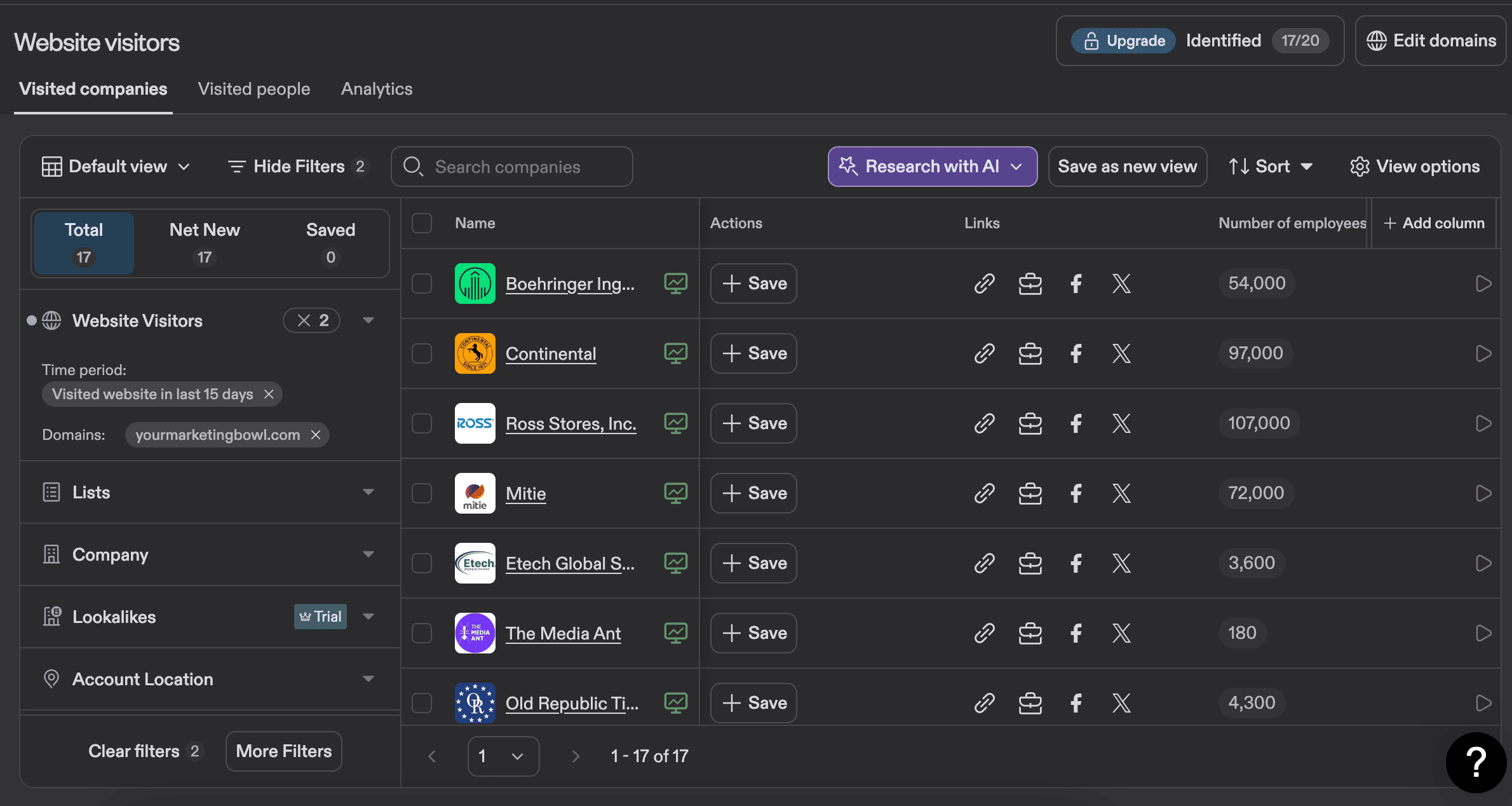
It will also tell you when the visit happened and what page the user visited. I think it can be super helpful if you want to reach out and suggest your service to companies that are already familiar with you.
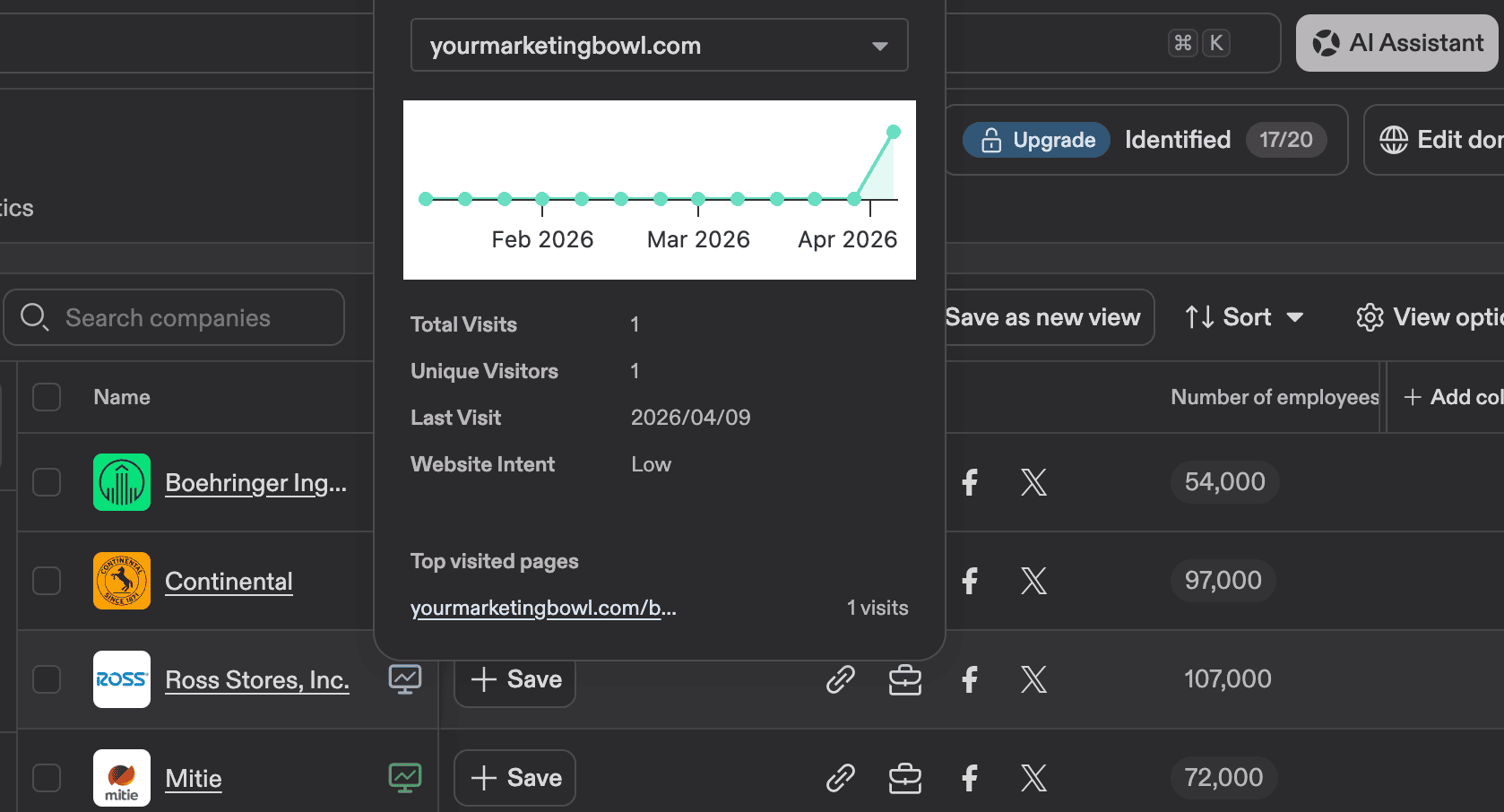
If you click on the company itself and go to the People section, you can find the employees you could potentially reach out to. I think this gives you some insights to help with your outreach. Isn’t that cool?

2. Workflows
You can build workflows that help you speed up certain processes.
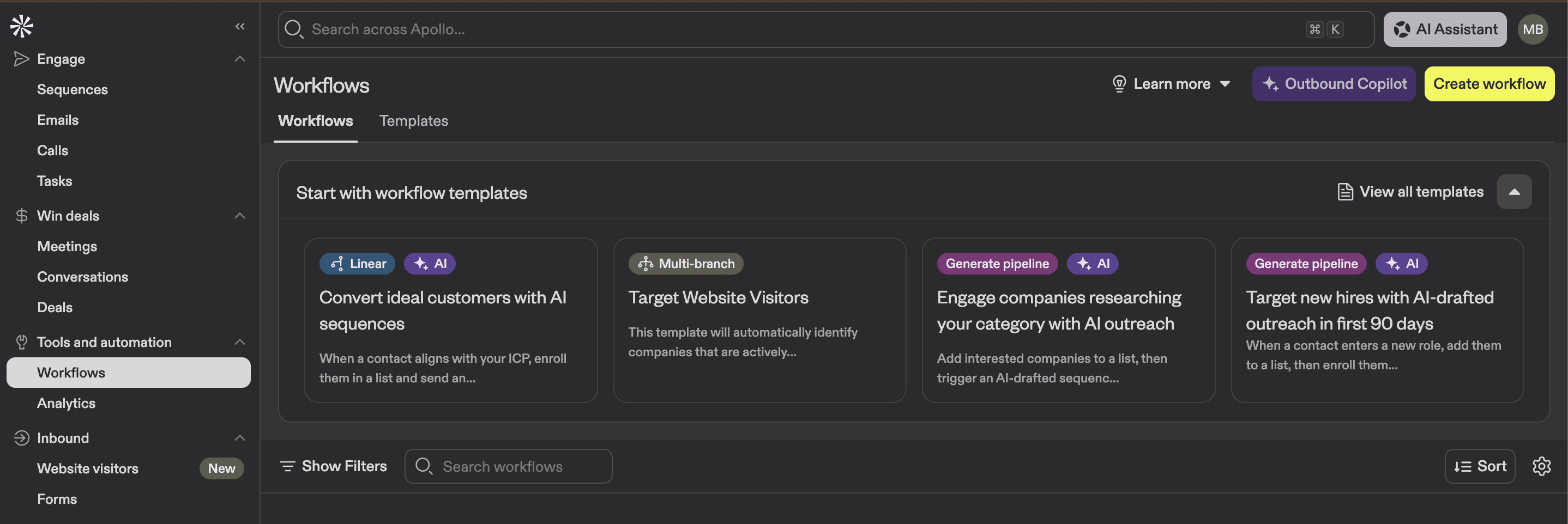
For example, I can set a certain filter for website visitors, and when companies match these criteria, the platform will complete a certain action. It can be data enrichment, an email send, task creation, etc.
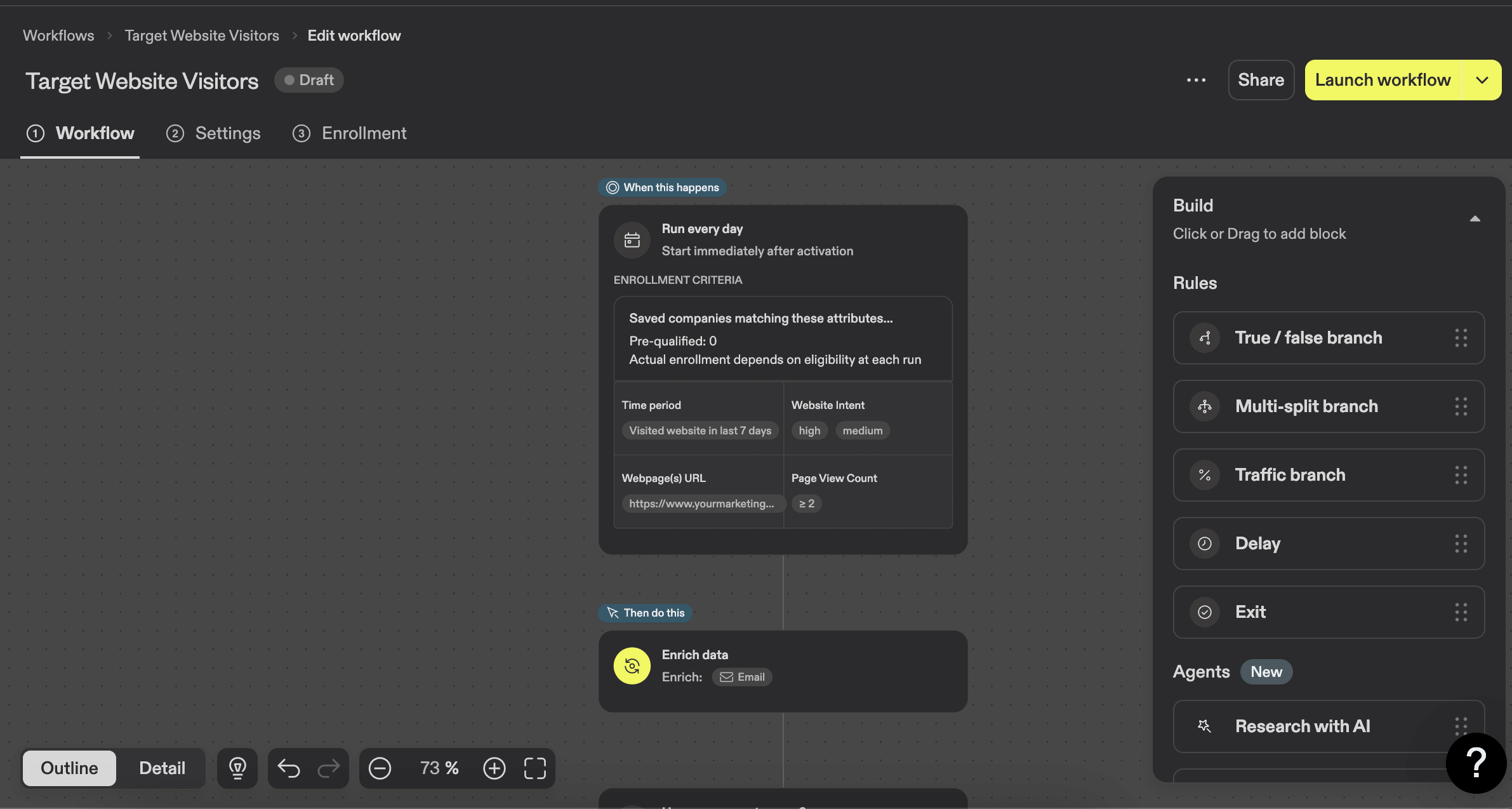
There are 30 templates at the moment that you could use to automate your workflows. Give it a try.
3. Integrations
At the moment, Apollo.io offers 64 integrations. It includes different CRMs like HubSpot and Salesforce, project management tools, Google Workspace, and much more.
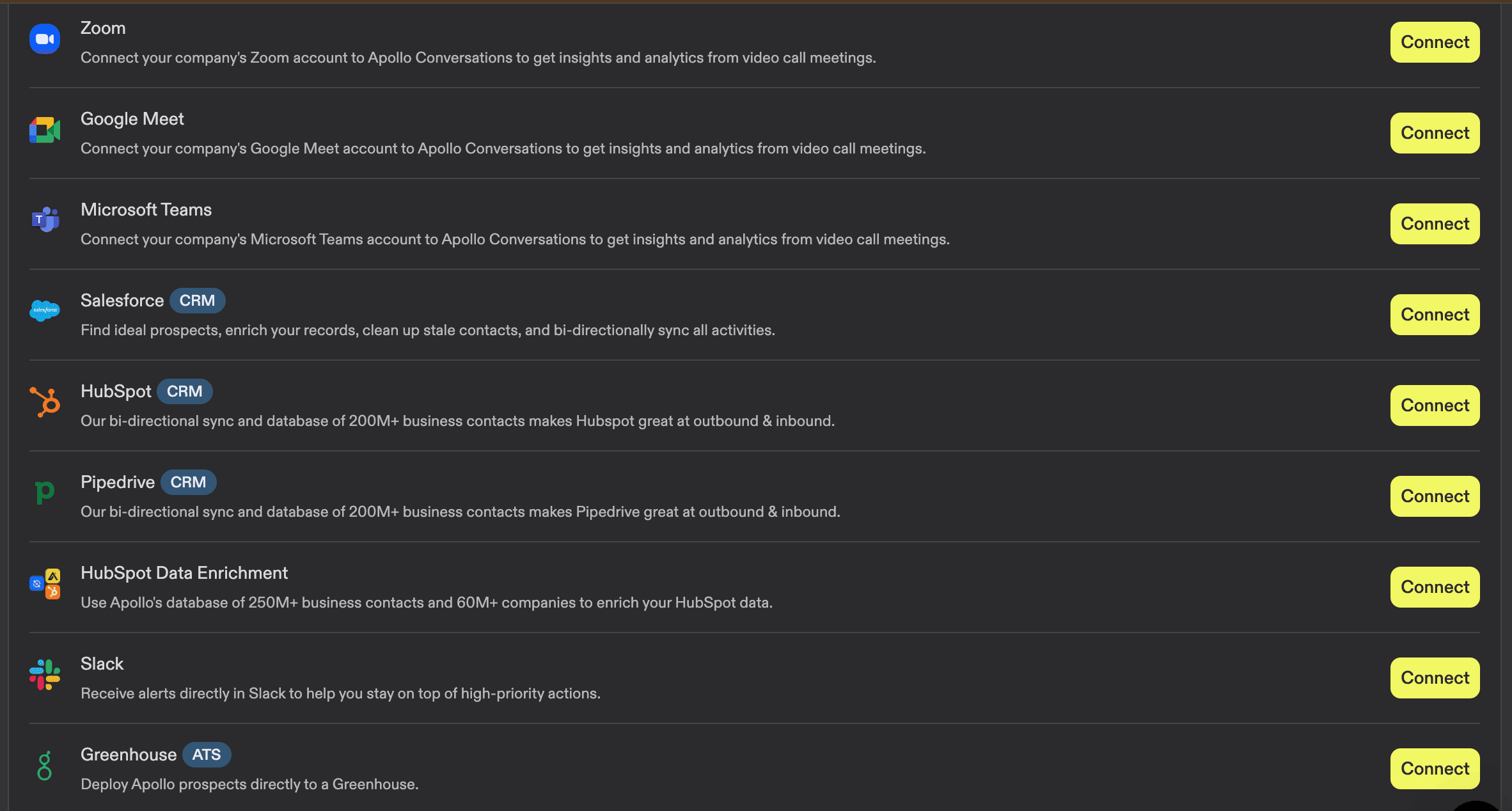
One that I consider extremely helpful is Meetings. You can connect your calendar, conduct online meetings, and have call transcription.
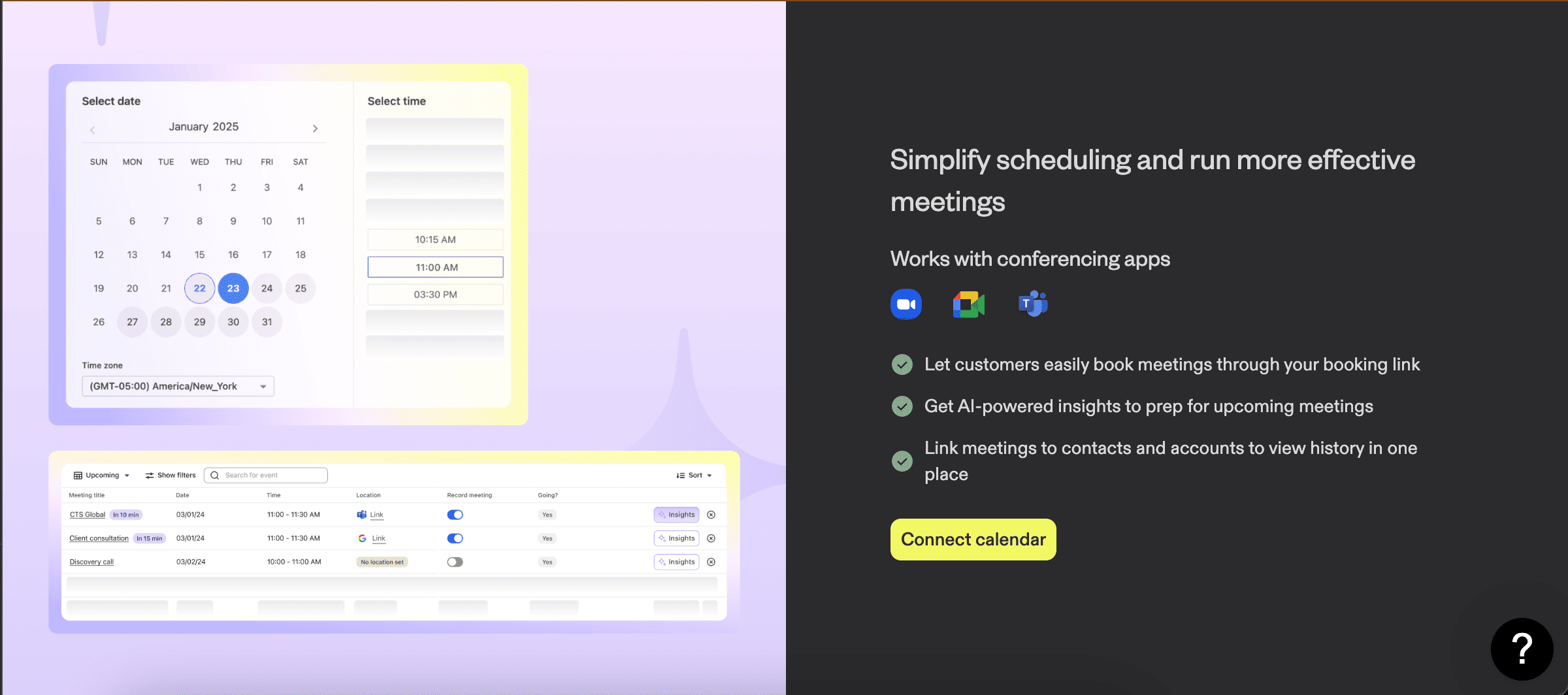
This can truly be the one platform that brings it all together.
Apollo.io pricing: What you actually pay
Apollo pricing can be a bit tricky due to the credit usage. You can filter pricing plans by solution, which includes Outbound, Inbound, Data Enrichment, and Deal Execution (all of them have the same pricing). You can also pick a billing cycle (yearly or monthly).
There are four plans available:
→ Free plan
→ Basic plan
→ Professional plan
→ Organization plan
You can see the pricing for each of them below (monthly payments).
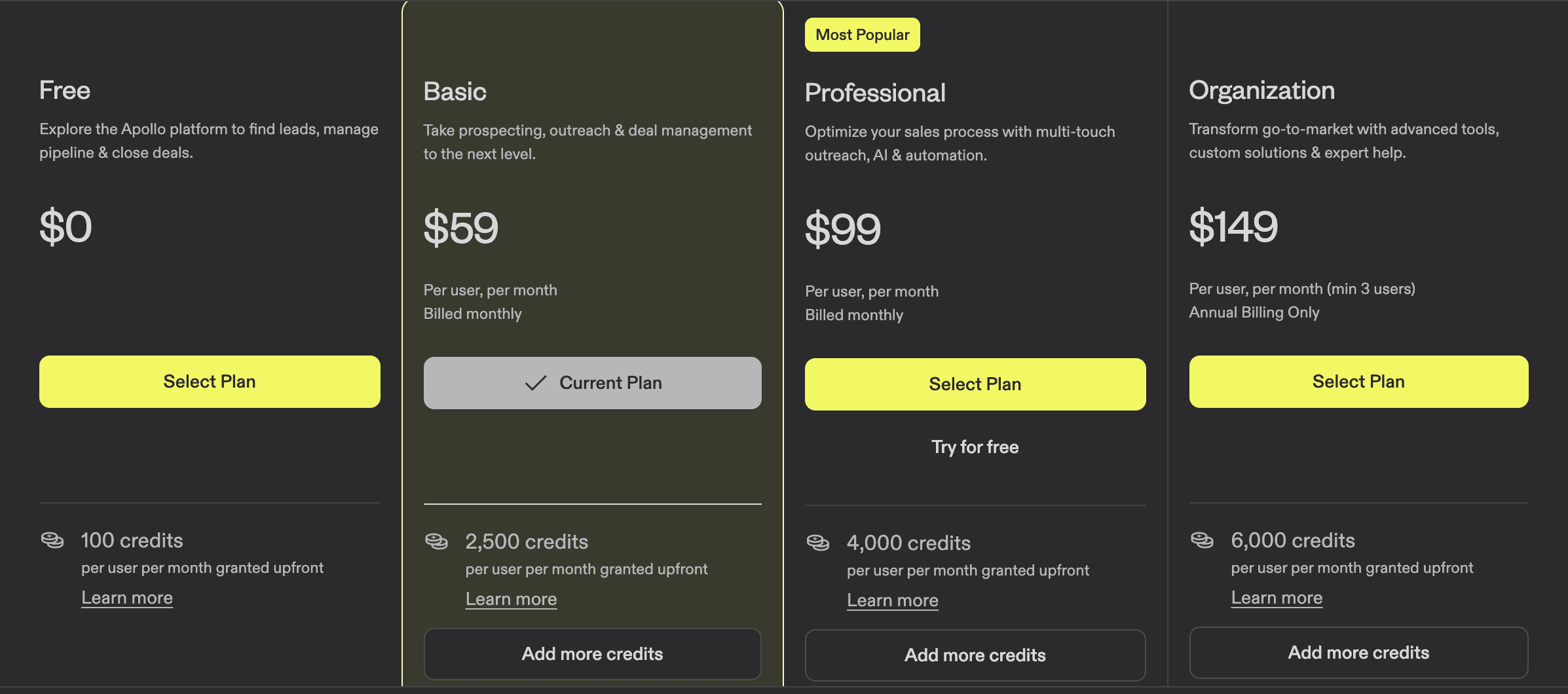
The good thing is that there is a free plan available, and if it’s not enough for you to test the platform, you can have a Basic plan for free for 14 days.
As you can see, each plan comes with a certain number of credits, and as I showed you before, many actions require credit usage. Unused credits do not roll over into the next month, which is unfortunate.
You also need to know that to export data, you will be paying one credit per contact. That means if you have 2,000 prospects to export, you will already use the majority of your monthly credits.
This is not an unusual system for sales automation platforms, but I want to make sure you understand how it works.
Pros and cons of Apollo.io (my honest take)
What I like
🟢It can be a real time-saver.
If you use the platform correctly, it can automate a lot of manual work. I think it’s a perfect solution for a marketer or a small team.
🟢The AI features are actually useful.
It might take you some time to figure out how to write a good prompt and interact with an AI agent multiple times before you set things up, but I think it’s worth it.
🟢Prospecting filters are advanced.
Using basic, advanced, and AI filters can let you go very deep with your targeting, which is great for tailored outreach campaigns.
🟢The platform is simple.
The onboarding process is really easy. The menu is located on the left side of the screen, and everything is easy to find — you won't be left wondering if there are hidden features you're missing. There might be some advanced settings when it comes to sequence and workflow builders, but I don't think they could simplify it much more.
🟢Website visitor tracking is a great feature.
Being able to see which companies visit your site, what pages they looked at, and then find their employees right inside Apollo is a genuinely useful feature for warm outreach. I was impressed.
What I didn’t like
🔴Credits are spent really fast.
Almost everything costs credits: verification, enrichment, AI features, and exporting. If you have a couple of thousand prospects, your monthly credits can be gone in one or two actions. And unused credits don't roll over.
🔴Data accuracy can be inconsistent.
Some contacts might have outdated information, like people who changed jobs months ago still showing their old positions. This is a common issue across B2B databases, but it's still something you need to be careful about. I recommend manually checking 10–15 profiles before running any large campaign.
🔴US-focused prospecting works best.
If you're targeting companies outside the US, especially in smaller European or Asian markets, the data gets thinner. Fewer verified emails, fewer mobile numbers, fewer company details. It's not unusable, but the experience is noticeably better for US-based prospects.
🔴AI features need extra attention.
I mentioned this as a pro, but the downside of AI features is that you will need multiple iterations, and if a company or person has limited public information, the AI outputs can be off.
Is Apollo.io worth it? My verdict
If you're a solo marketer or part of a small B2B team, and you need one platform to handle prospecting, outreach, and tracking, I think Apollo.io is worth it.
What you should consider is your outreach volume. If you have under 500 prospects per month, the free plan or Basic plan will most likely cover you. It gets tricky if you're running larger campaigns with thousands of prospects; the credit system starts to add up.
Between data enrichment, AI features, verification, and exporting, you can burn through your monthly credits faster than you'd expect.
One more thing to keep in mind: if your main goal is US-focused prospecting, the data quality is strong. If you're targeting international markets, I'd recommend testing the free plan first to see if the coverage works for your specific regions.
You can also read Apollo reviews on G2 or Reddit to learn more about real users’ experiences.
If you want to try it yourself, you can start with the free plan here and see how it fits your workflow.
Disclosure: Some links in this article may be affiliate links. If you choose to make a purchase through them, Your Marketing Bowl may earn a commission at no extra cost to you.
The content on this site is for informational and entertainment purposes only and should not be taken as financial advice. For full details, see the disclaimers section.
The content on this site is for informational and entertainment purposes only and should not be taken as financial advice. For full details, see the disclaimers section.

Hey there! I'm Karina! I love marketing and everything about it. I've been working in marketing in Eastern Europe, Sweden, and now in Santa Barbara, CA. I hope you gonna like it here.


Subscribe for marketing advice
I'd actually give a friend
Join our mailing list and never miss a story.
No AI, no BS!