B2B list building guide with real tool examples
Author:
Karina
Published:
Mar 31, 2026
Updated:
Mar 31, 2026
Reading Time:
12min
I want this article to be a full guide on how to build a B2B prospect list, including mapping out your outreach strategy, identifying your ICP, collecting your prospects most efficiently, and validating them.
I believe this will help you move faster with your B2B outreach campaigns. I encountered a lot of pitfalls when collecting leads for B2B outreach campaigns in the past, so I'll try to cover everything I know and believe is important for a successful campaign.
- What is B2B list building (and why most lists fail)
- Define your ICP before you touch a single tool
- How I build a B2B lead list using Apollo
- Finding contacts LinkedIn won't show you (PhantomBuster)
- Verify before you send: why email verification isn't optional
- Organizing your prospect list (what to include and how)
- Keeping your list alive: maintenance and data enrichment
- Common B2B list building mistakes (and how to avoid them)
What is B2B list building (and why most lists fail)
B2B list building is the process of identifying, finding, and collecting contact information for potential clients (leads) that match your ICP (Ideal Customer Profile). Building a B2B list is a complex process, and it can get really confusing when you're navigating all this B2B data.
I think many lists fail to perform well due to multiple reasons:
→ ICP that is poorly described or not a good fit for your business
→ Leads were not validated (bounced emails can affect your reputation fast)
→ You reach out to only one contact per company (sometimes it’s more effective to reach out to multiple decision-makers within the same company)
→ You did not use any segmentation
→ Scraped or bought lists with no data enrichment (missing job titles, generic company emails instead of personal ones)
You also need to understand that your list won’t convert if the data behind it is outdated, unverified, or too broadly targeted.
Define your ICP before you touch a single tool
Defining your ICP (Ideal Customer Profile) is one of the most important steps that many people rush through. Let’s talk about some particular examples here. I feel like it’s always better to explain with examples 🙂.
Imagine you own a company that provides SEO services to B2B and SaaS companies. Your selling point is that you’re gonna bring more clients through the website and increase the number of conversions.
Put yourself in your potential clients' shoes and think about their pain points, current solutions, and goals they might have. Remember what your existing clients usually complain about or what they struggle with. For example:
→ The website traffic isn’t growing. I feel we do everything that we can, but it’s just dead.
→ I see that the traffic is steadily growing, but conversions aren’t happening. I don’t understand why.
→ The average time on the page is extremely low. People leave after spending 5 sec on the page.
Write down everything you can remember. Based on that, create a table where you will have the ICP name, group, job title, stage of the sales funnel this person is currently at, pain point, goals, what product or service you can offer, etc. Here is what it can look like.
I cover some examples from SaaS in my other article, so if you’re interested, you can also check it out.
Once your ICP is clear, you can start building your list with confidence.
How I build a B2B lead list using Apollo
You can use different tools to collect prospects, but I will show you the ones that I used myself. One of them is Apollo.io. Apollo is an AI platform that helps with B2B sales by prospecting leads, validating them, automating deals, conducting email outreach, and organizing all of it in one place. It's widely used in B2B marketing.
Let's look at the filters you can use to find the contacts we discussed earlier.
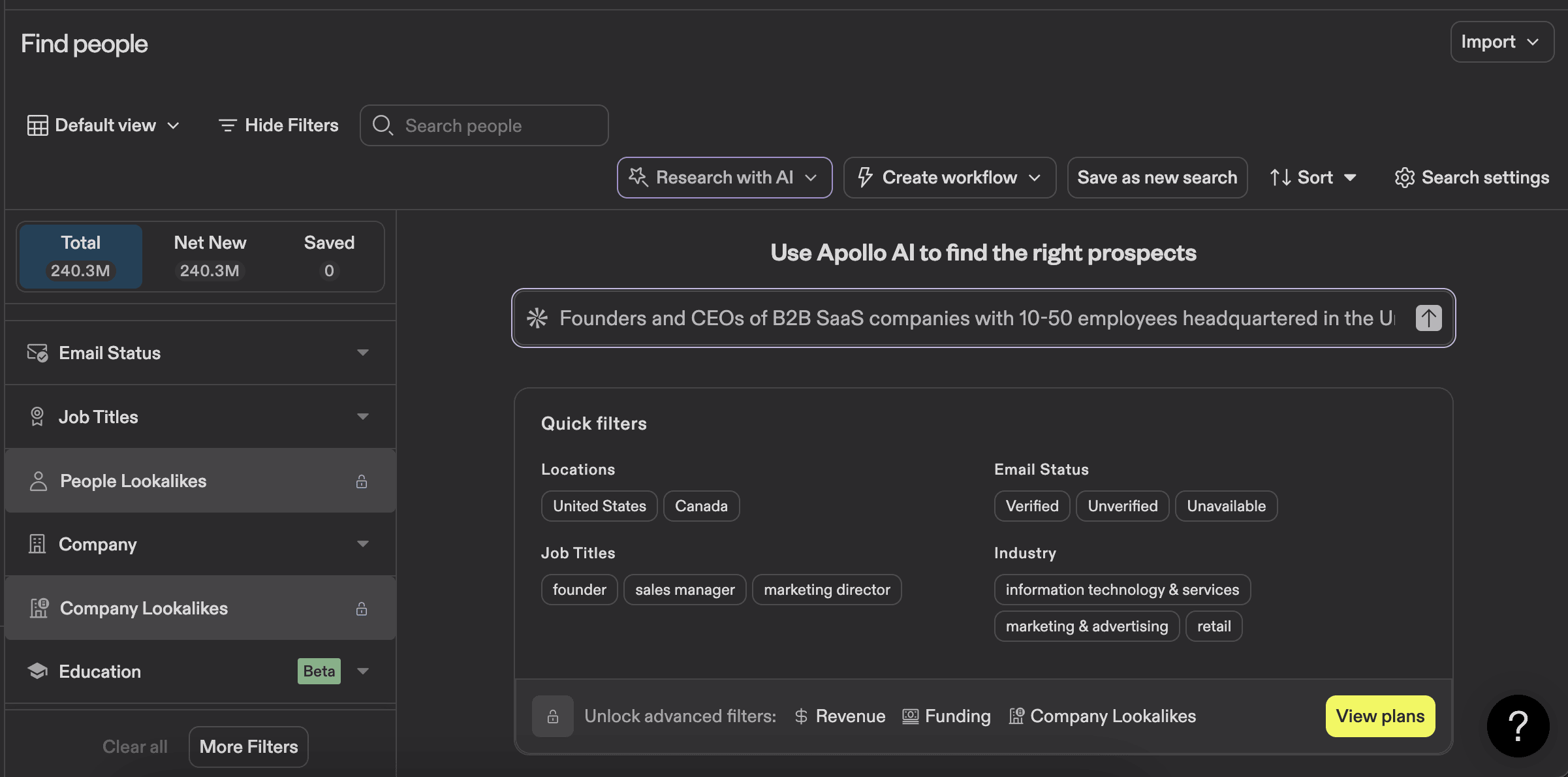
Obviously, there are a lot of manual filters there, but you can start by experimenting with an AI tool to see if it's faster for you. For example, for our ICP, I will try: “Founders and CEOs of B2B SaaS companies with 10-50 employees headquartered in the United States.”
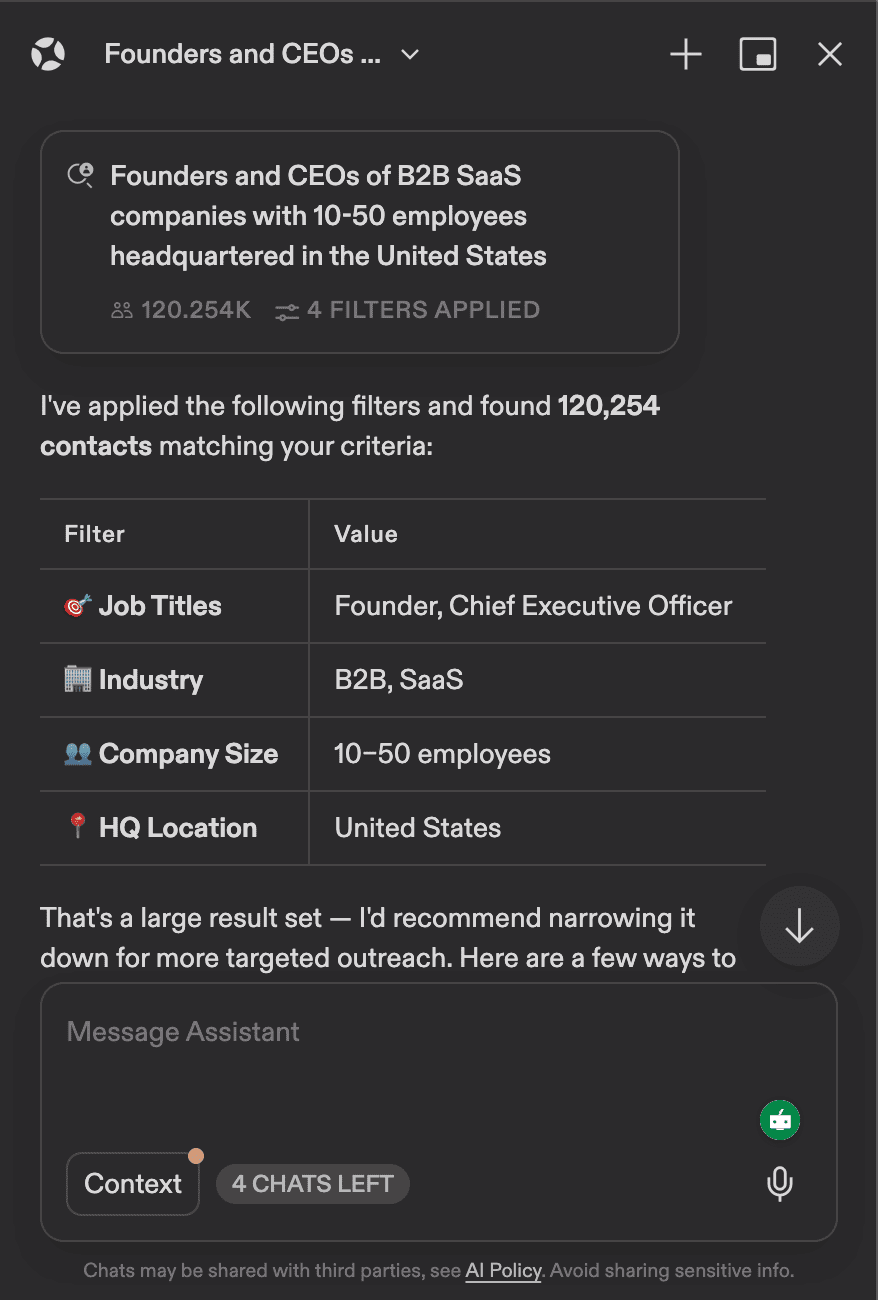
As you can see, it automatically applied filters for me like job titles, industry, company size, and HQ location.
Here are the results that I got.
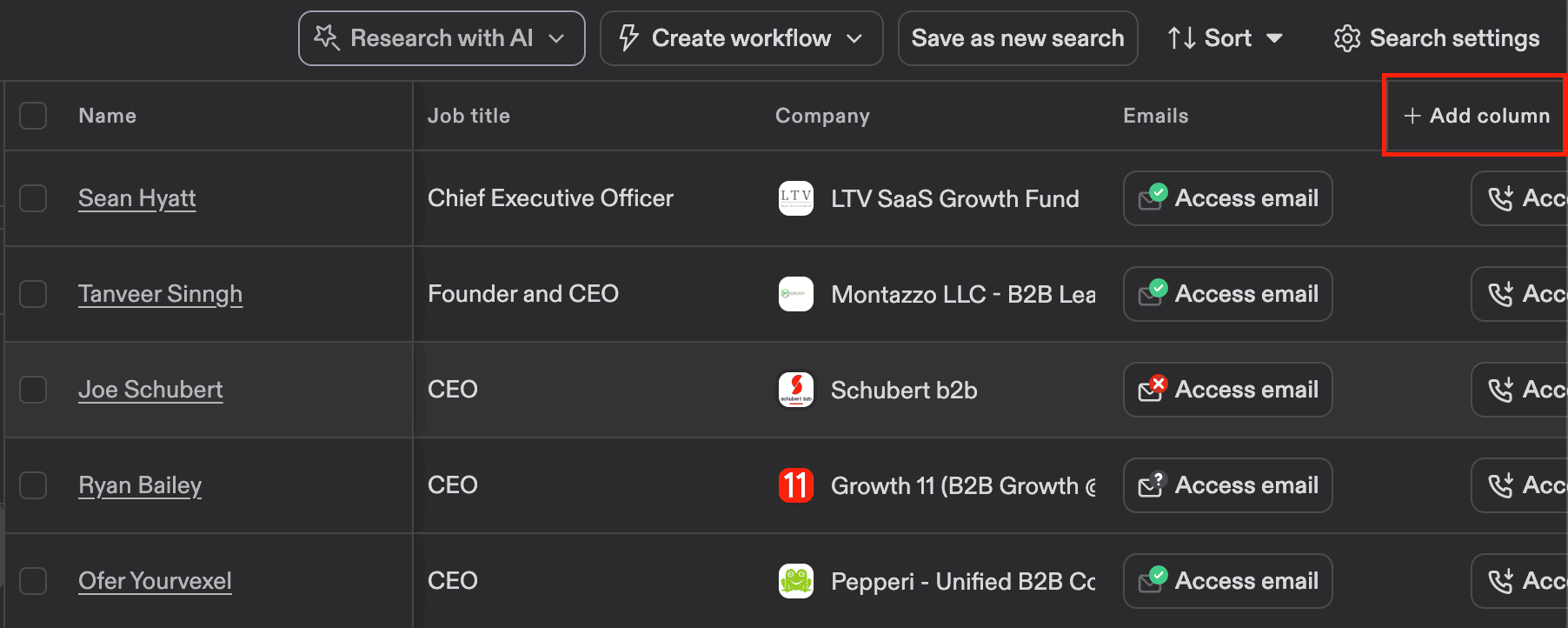
You can also customize your columns by clicking the " Add column” button. I wanted to add a LinkedIn column, and Apollo's AI (it has an integration with Claude) suggested writing a connection request message using a prompt.
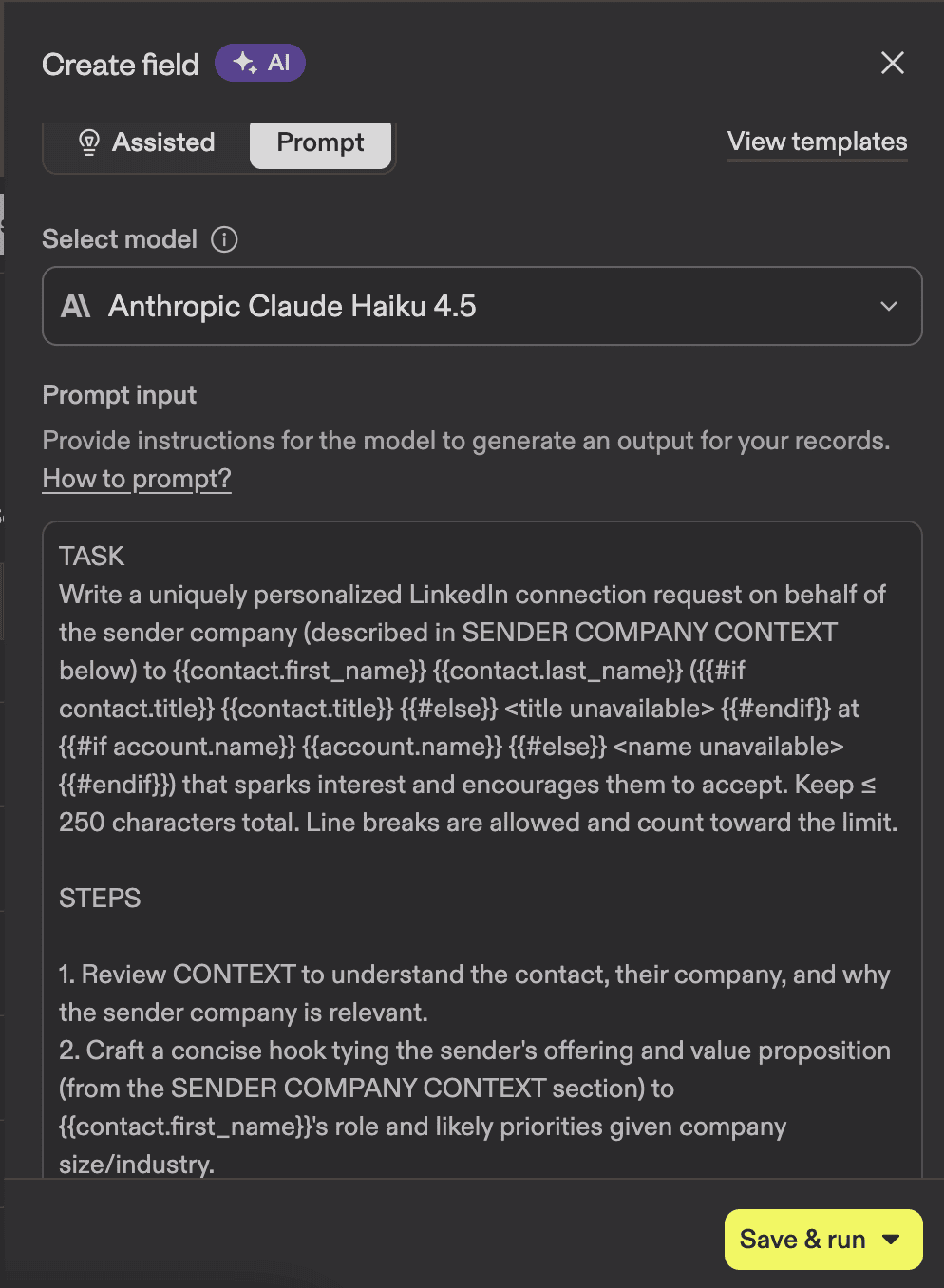
Pretty cool, if you ask me. I still think it’s better to write messages yourself, but it can give you a good starting point.
You can also manually adjust the filtering that AI suggested. You can add additional keywords. For example, IT services & IT consulting, if that’s the industry you want to work with.
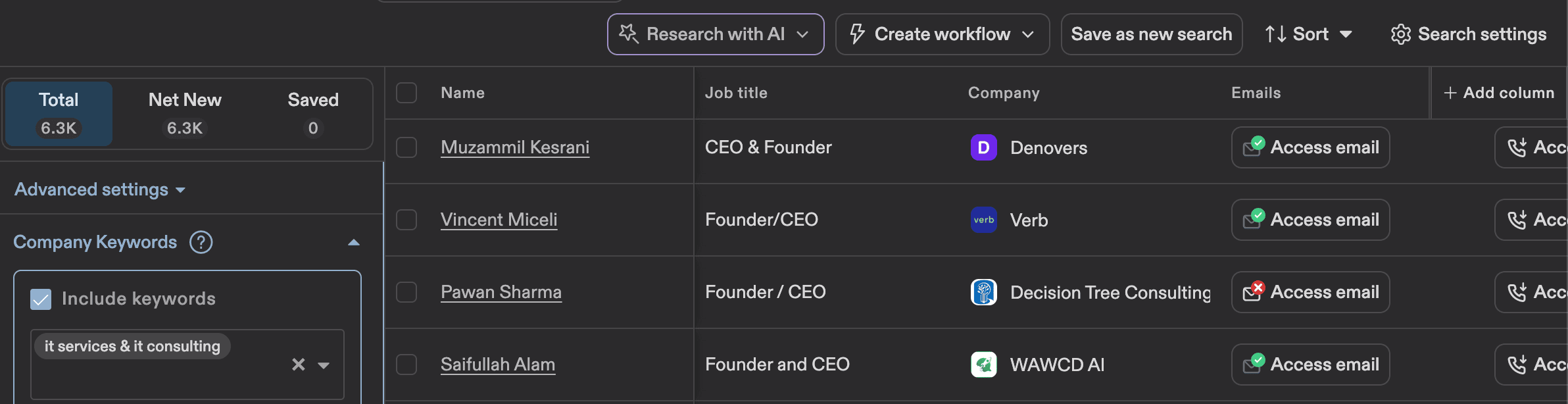
My advice is to check all the options that are available in the Apollo search menu and see what kind of prospects come up when those filters are on. Go to their LinkedIn account (you'll find it in the links section) and see if that’s the kind of prospect you’re looking for.
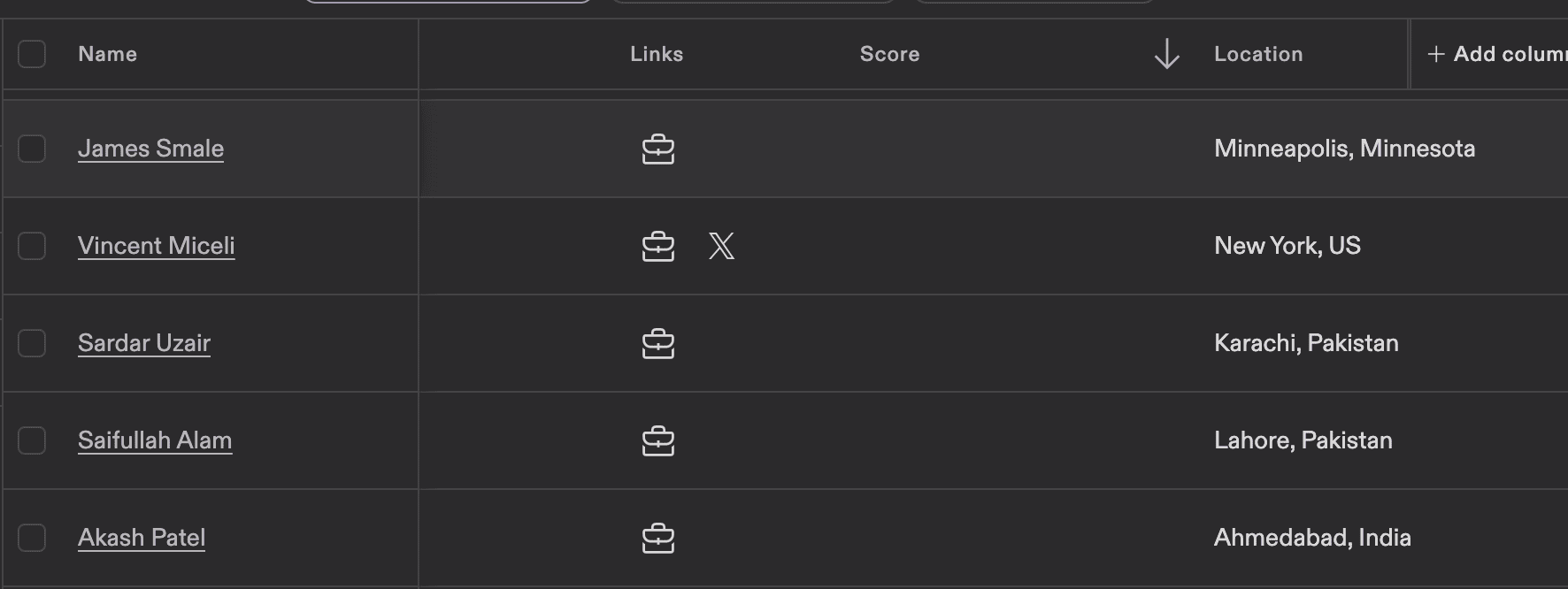
If the results are totally off, experiment with the filters and try again. I would really recommend NOT skipping the manual validation step, at least at the beginning. You can randomly check 10-15 contacts to see if you picked your filters correctly.
As you can see in my screenshot, I filtered the HQ location but not the person’s location. If that’s important for the campaign, you can go back to settings and filter that out.
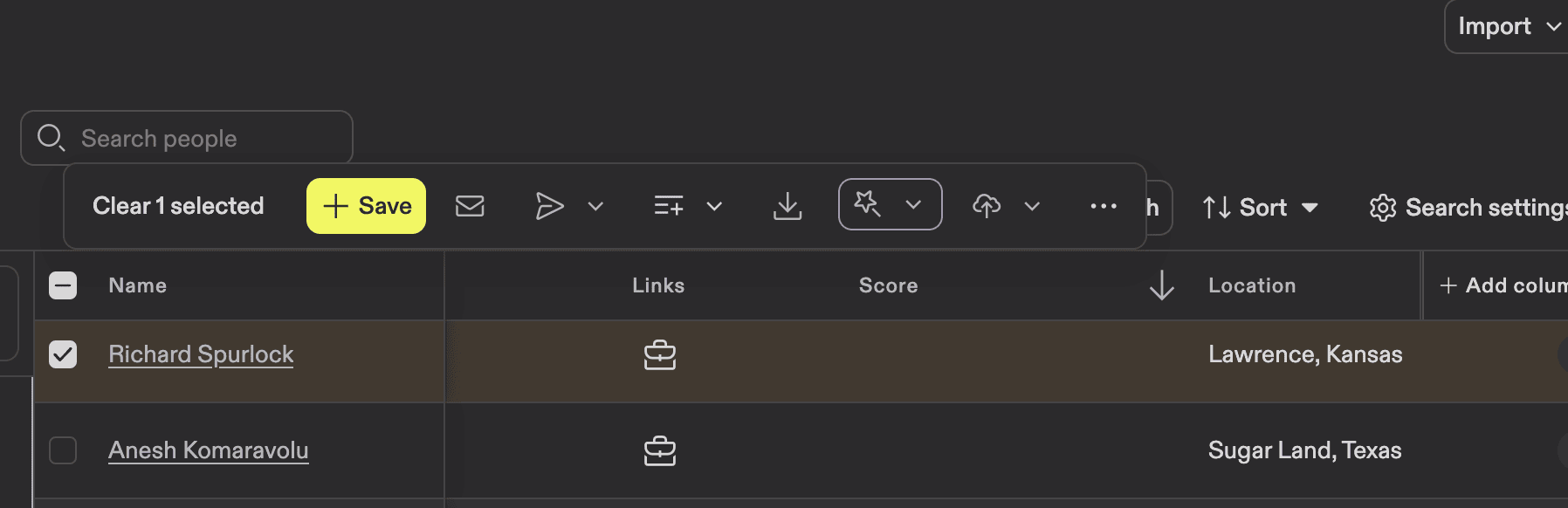
Once your prospects are ready, click the checkbox next to the name and select how many contacts you want to export.
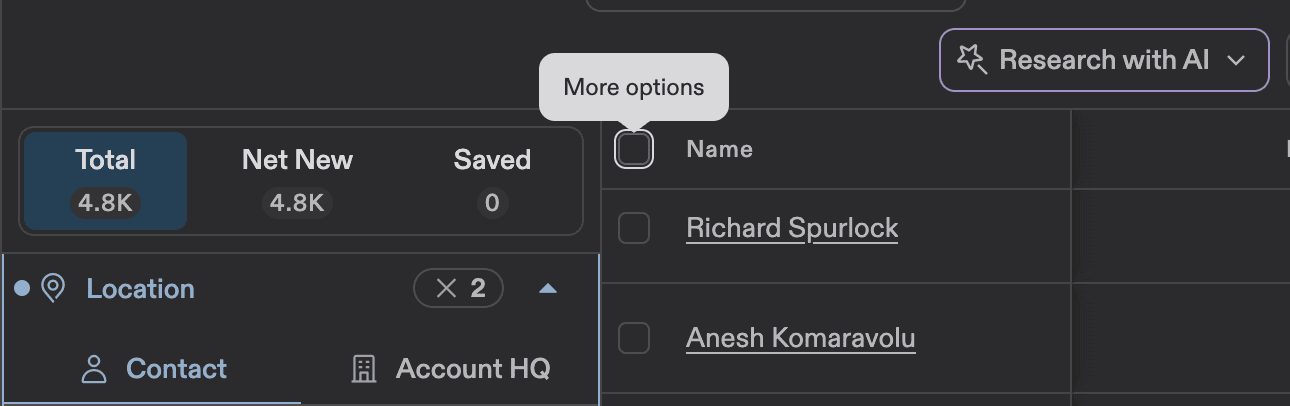
It can be a certain number of people, a page, or all of them.
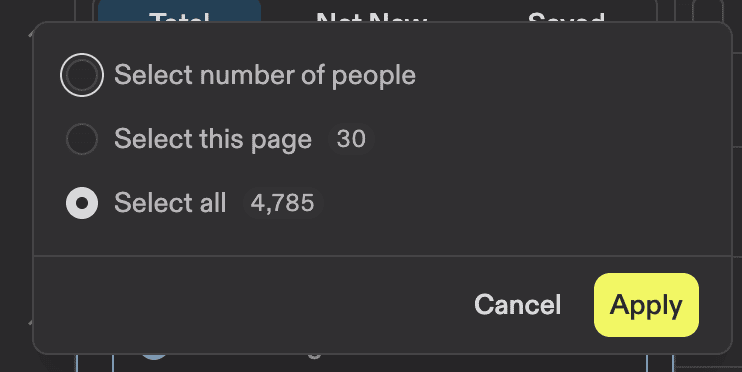
Once you do that, you will have many options available for what to do with this list: save inside the platform, use those B2B contact lists for a sequence, add to an already existing list, export, or add to CRM, etc.
Finding contacts LinkedIn won't show you (PhantomBuster)
We just discussed one way to collect B2B contact data. Sometimes, finding prospects through LinkedIn, Sales Navigator, and tools like Apollo might not be enough. Another way to collect prospects is through various events. It might be easier to connect when you already have something in common.
I use another tool for those kinds of things — it’s called PhantomBuster. To collect contact data from people who attended a certain online event, you need to go to Solutions and pick LinkedIn.
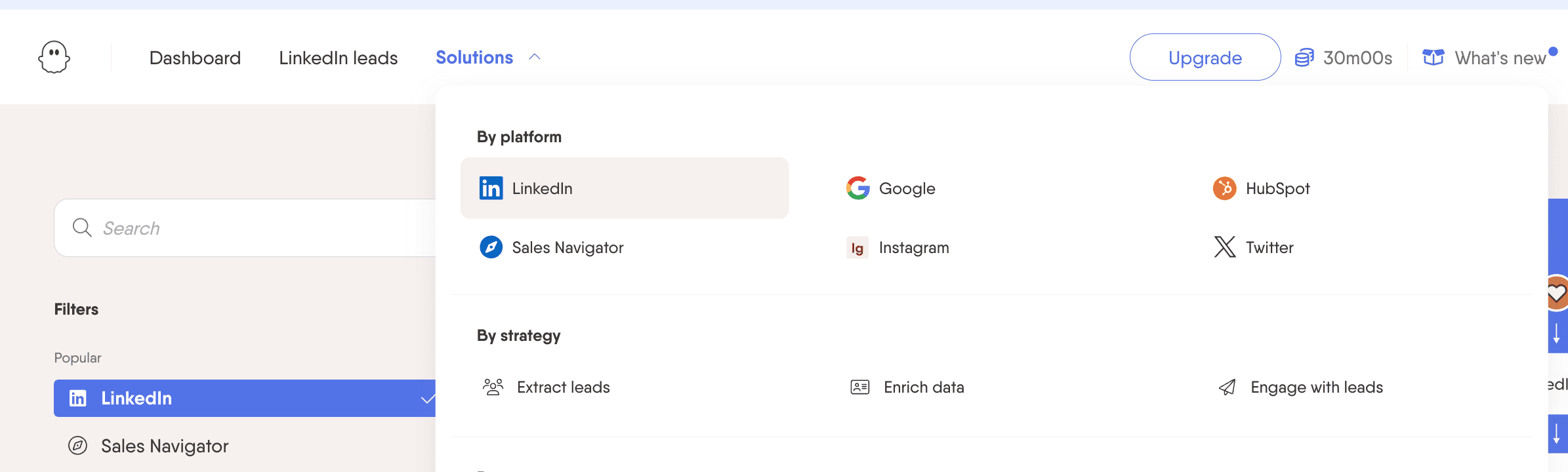
After that, press Cmd + F and type in “event” (it’s easier this way).
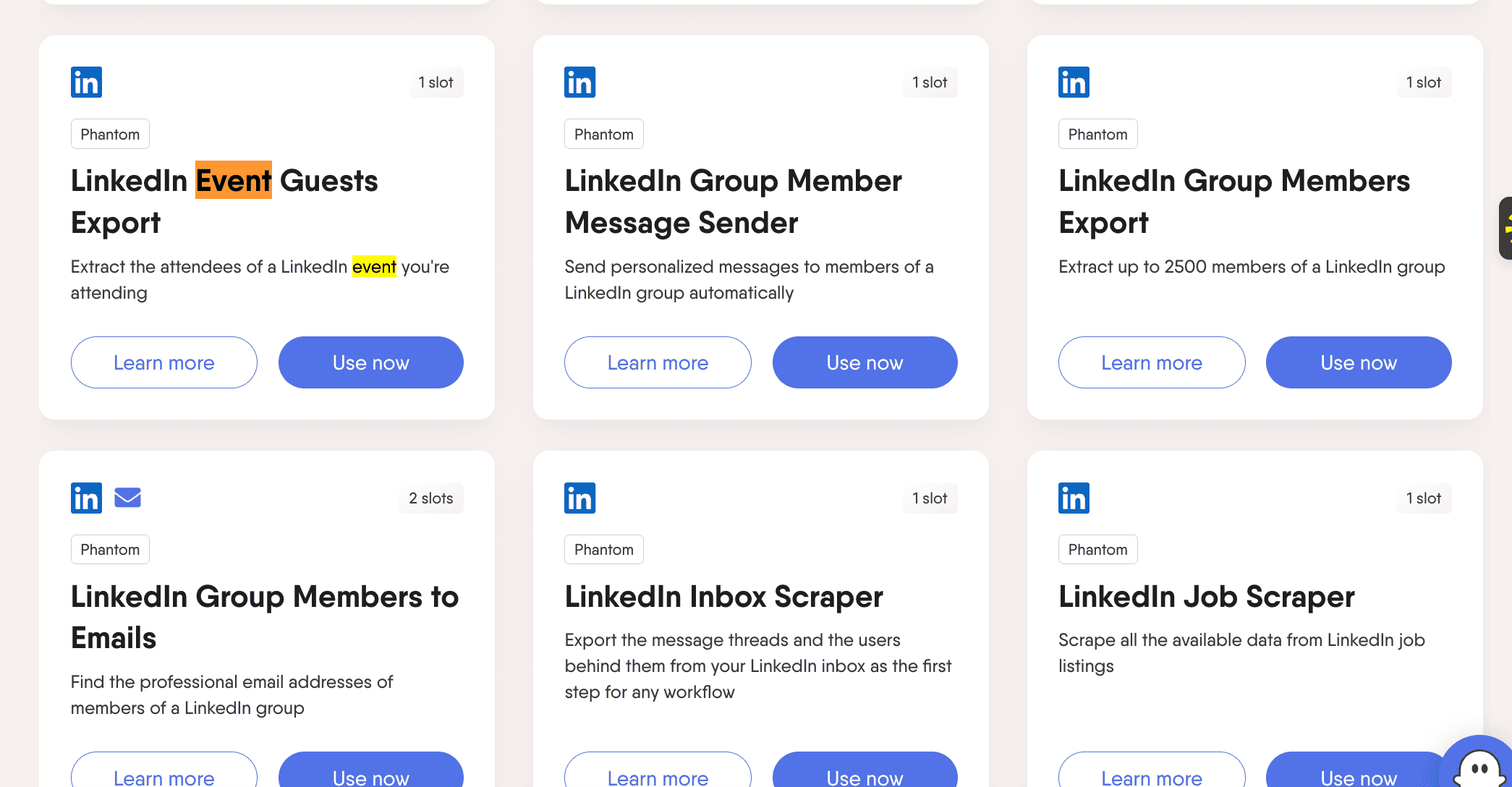
LinkedIn Event Guests Export is what you need. Press Use now and connect your LinkedIn account in the next step. I already have it connected. The steps are simple, and the platform provides all the instructions.
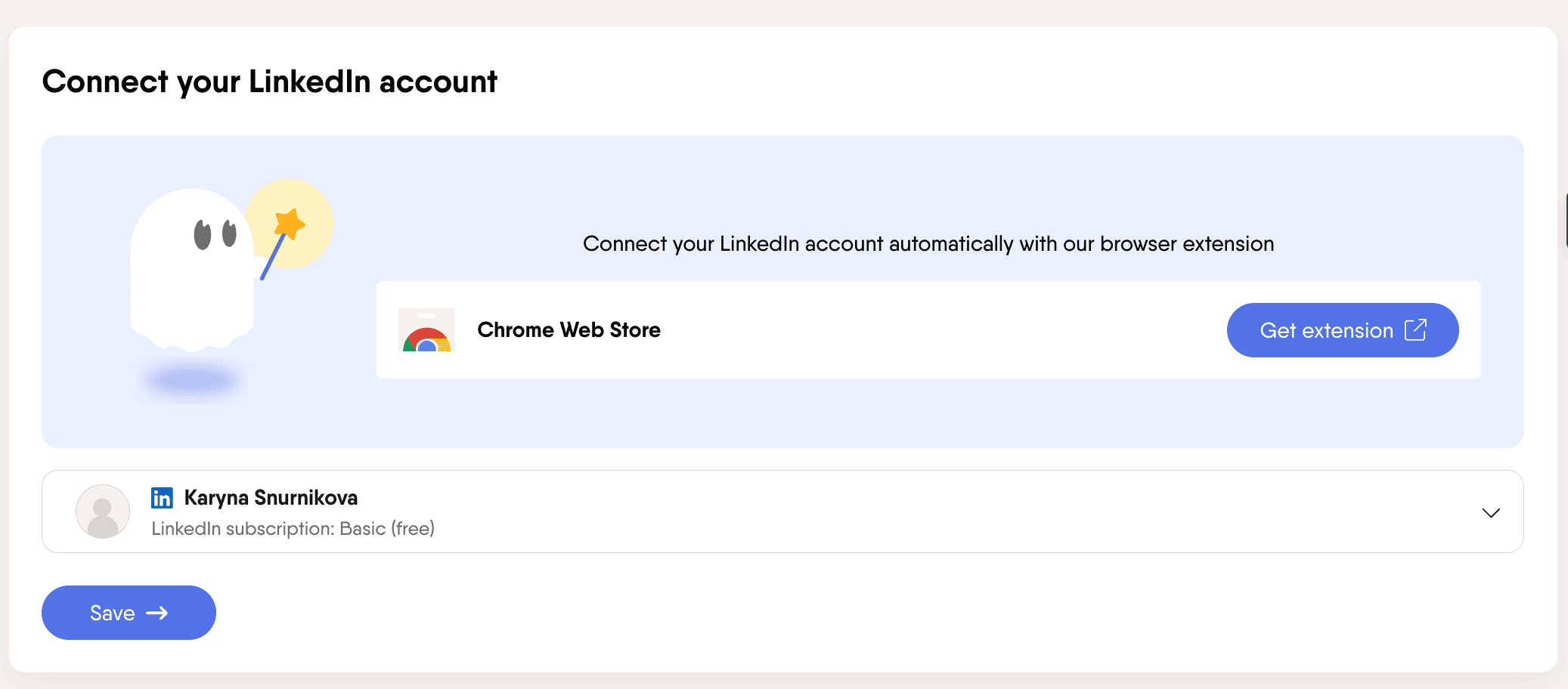
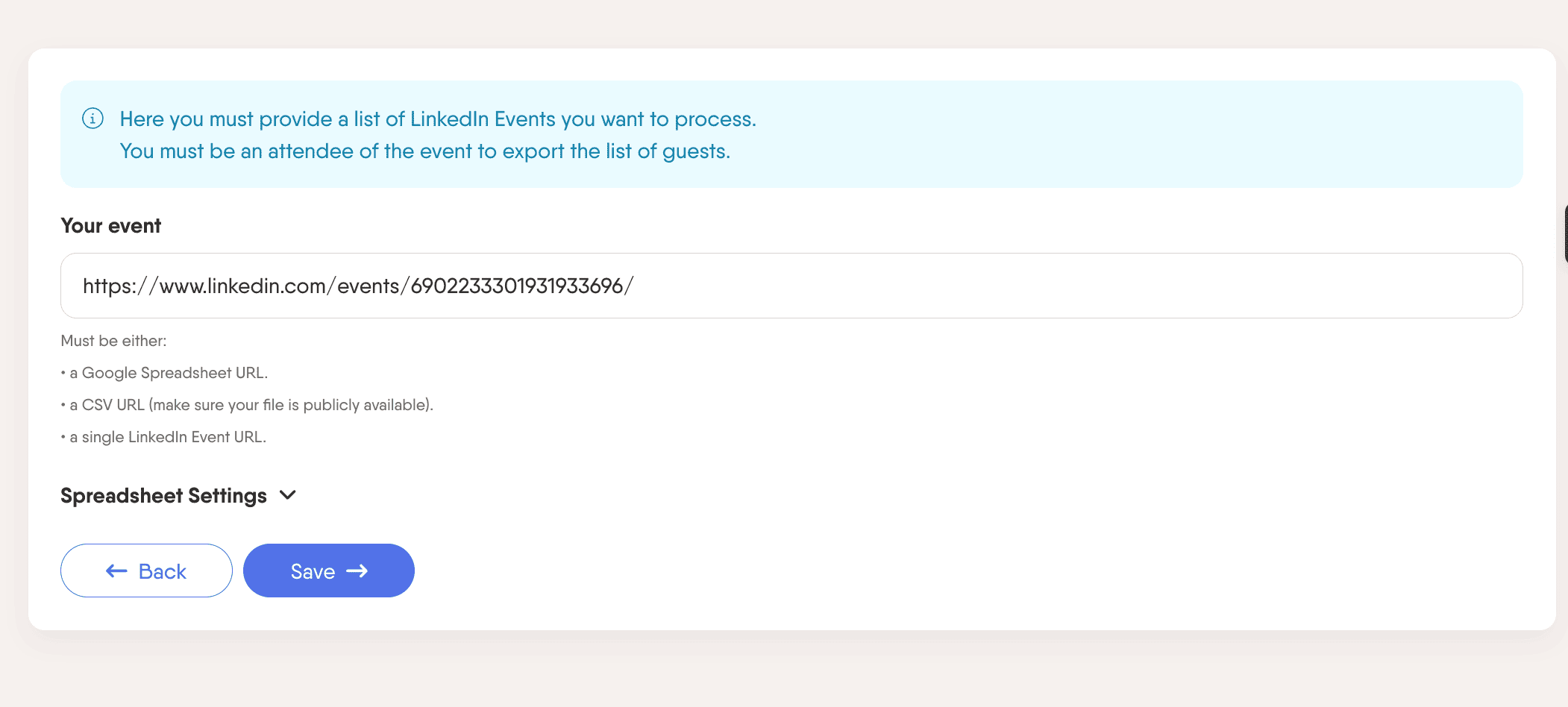
After that, insert a link to the LinkedIn event you want to scrape. I picked a Digital Marketing Forum since I believe my potential customers could be there.
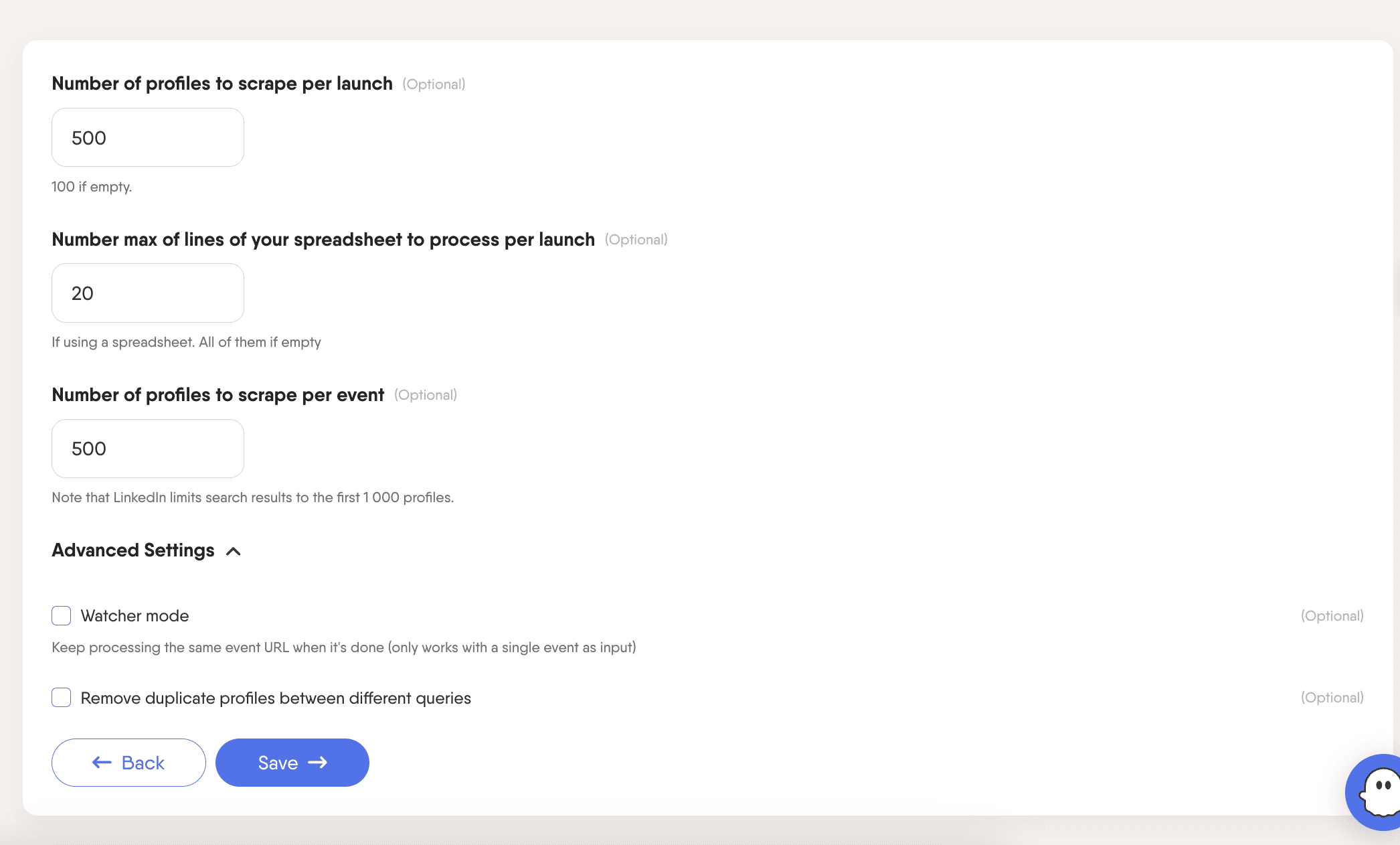
Then set how many profiles you want the platform to scrape. Obviously, if the event only has 200 attendees and you set the limit to 500, it will collect only 200.
After this step, you can select a launch frequency. I always used it once, but you can adjust it to your needs.
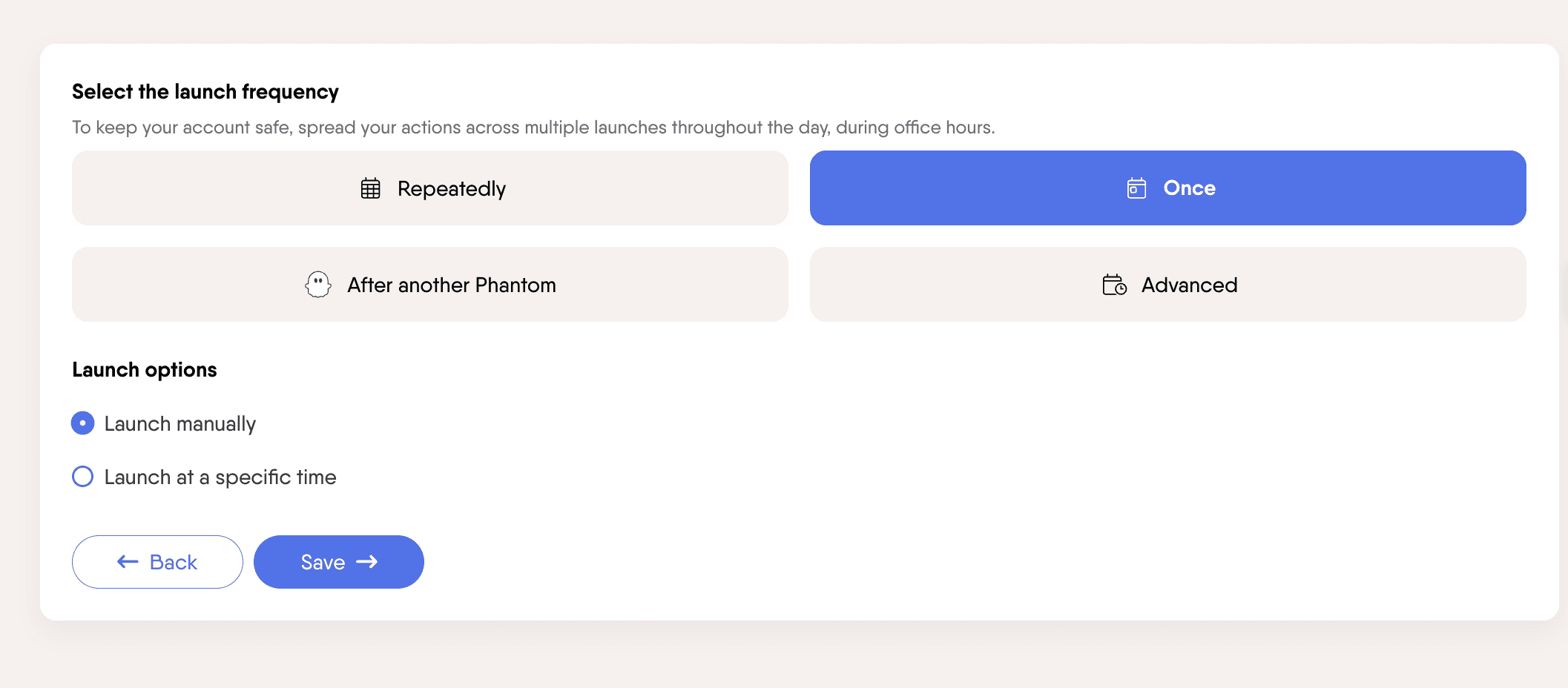
Then press Launch and see the magic happen.

Those are the results we got. As you can see, we can download these contacts or send them to HubSpot.
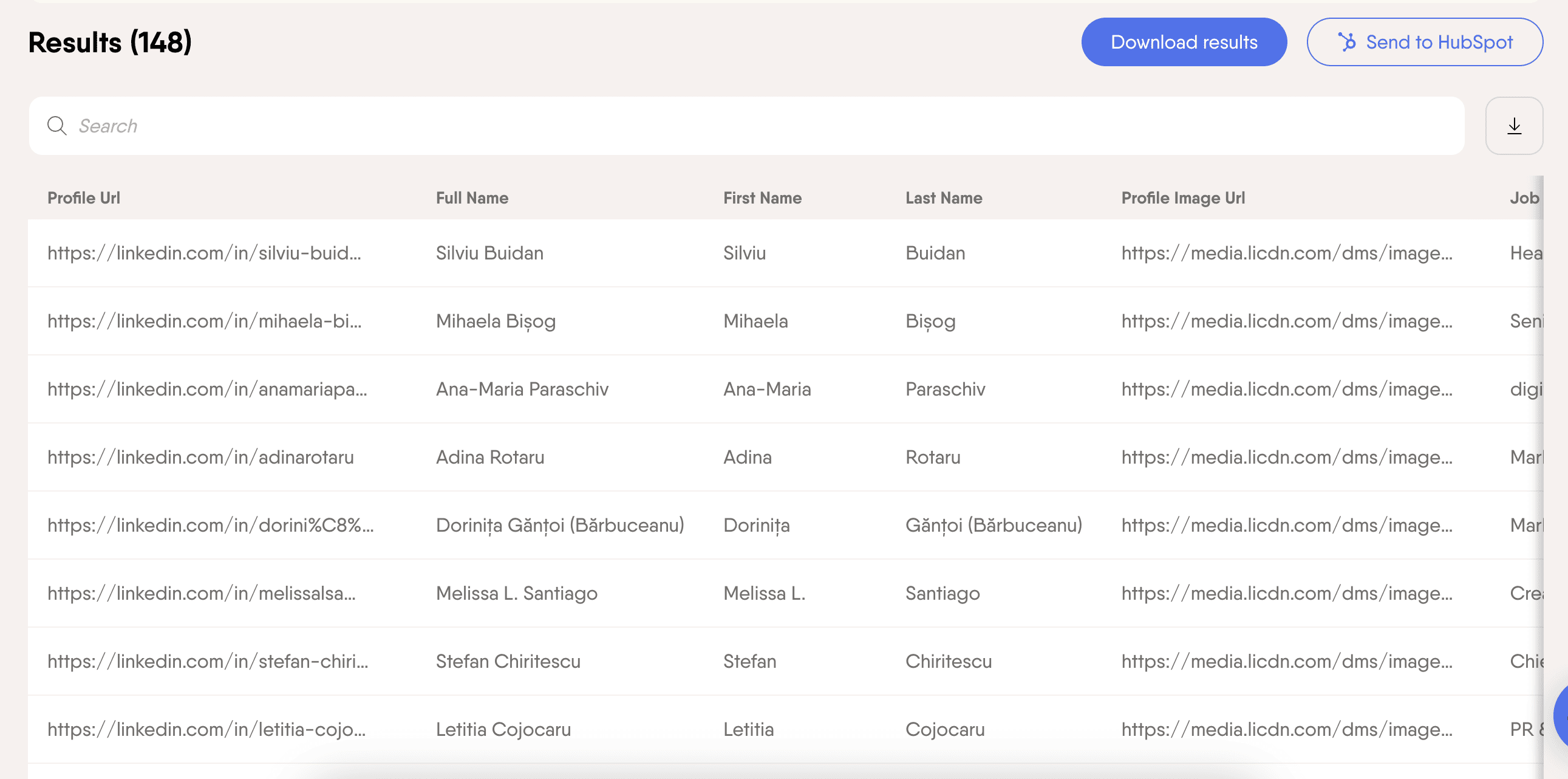
Unfortunately, you can only export 10 rows if you have a free plan. The platform still has a lot of room for trying features on a free plan, so you can decide if that’s a good fit for you before you buy a subscription.
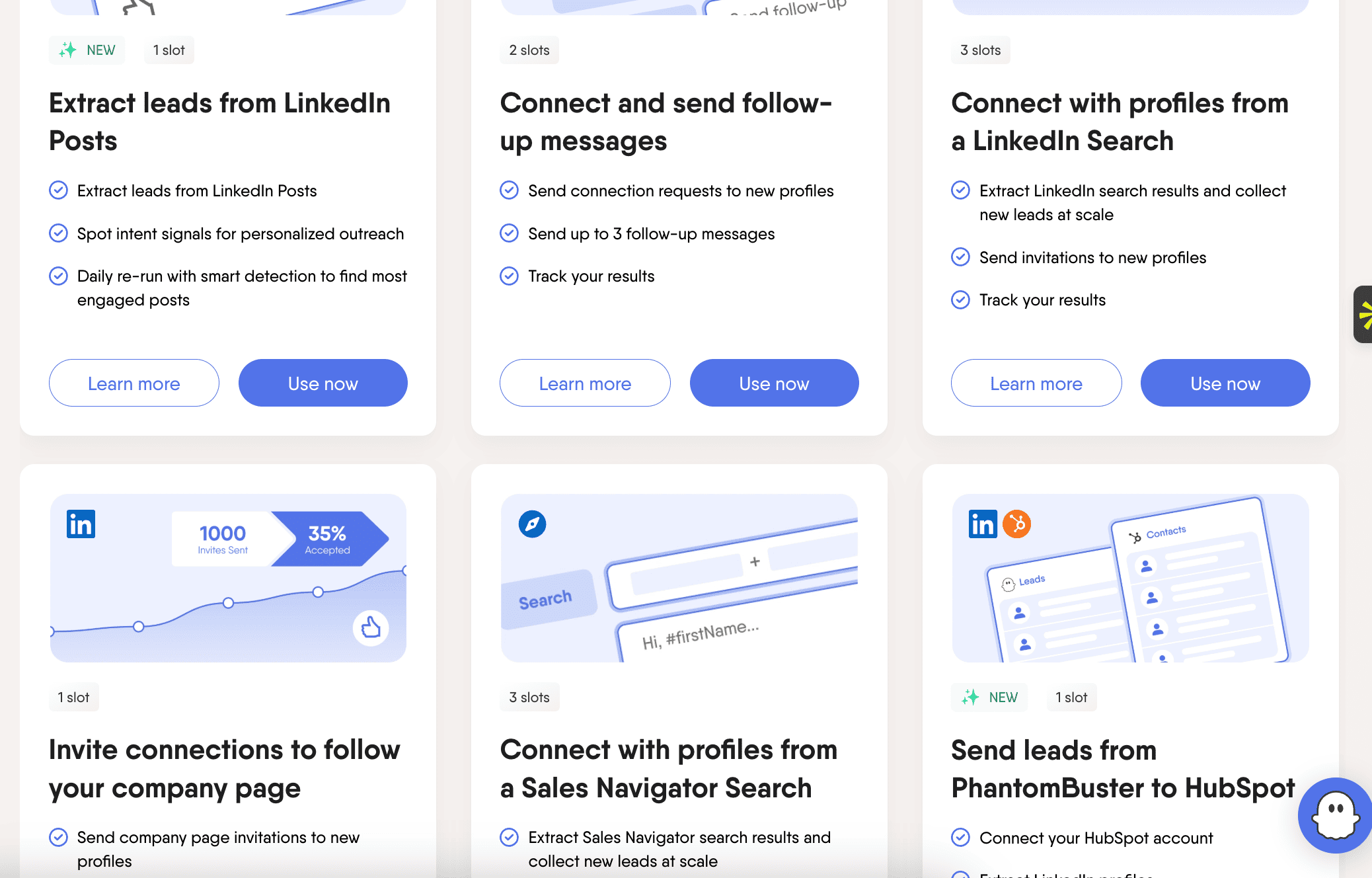
There are a lot of ways to build your lead database. Do a little research before you start planning your campaign so you know all the options available to you.
Verify before you send: why email verification isn't optional
After you've collected your prospects' data, the next step is to validate the list. Verification is how you turn a raw list into qualified leads.
Why is that important?
Well, there are multiple reasons for that. First, you just don’t want to waste your time working with low-quality leads and getting terrible results. Second, if you skip email list verification, you risk getting a high bounce rate.
A high bounce rate leads to a low domain reputation and poor campaign results. We definitely don’t want any of that. So what do we do?
I’d recommend a platform that can verify your B2B email list before you launch your outreach. There are many platforms that can do that. If you use Apollo.io to collect your list, you’ll have an email verification already integrated.
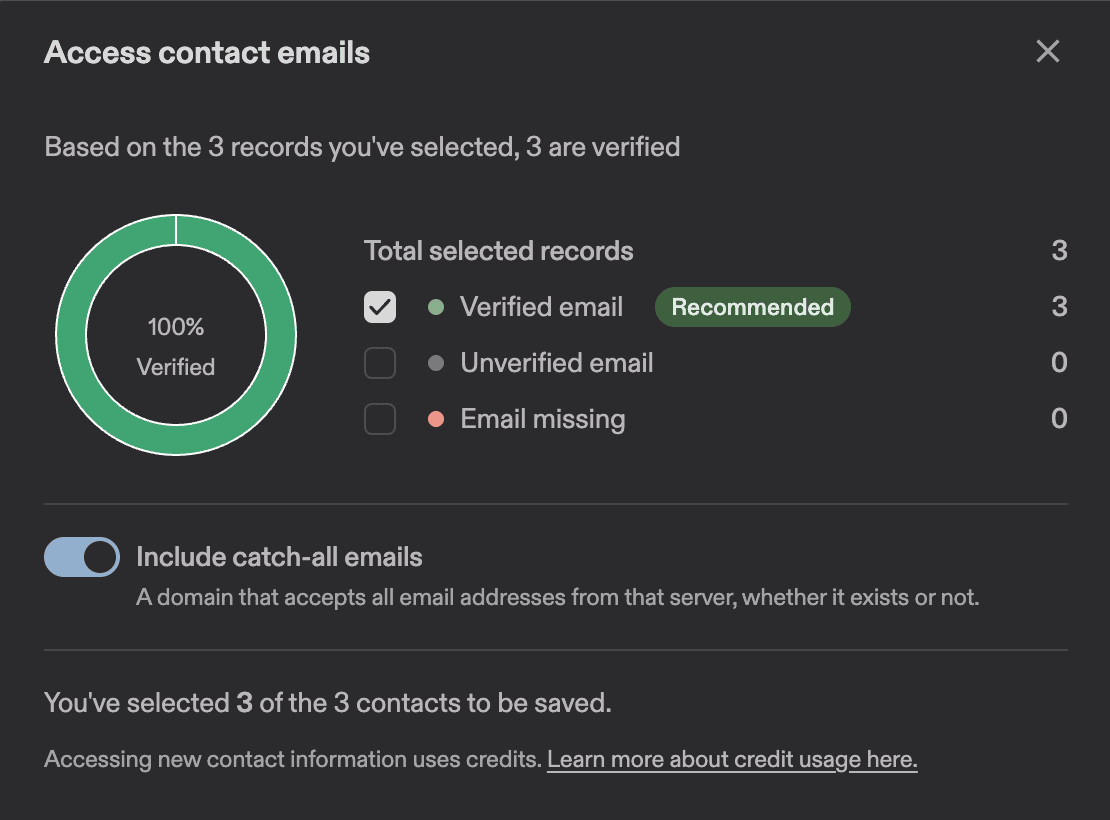
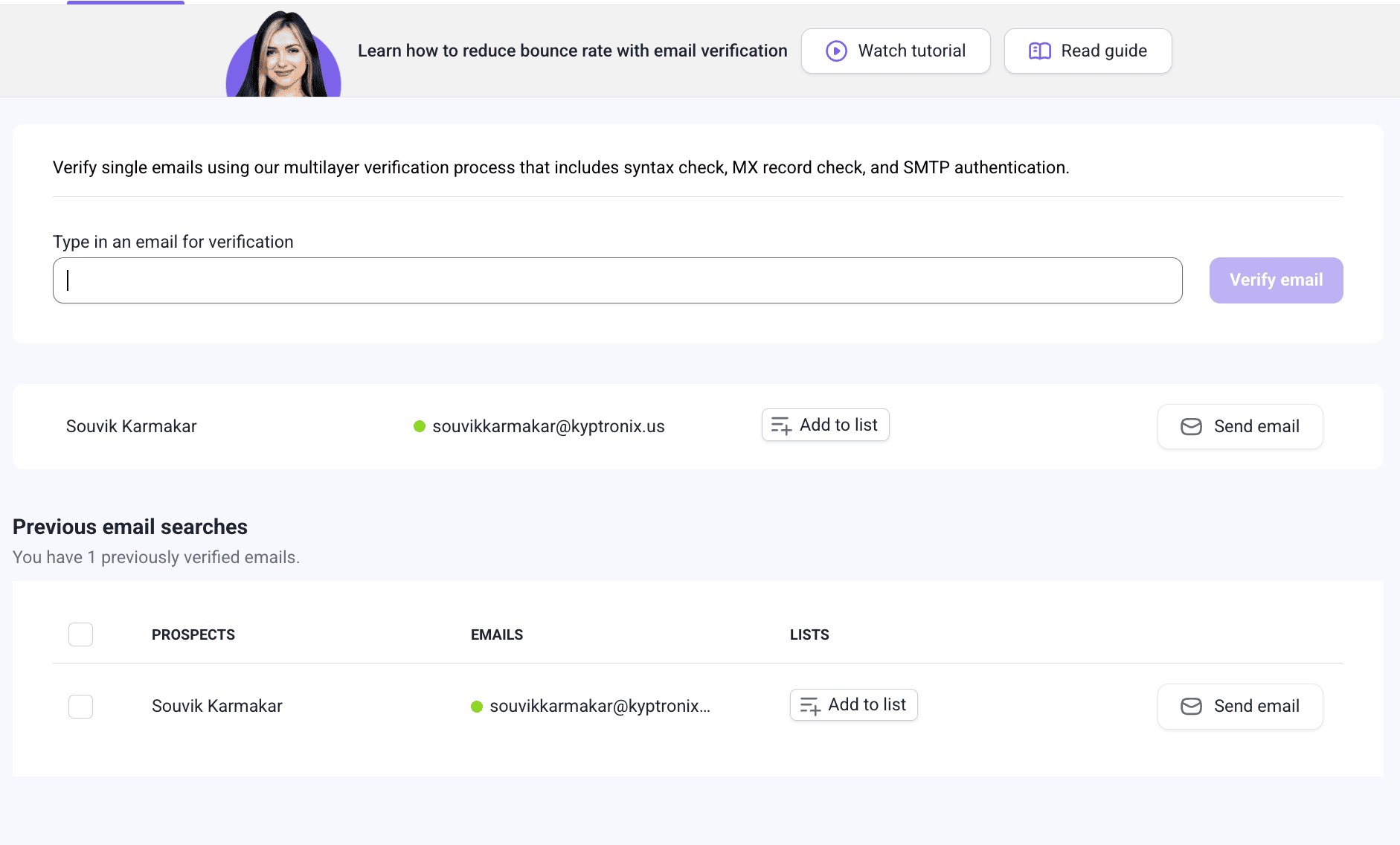
Another platform that I like and find pretty straightforward is Snov.io. They have a tool that can verify a single email or a bulk list.
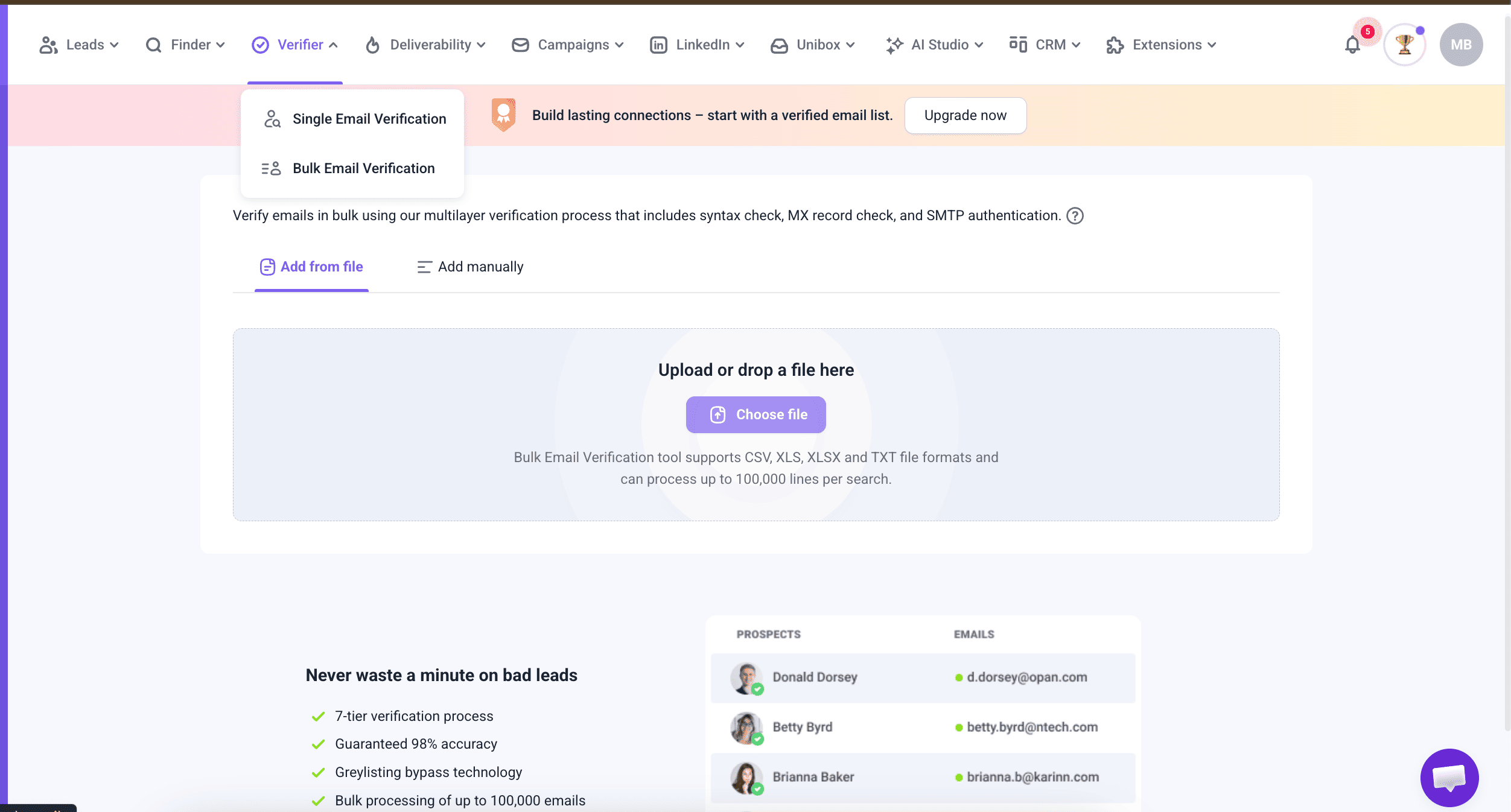
If you have a free plan, you won’t be able to verify the whole bulk, but you can verify single emails manually.
Lead validation and verification are extremely important steps, and I believe that if a company skips those steps, it has a higher chance of its outreach campaign failing.
Organizing your prospect list (what to include and how)
How you organize your prospect list will depend on multiple factors. Do you use a platform like Apollo to conduct your outreach, or a separate CRM, or do you do it manually and store your contact list in Google Docs?
I think it’s easier to organize and navigate your list of contacts if you use a sales platform or CRM system since they already have the majority of the data you need. If you organize your prospect list manually, use Google Docs, or any other place to store it, or just want to customize your existing chart, here is what’s important to include (in my opinion).
→ Contact name
→ Company name
→ Company website URL
→ Job title
→ Seniority level
→ Email, phone (if available)
→ Email status (verified or not)
→ LinkedIn URL
→ City, State, Country (if important for the campaign)
→ ICP fit score (if you find it valuable)
→ Lead source
→ Stage in the outreach process (sent 1st email/message, scheduled demo/meeting, proposal sent, etc)
Of course, everything depends on how exactly you’re gonna use this prospect list, when you’re planning to conduct an outreach campaign, how many people are working on that, etc. Test what works for you and pick the best option.
Do not forget to include a tracking sheet (if you do it manually). Track how many messages/emails you sent, open rate, response rate, MQLs (Marketing Qualified Lead), SQLs (Sales Qualified Lead), leads, number of meetings booked, and any other information that is relevant to you.
Here is an example of how it can look.
All names, companies, emails, phone numbers, and LinkedIn profiles in this template are fictional and were created for example purposes only.
Keeping your list alive: maintenance and data enrichment
I try to follow a couple of simple rules when it comes to managing B2B lists. If it’s possible, try to use prospect lists within 3 months of building them (meaning conducting an outreach campaign, reaching out to people to connect, etc.). That way, you can avoid spending your time on list management and data enrichment.
If that is not an option for you, my recommendation would be to update and re-verify your lead data every 3 months.
Why is that important? Because a lot of things can change in a 3-month period. People change their title, get promoted, switch jobs, companies grow, or make an exit. So your list might be irrelevant after a certain period of time.
Managing your B2B list is an ongoing process, so set yourself a reminder to do it once in a while.
Common B2B list building mistakes (and how to avoid them)
I wanna talk about some mistakes that can hurt your campaign's performance and some tips on how to avoid them.
Mistake 1. Buying a pre-made list
There are a couple of reasons why buying pre-made email addresses might be a bad idea: those lists can be outdated and unverified, contacts on that list have probably already been emailed by 10 other companies who bought the same list, and those lists are not perfectly customized for your campaign.
I’d highly recommend collecting lists on your own and using them as soon as possible.
Mistake 2. Targeting too broadly
"All marketing managers in the US" is not a high-quality B2B list. You need to understand that a list of 300 well-matched contacts will outperform 3,000 generic ones every time in terms of bounce rates, replies, and meetings booked. Concentrate on quality, not quantity.
Mistake 3. Ignoring compliance (GDPR, CAN-SPAM)
This part is about building trust with your potential customers.
You should always include an unsubscribe button. Don’t email people who opted-out of your emails. If you're emailing EU contacts, GDPR applies to you even if you're based in the US. Cold calling and cold emailing are legal in most places, but there are rules.
You need to know these rules and follow them. Otherwise, it can seriously hurt your domain reputation.
Mistake 4. Building a list of potential clients and never touching it again
We touched on that already in the previous section, but I feel like it’s extremely important to update and re-verify your lists for effective B2B campaigns. You don't want to waste your sales and marketing team's efforts for nothing.
None of these mistakes is hard to fix; they just require your time and extra attention.
Disclosure: Some links in this article may be affiliate links. If you choose to make a purchase through them, Your Marketing Bowl may earn a commission at no extra cost to you.
The content on this site is for informational and entertainment purposes only and should not be taken as financial advice. For full details, see the disclaimers section.
The content on this site is for informational and entertainment purposes only and should not be taken as financial advice. For full details, see the disclaimers section.

Hey there! I'm Karina! I love marketing and everything about it. I've been working in marketing in Eastern Europe, Sweden, and now in Santa Barbara, CA. I hope you gonna like it here.

Subscribe for marketing advice
I'd actually give a friend
Join our mailing list and never miss a story.
No AI, no BS!