LinkedIn Ads for B2B with 0 followers: my results
Author:
Karina
Published:
Jan 21, 2026
Updated:
Mar 4, 2026
Reading Time:
15min
The goal of this article is to show you some LinkedIn advertising experiments that I did and the results that I got.
I created a brand new LinkedIn company page and wanted to see how the social media ads would perform when there are almost no followers, no brand awareness, and no recognition. Based on that, I want to share some recommendations on how to proceed with social media promotion in that case.
I know it’s easier to work with the brand that’s already established and trusted in terms of ad impact and performance. There is not a lot of information out there with specific examples for brand-new pages with specific examples, so I decided to create that kind of content myself.
It’s important to mention that while I created a LinkedIn company page for my own brand, I never intended to grow this page to thousands of followers. I know it takes a lot of time and effort, and it is not my priority to concentrate on that at the moment.
All experiments with the ads were done for research and educational purposes.
To sum it up: Instead of trying to grow the page, I wanted to see how LinkedIn ads behave when there’s no existing audience and if ads would be a good way to gain this audience.
Key steps before starting the campaign
Before setting up any campaigns, it is obvious that you need to create the page itself and fill in all the required info about it. That would include the company name, an overview of the company, the website link, the industry, and the number of employees.
I also published 6 posts on my page before running any campaigns to fill it in with content. If somebody checked the page, they could at least see what it’s about and what kind of content they can expect to see in the future.
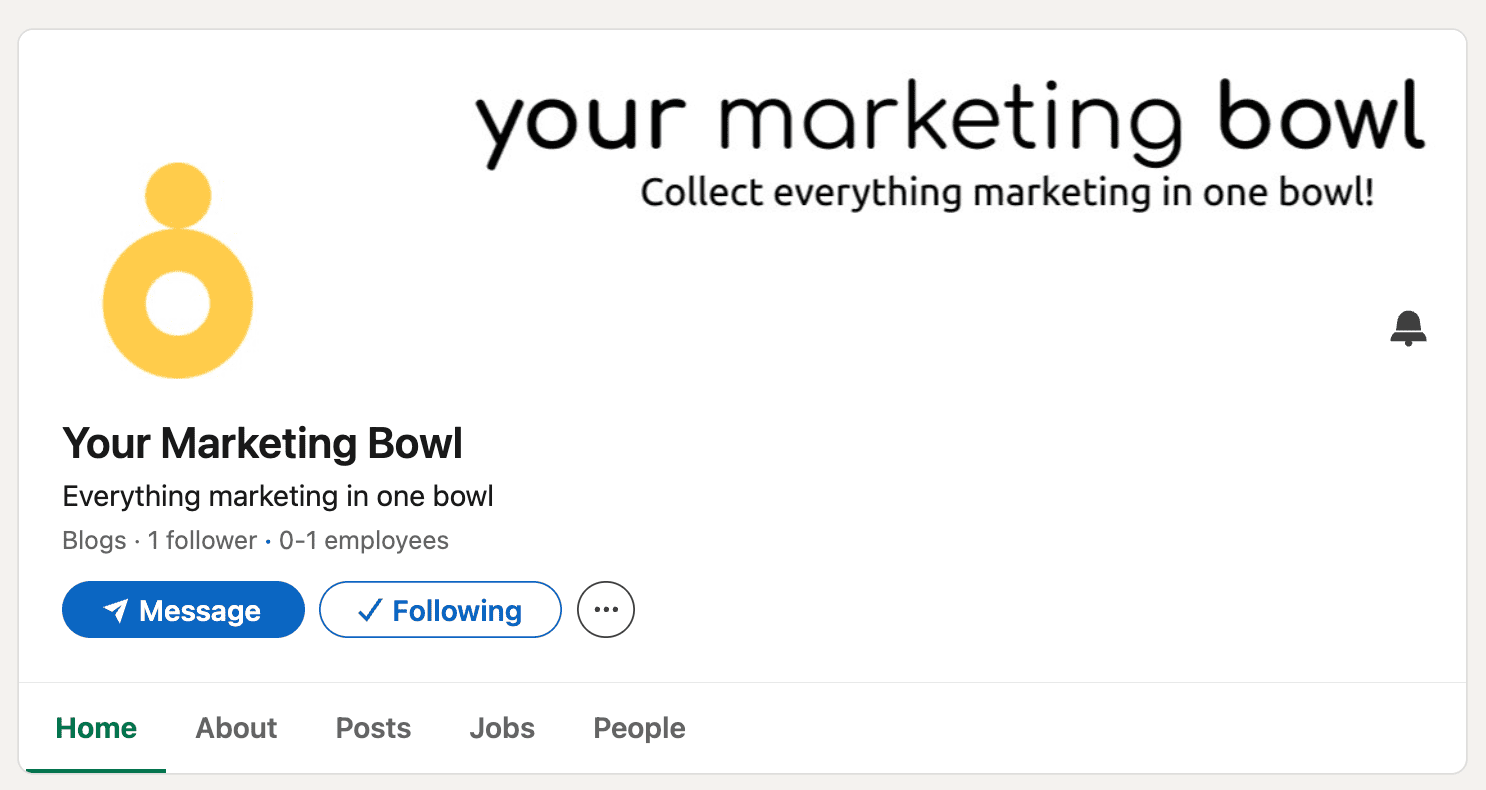
So before the start of the campaign, my LinkedIn page looked like this.
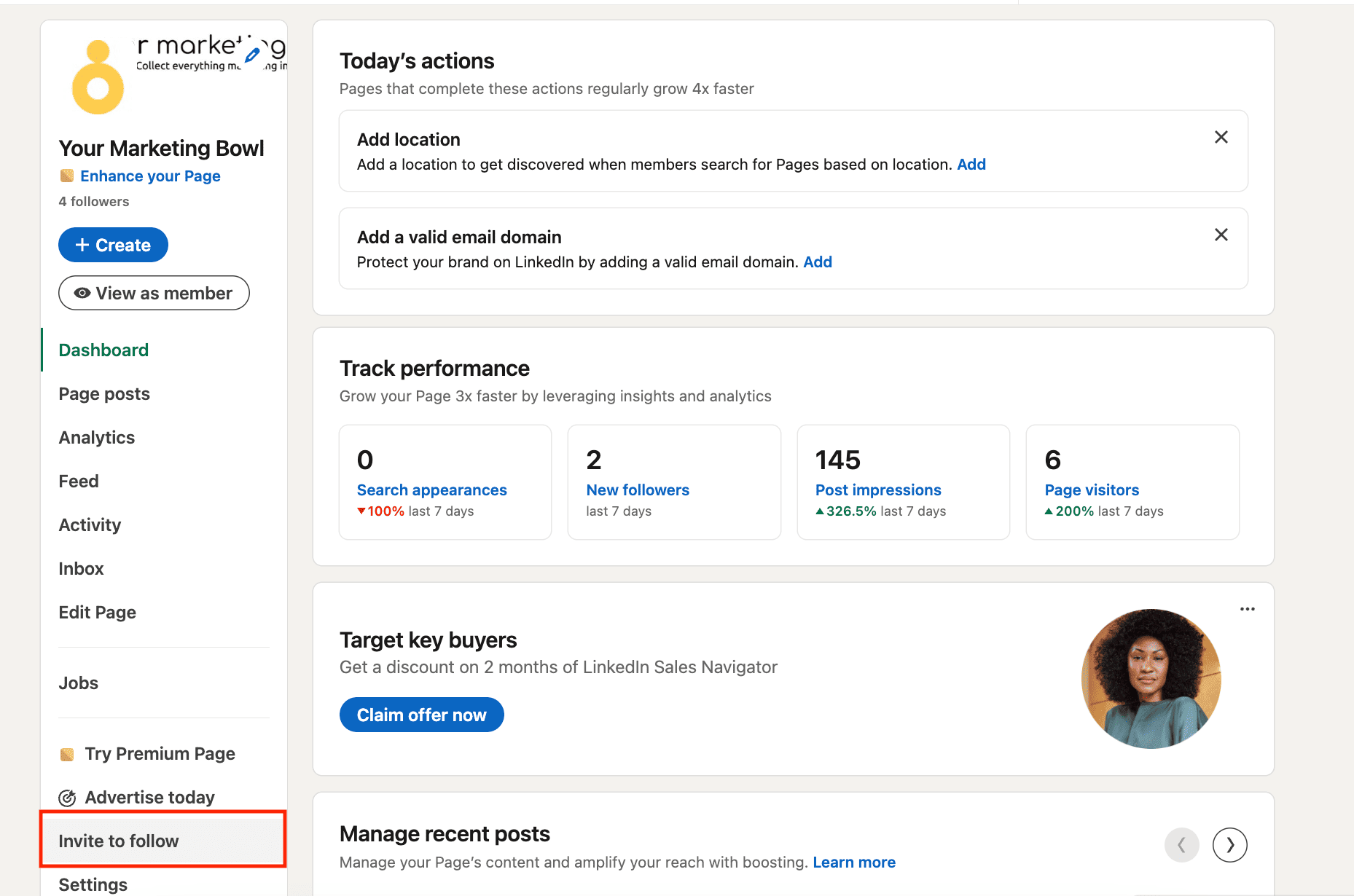
One more thing I did to gain at least a small number of followers: I sent out invites to follow to connections from my personal LinkedIn profile.
You can find this feature here.
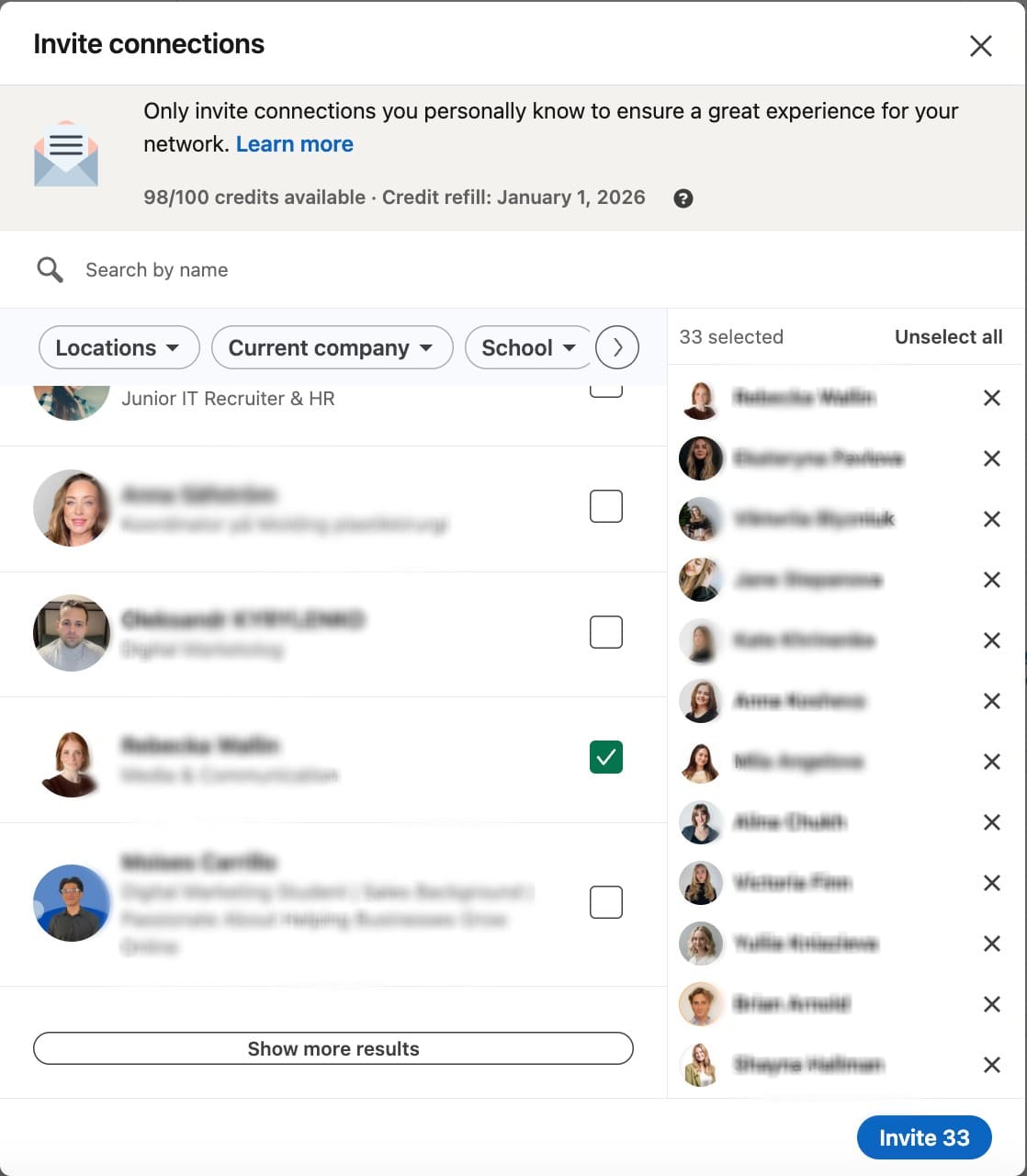
I sent out 33 invites and got 6 more followers, which is 18% acceptance rate.
Ad campaign setup
Now let’s move on to the digital ad campaign setup. First, you need to understand if this campaign will be part of your other marketing strategies or will be completely independent. Do market research if necessary before you proceed and actually spend some money 😂.
After that, you should define the goal of your campaign, the audience you want to attract, the type of content that you want to use for that, and set the budget.
My initial setup looked like this:
- Goal: gain new followers—5 followers per 1,000 impressions (considering a brand-new page)
- Target audience: marketing professionals located in the USA
- Advertising budget: $75 per post * 3 posts (I know it’s very low, but I settled on that for the first experiment)
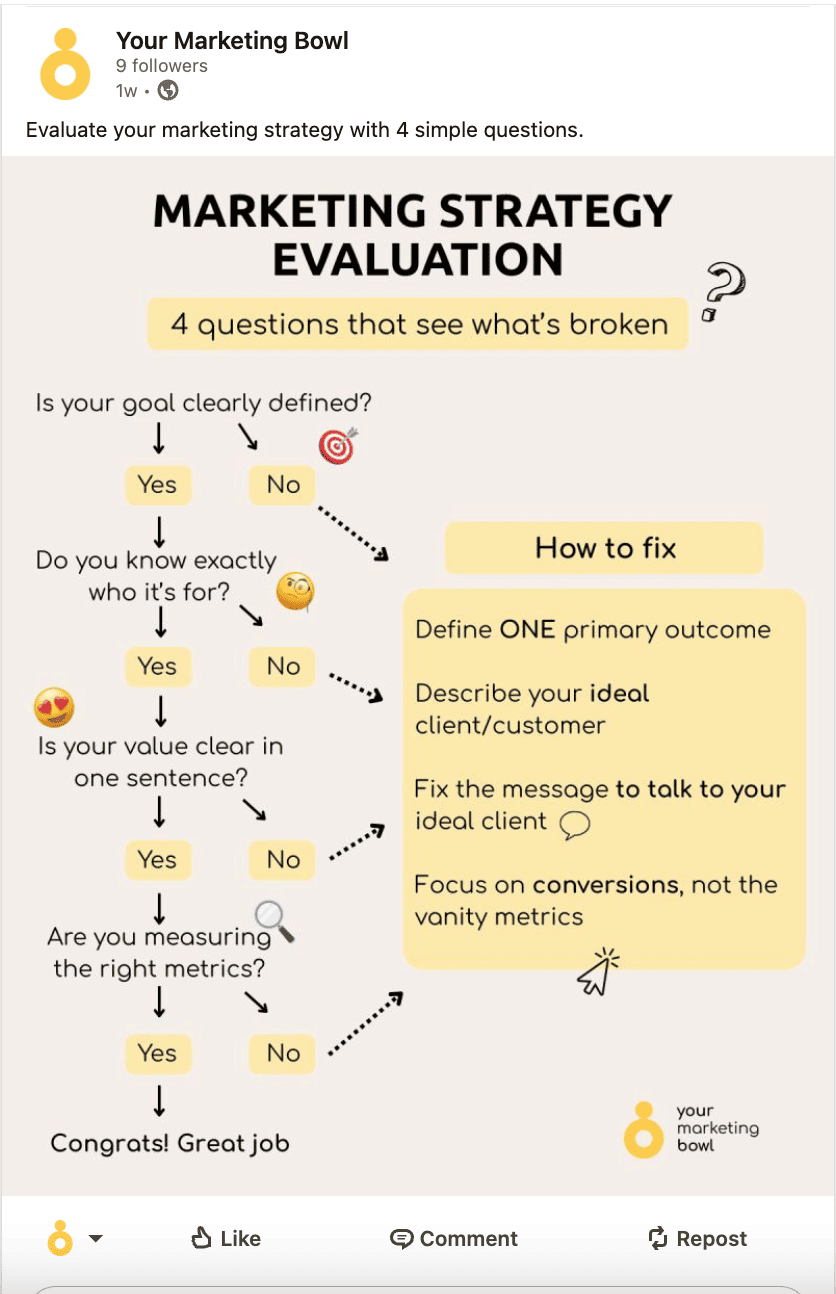
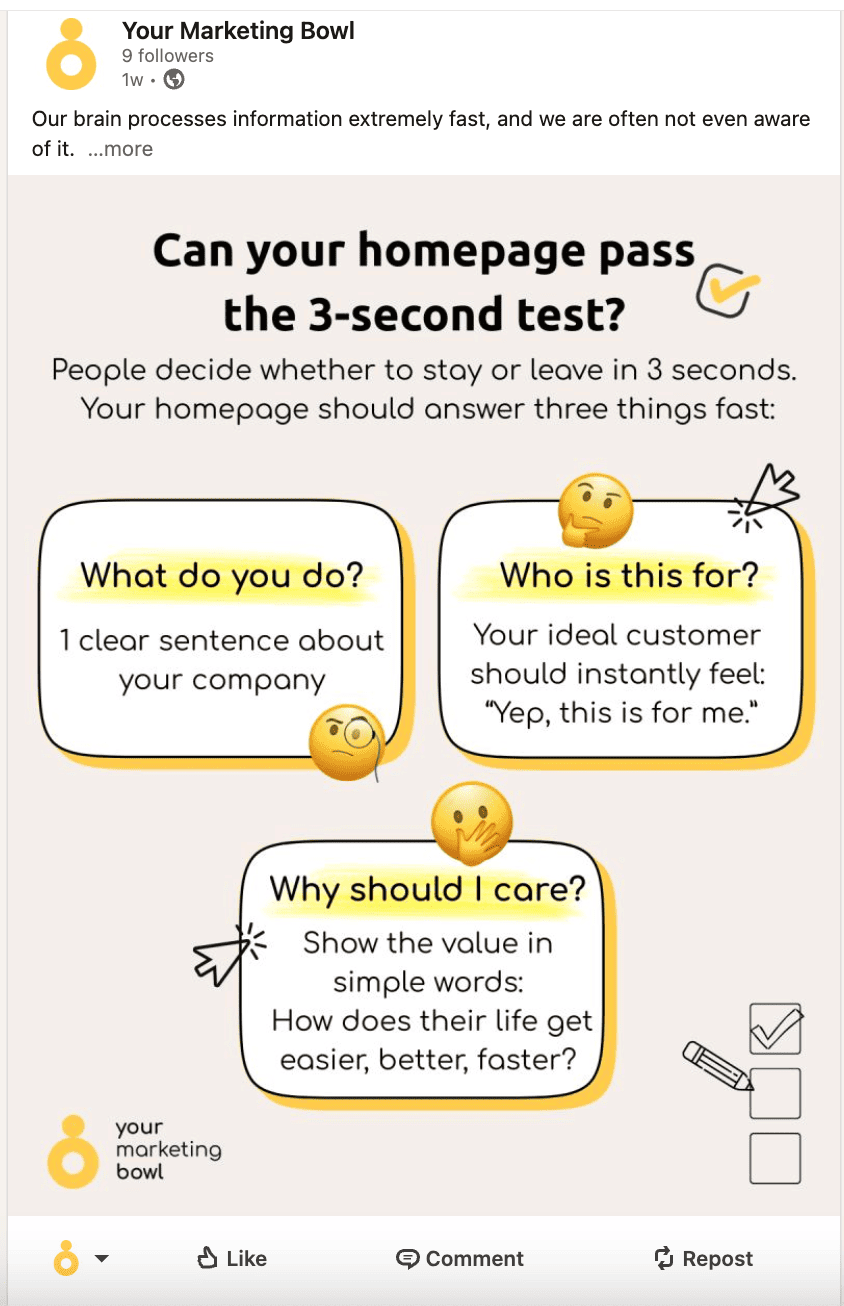
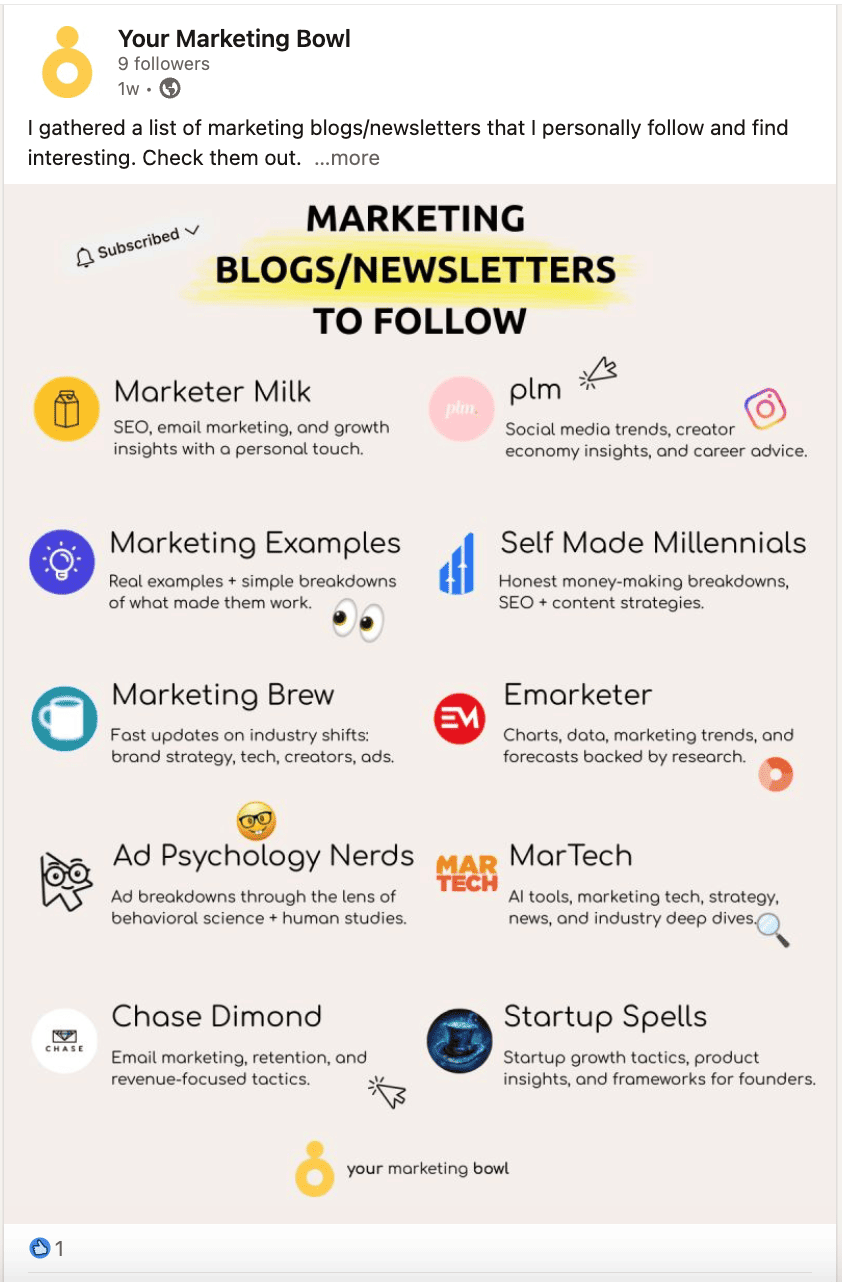
- Ad creative: I picked 3 posts that covered different topics (see below)
Marketing strategy post.
Three-second page test post.
Marketing newsletters post.
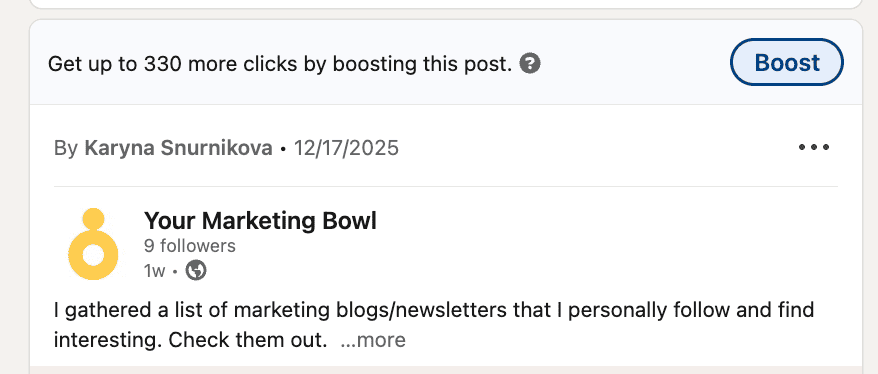
There are different ad formats, and I decided to start my test with the easiest option—boosting posts directly. The first campaign was easy to set up, as you just needed to press the “Boost” button on top of the post. They will appear as sponsored content for users.
Note that you cannot boost a carousel post.
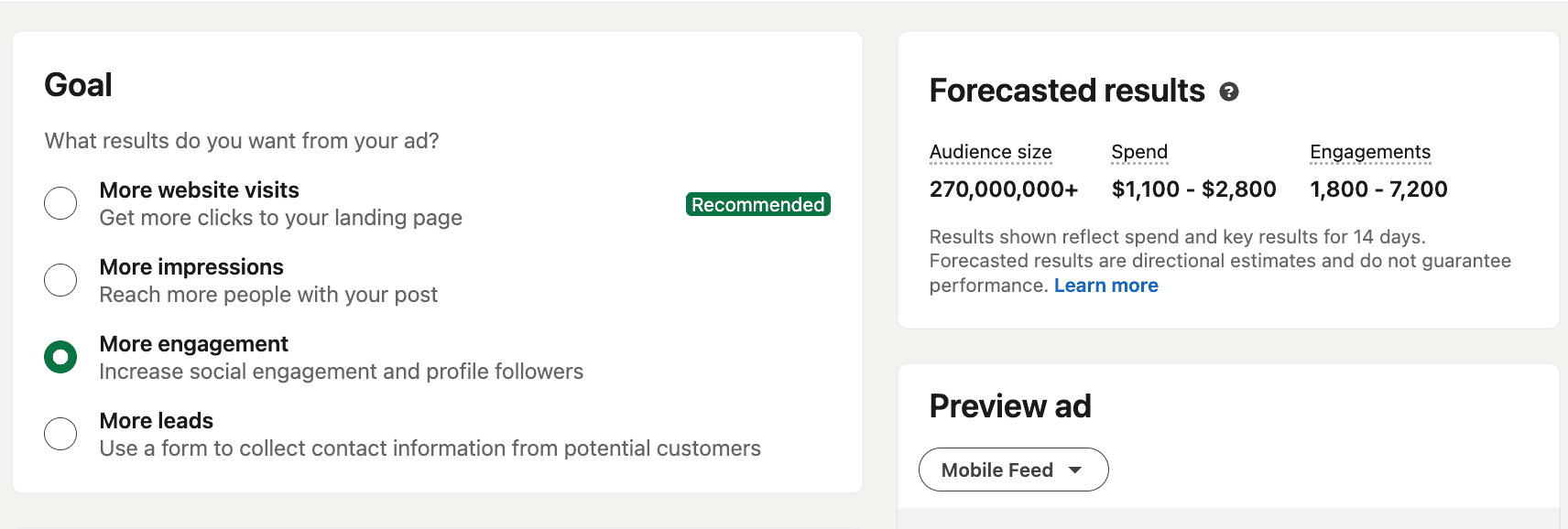
I set up “More engagement” as my campaign goal.
That’s the target audience I picked for this campaign. As I mentioned before, I wanted to target marketing professionals who live in the USA. The closest you can get to that on LinkedIn is by picking Advertising Services as an industry. I decided not to pick any specific job titles, as it did not matter that much for this specific campaign.
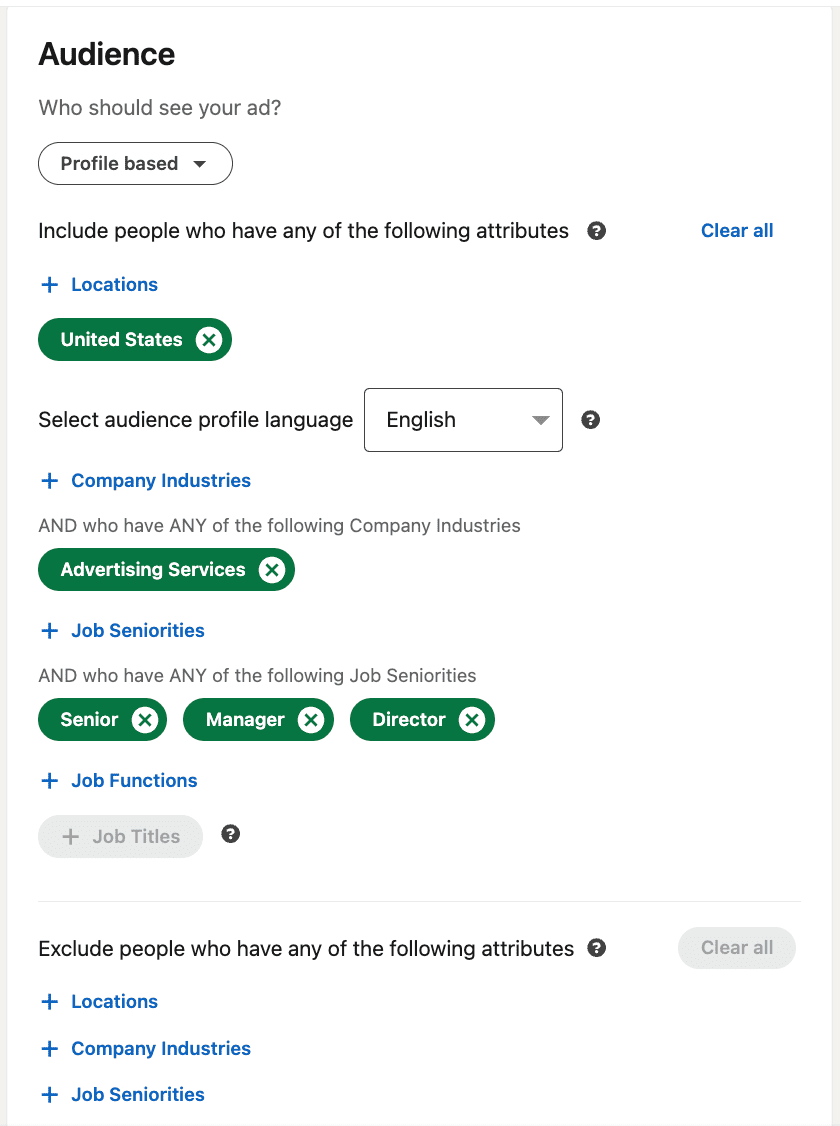
Consider your targeting options carefully before moving on, and remember that you can and should do A/B tests when it comes to ad creatives and the target audience.
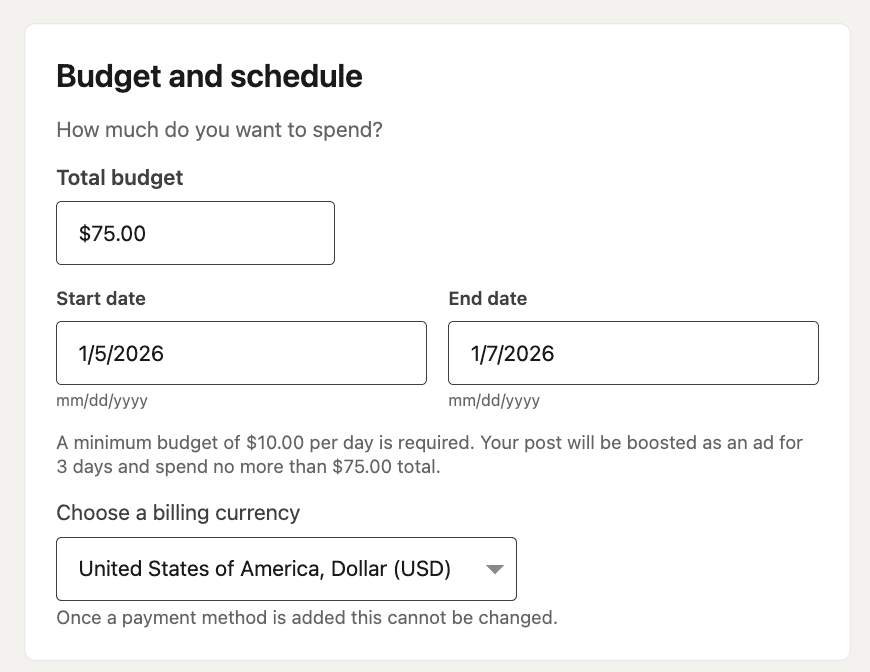
I wanted the campaign to last 3 days for each post and set up the $75 budget for each one of them. That means the platform should spend around $25 a day.
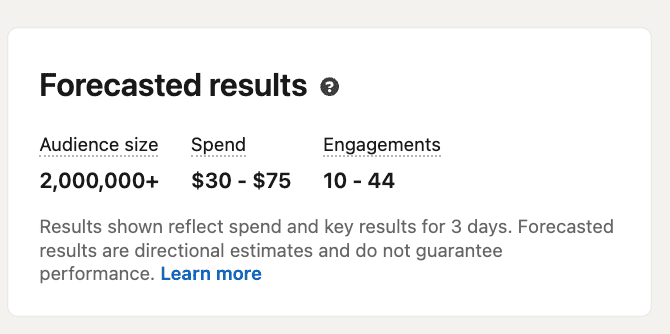
LinkedIn also gives you some projections based on how long the campaign lasts and how much money you have. Those were my estimations.
Once you fill in all the information, you need to click the “Launch” button. After that, you can go to your LinkedIn Ads tracker.
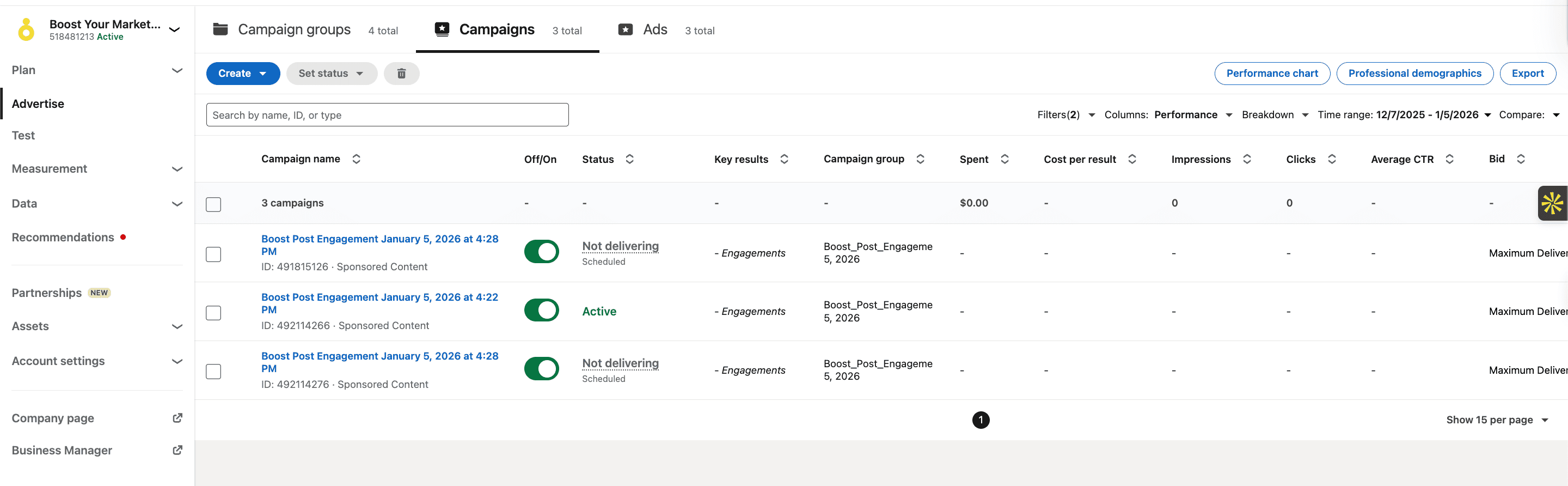
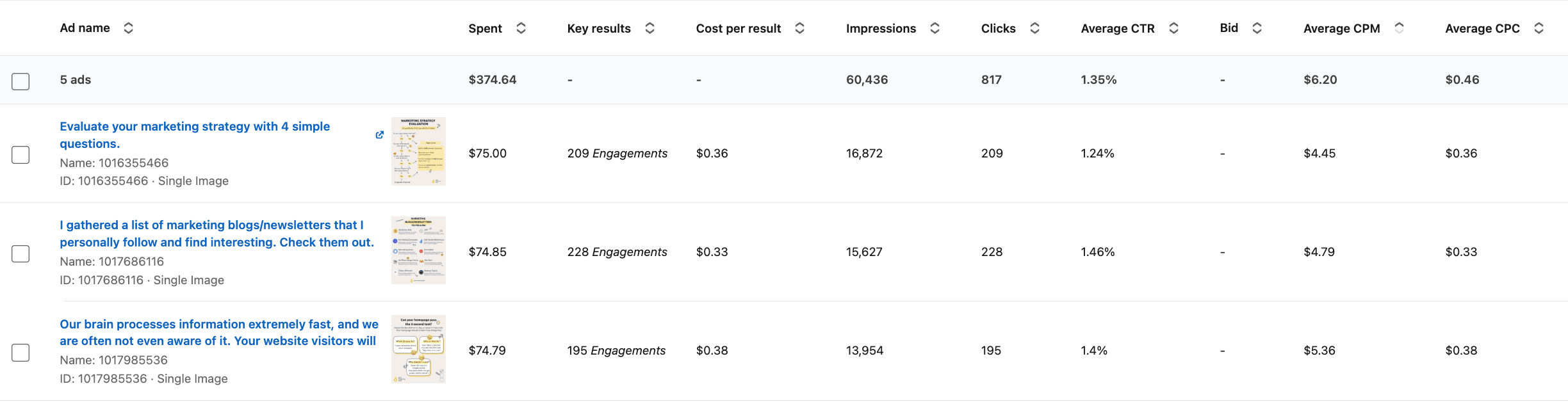
After the campaign was over, these are the results I got.
Additionally, I gained 2 followers while the campaign was running.
Let’s pause here and analyze what we see.
Totals/averages
Spend: $224.64
Impressions: 46,453
Clicks: 632
Click-through-rate (CTR): 1.36%
Cost per click (CPC): $0.36
Cost Per Mille (CPM): $4.83
Followers gained: 2
Likes: 1
I know that working with numbers in digital marketing can get complicated; here is more explanation about how you should deal with numbers.
In order to evaluate the social media ad results, we need to compare them to benchmarks. The most efficient way to do that would be to take industry benchmarks and your own results after multiple campaigns and define what would be a success and a failure for your campaign.
Due to the fact that this is the very first campaign for this page, I do not have metrics of my own yet. That is why we will compare these results to industry benchmarks for now. I used this article from Tamarind’s B2B House to get LinkedIn ads benchmarks.
It is important to note that I did not sell any products or invite people to attend an event in this ad, so the results may look better than they would if the campaign goal were different.
Based on these three metrics (CTR, CPC, and CPM):
CTR is ~2–3× higher than the benchmark
CPC is ~90% cheaper than the benchmark
CPM is ~7× cheaper than the benchmark
From a media performance standpoint, this is a pretty good delivery.
If we move to the followers, we’ll see a different picture.
Two followers from 46,453 impressions. That’s roughly a 0.004% impression-to-follower conversion rate. This is really low, but still expected, for multiple reasons:
1. Engagement optimization ≠ follows optimization. LinkedIn Ads algorithms try to find people who are likely to click rather than commit.
2. No social proof. A page with ~6 followers gives people who see the ad no reason to follow or to trust the brand. Read more stats about that from the LinkedIn official source.
3. Cold reach + brand-new entity. Engagement is relatively easy to achieve, but building trust is not.
All in all, these three campaigns performed above LinkedIn benchmarks on CTR, CPC, and CPM, but confirmed that boosted posts are not an effective way to grow followers for a brand-new company page.
After I saw these results and drew these conclusions, I wanted to make another experiment.
Pivot: Changing the ad campaign strategy
I wanted to see what the results of the social media campaign would be if I changed the marketing strategy and set a different campaign goal.
For the new campaign, I decided to do that:
- Goal: drive traffic to the website to increase brand-awareness and recognition
- Target audience: marketing professionals located in the USA
- Advertising budget: $75 per ad * 2 creatives
- Ad format: I prepared 2 different creatives that would talk very briefly about 2 different articles on my website.
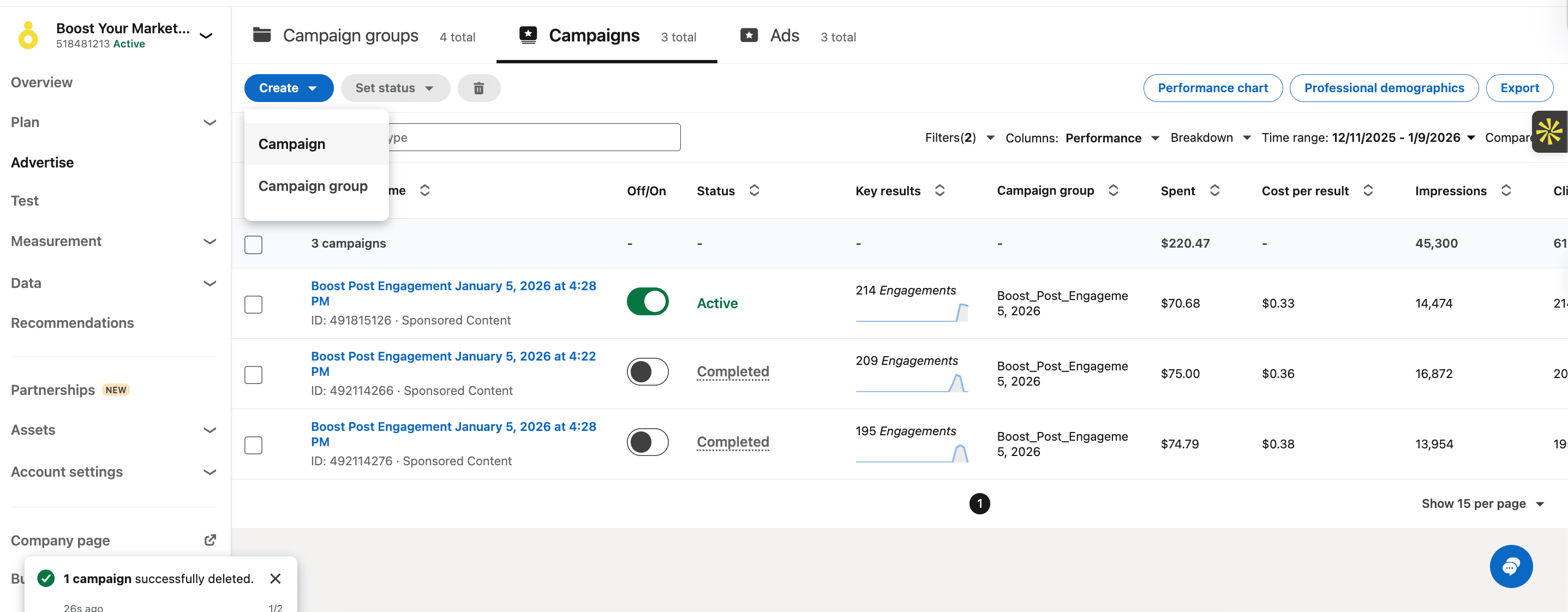
This time, it was not a post boost but an advertisement campaign with a different setup process. You can create it through your campaign manager.
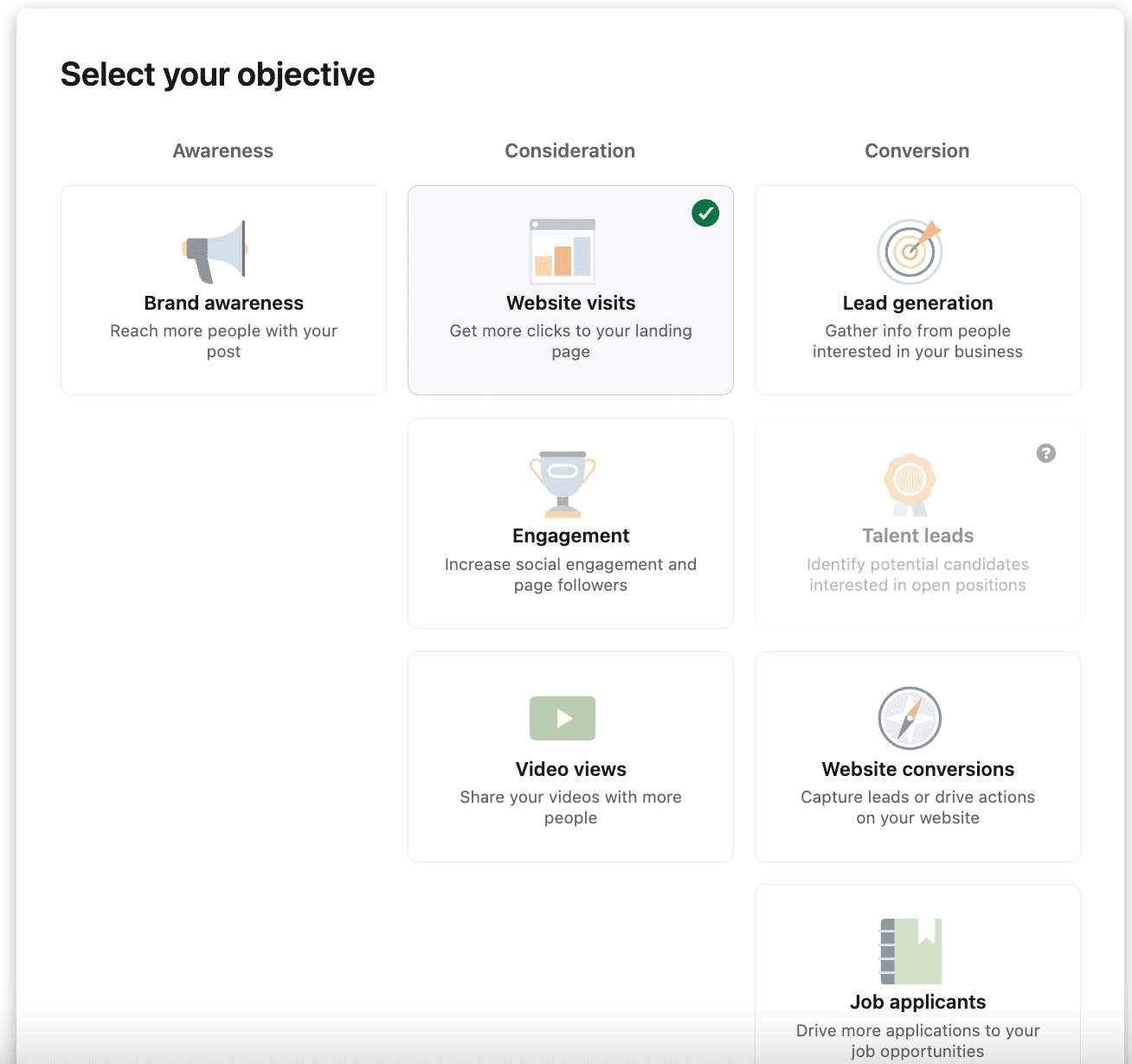
Obviously, I picked website visits as an objective here.
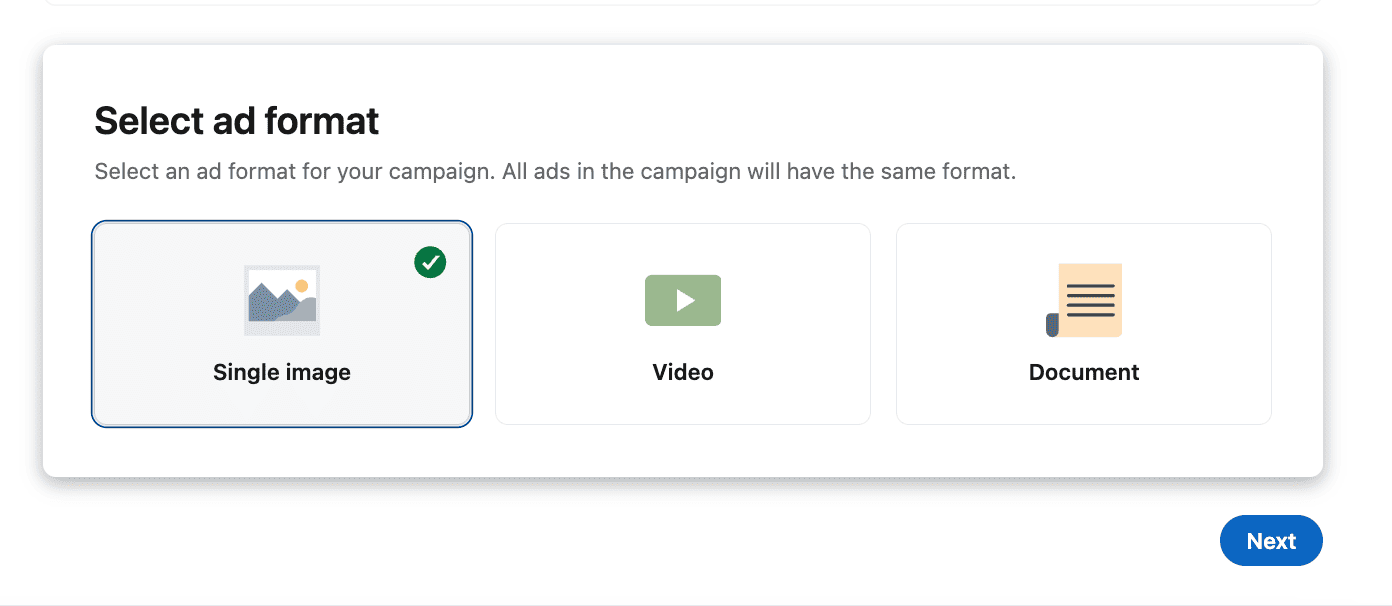
I picked an ad format as a single image.
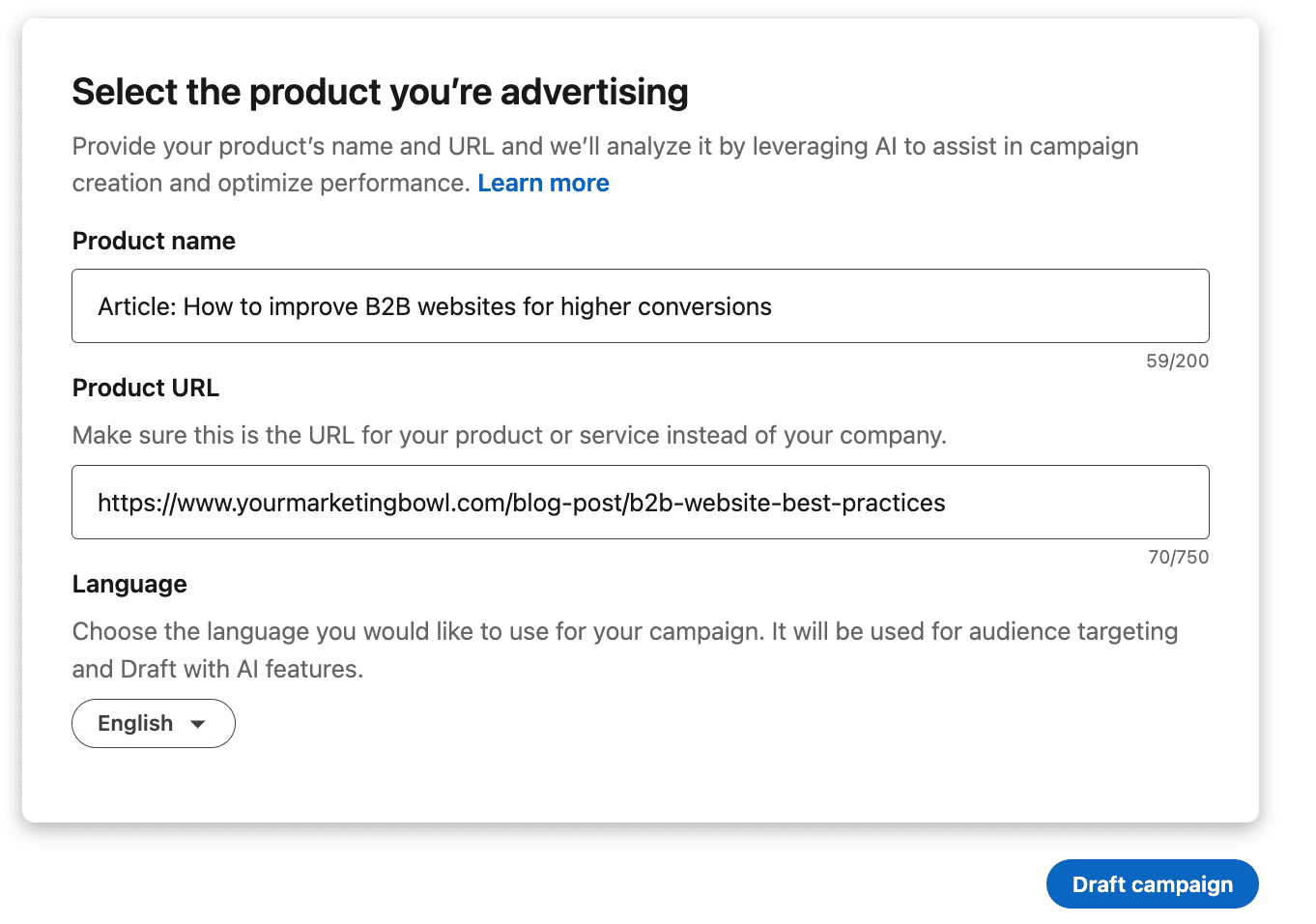
You need to describe the product you are advertising as part of the campaign setup. It might be confusing if you do not have a product like me, so here’s how I did it.
For timing and budget, I used the same approach as in previous campaigns. I wanted it to run for 3 days with a total budget of $75 for each.
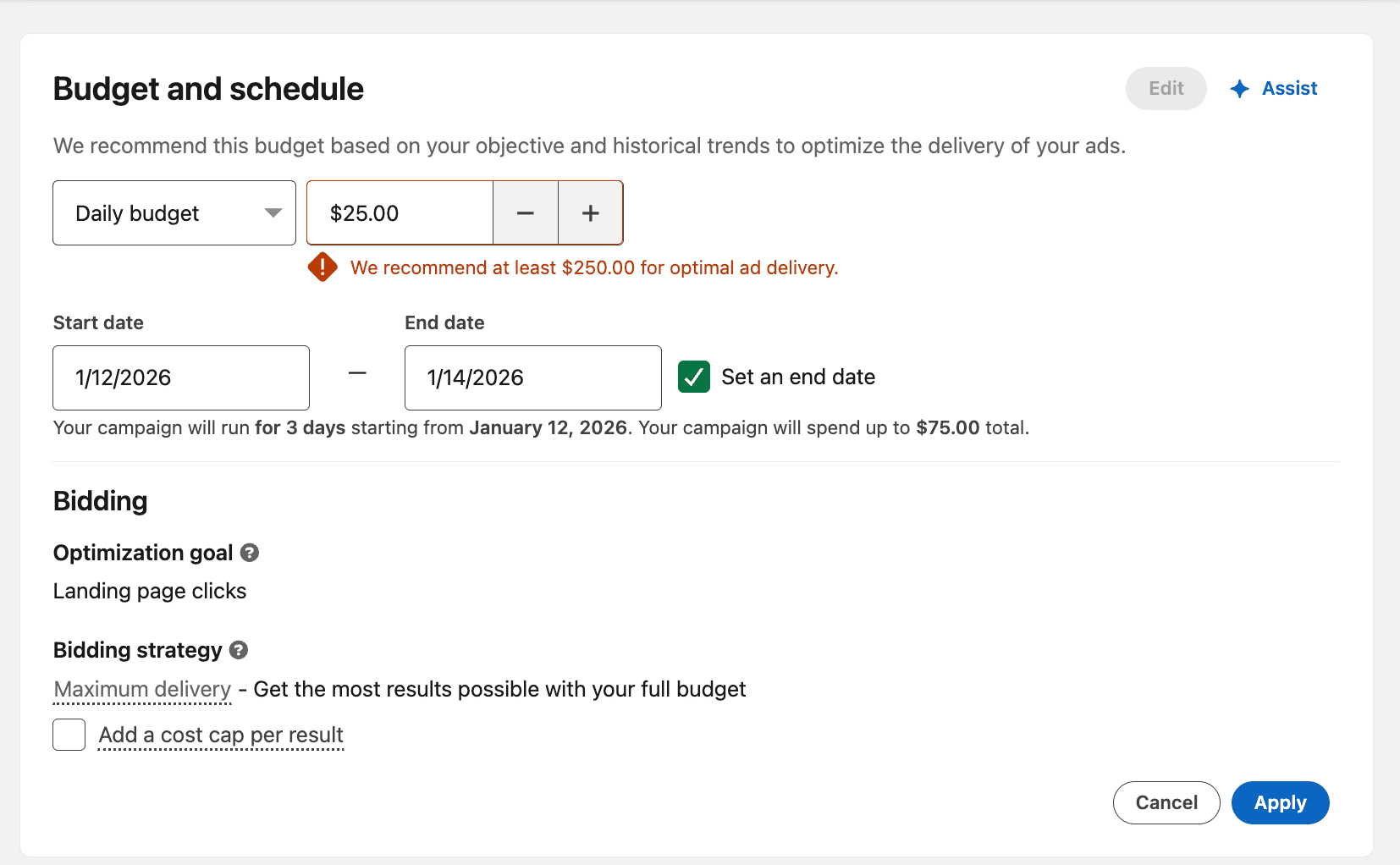
You can see that the ad platform recommends spending at least $250 for optimal delivery, and I agree with that. If you want to properly test the social media campaign and see what is working, you might want to increase the budget, but I did not want to spend too much for the very first test ad.
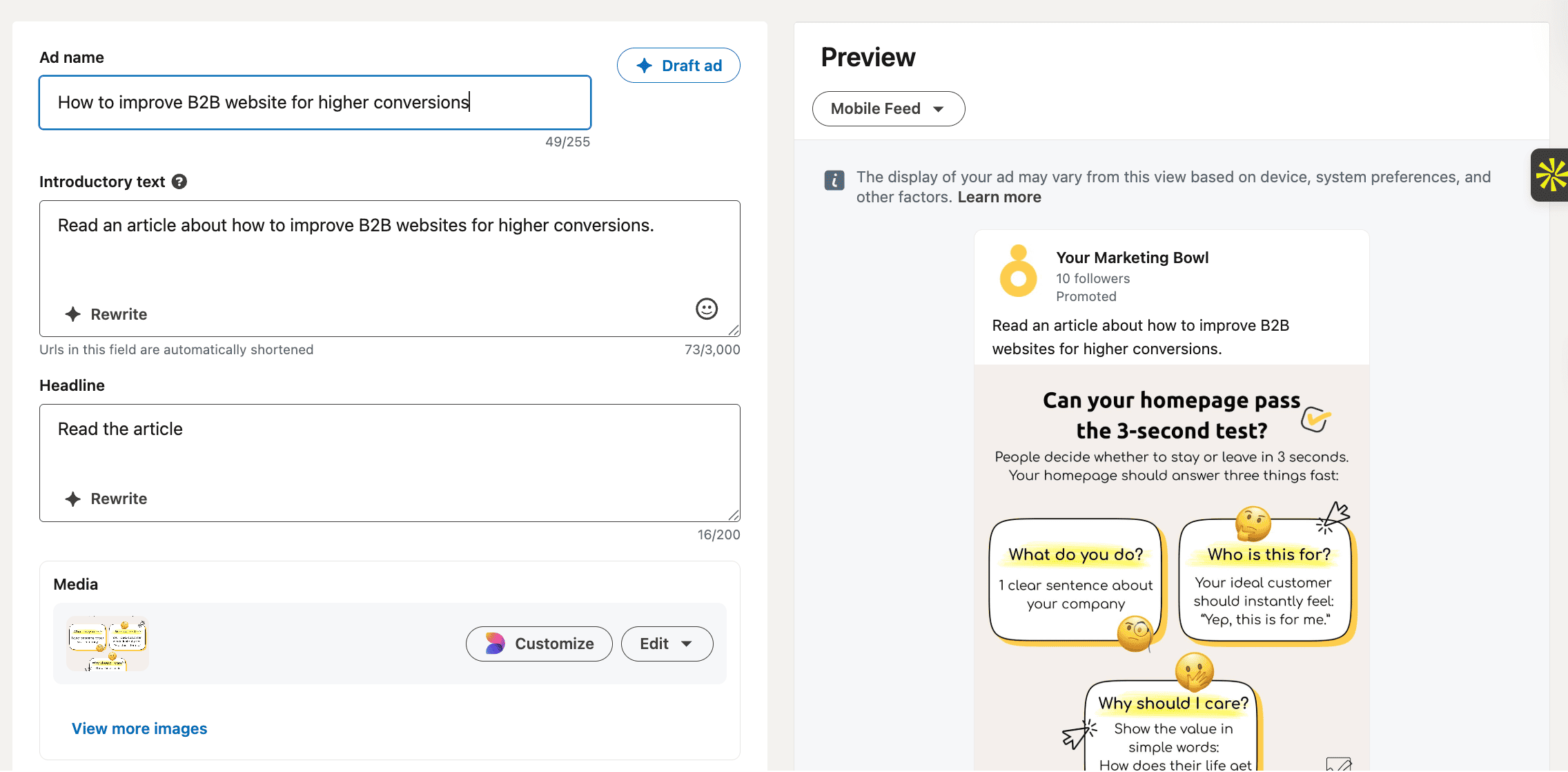
Here is the preview of the campaign. As I mentioned, I had two creatives for two different articles. If you are interested in what the second ad creative looked like, I will attach the picture below.
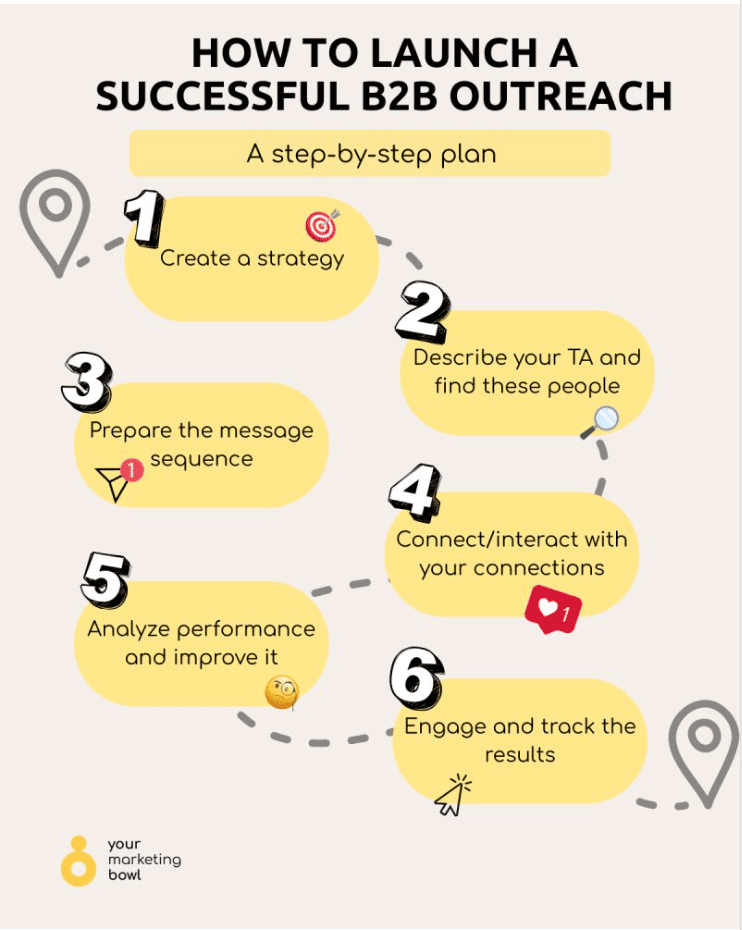
That’s the forecasted result that LinkedIn thinks I’d get.

Important note: if you want to properly track website visits from LinkedIn ads, you need to install the LinkedIn Insight Tag in your GTM account. LinkedIn provides all the instructions on how to do that when you set up the campaign, and the whole process takes less than 5 minutes.
I also kept the same targeting, including location, industry, and job title.
After the campaign was completed, here are the results I got.

Totals/averages
Spend: $150.00
Impressions: 13,983
Clicks (Website visits): 185
CTR: 1.32%
CPC: $0.81
CPM: $10.73
Let’s compare it to LinkedIn B2B benchmarks.
Based on these three metrics (CTR, CPC, and CPM):
CTR is ~2× higher than average
CPC is lower than the benchmark
CPM increased vs engagement ads (expected), but is still efficient
Let’s compare two campaigns side by side.
Based on that, we can conclude:
→ CTR stayed almost identical → creative & audience relevance stayed consistent
→ CPC and CPM increased → expected when optimizing for intent
→ Follower growth stayed minimal → confirms boosted posts aren’t a follower-growth lever for a brand new page
→ Website visits shifted value downstream → from vanity metrics to owned traffic
*Don't forget to track conversion rate, conversion cost, leads, cost per lead, and any other metrics that might be crucial for you
Before we move on to the final evaluation, I want to discuss the broader goal behind website visits. The method we described here is a great fit if your goal is lead generation, or you want to increase brand recognition, or sell your products or services. In that case, you drive your traffic to the landing page where your offer is described.
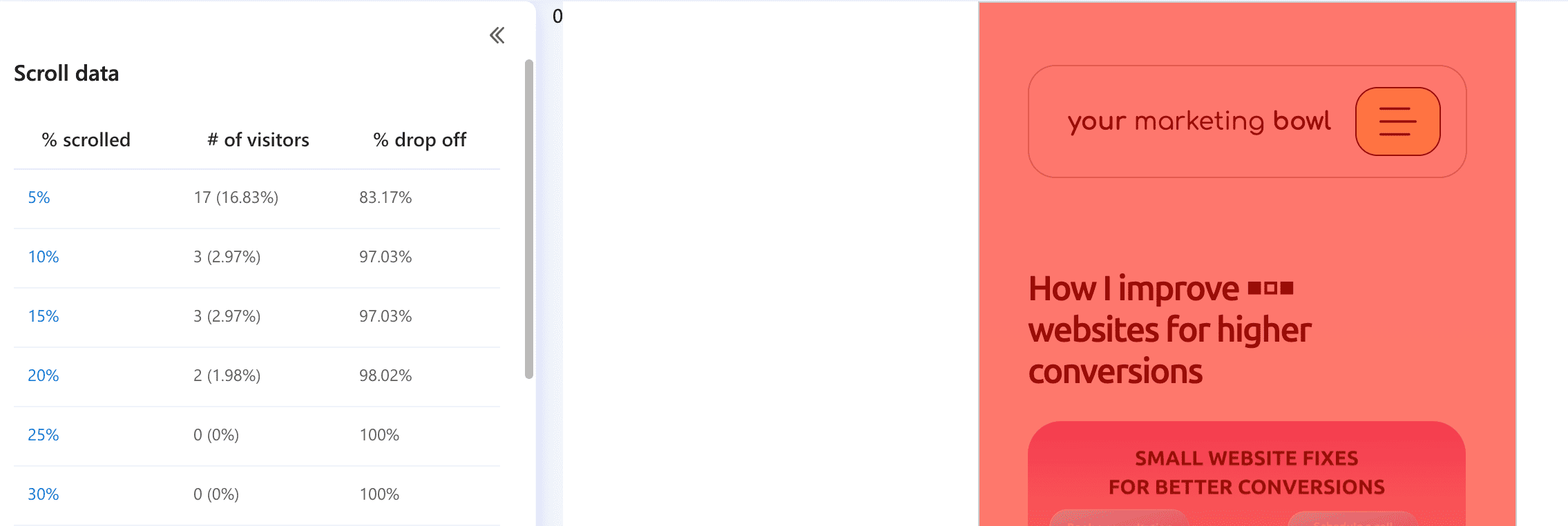
In my case, the situation is a bit different since I don’t sell any products or services but drive traffic to the blog pages. That means that people who see my LinkedIn ad and click to go to the website most likely will NOT read the full article.
The reason behind that is that people do not want to get so distracted and spend the next 15 minutes reading the article when they were just scrolling their feed before.
My heatmap data supports this assumption.
Key takeaways about ad campaigns and new pages
The main goal of this experiment was not to get great campaign results but to understand how ads perform when there is no existing audience, no brand awareness, and no social proof.
Based on these two experiments, here’s what I think is important to highlight.
1. Media performance can look great, even without an established brand
Both campaigns delivered above-average CTR, CPC, and CPM compared to LinkedIn B2B benchmarks.
That tells us one important thing: If your targeting and creatives are relevant, LinkedIn can still deliver great results even for a brand-new page.
From a pure media-buying perspective, the campaigns were not the problem.
2. Boosted posts are not a follower-growth solution for a brand-new page.
Even with 46,000+ impressions, relatively cheap engagement, and a decent CTR, the follower growth was almost zero.
This is not surprising because:
→ Engagement optimization looks for clicks, not commitment
→ A page with 6–10 followers has no social proof
→ People don’t follow unknown brands after one interaction
Based on that, boosted posts can be useful for:
→ Testing topics
→ Getting reach
→ Seeing what content performs better
But they should not be your main solution for growing followers when starting from zero.
3. Website visits impact value, not performance
When I switched the goal from engagement to website visits, CTR stayed almost the same, CPC and CPM increased (expected), and the quality of action changed.
Instead of optimizing for likes or clicks inside LinkedIn, I moved traffic to a space I control.
This doesn’t automatically mean “better results,” but it does mean more intent, more flexibility, and better long-term value (retargeting, learning, and positioning).
4. Website traffic does not equal content consumption
One important nuance in my case is that I don’t sell products or services. I drive traffic to blog posts.
That means:
→ Most users will not read the full article
→ People are still in “scroll mode,” not “learning mode”
→ The click itself is often the end of the interaction
Heatmap data confirmed this behavior.
So if your goal is deep content consumption, ads alone won’t solve that, especially for cold traffic. If you want to know more about why people behave that way, you should read the article about consumer behavior.
5. Number of followers should be a byproduct, not a KPI (at first)
Probably the biggest takeaway for me:
Trying to grow followers directly with ads on a brand-new page is inefficient.
A more realistic mindset is:
→ Use ads to test messaging and positioning
→ Build recognition through repeated exposure
→ Drive people to useful content or offers
→ Let followers come as a secondary effect
Once the page has more content, more credibility, and more visible activity, follower growth becomes much easier, even organically.
I hope that this article will help you to build a successful LinkedIn ad campaign.
Disclosure: Some links in this article may be affiliate links. If you choose to make a purchase through them, Your Marketing Bowl may earn a commission at no extra cost to you.
The content on this site is for informational and entertainment purposes only and should not be taken as financial advice. For full details, see the disclaimers section.
The content on this site is for informational and entertainment purposes only and should not be taken as financial advice. For full details, see the disclaimers section.

Hey there! I'm Karina! I love marketing and everything about it. I've been working in marketing in Eastern Europe, Sweden, and now in Santa Barbara, CA. I hope you gonna like it here.

Subscribe for marketing advice
I'd actually give a friend
Join our mailing list and never miss a story.
No AI, no BS!